AI Tool

Cursor
Anysphere
Cursor
AI-first code editor. Chat with your codebase, generate features, refactor with context. Built on VS Code.
AI-first code editor. Chat with your codebase, generate features, refactor with context. Built on VS Code.
Cursor is built by Anysphere, a startup founded in 2022 by four MIT graduates: Michael Truell, Aman Sanger, Sualeh Asif, and Arvid Lunnemark. Their bet — written into their early manifesto — was that AI-assisted programming would be transformative, but that bolting AI onto an existing editor via an extension was the wrong shape. The editor itself needed to be re-architected around the AI’s capabilities.
They open-sourced their first prototypes in 2022 as a research curiosity. By early 2023 they were getting traction. In 2024 they raised $60M from Andreessen Horowitz and Thrive Capital, then another $105M later that year from Thrive (Series B), with OpenAI’s startup fund participating. By 2025 the company hit nine-figure ARR with a tiny team — one of the fastest revenue ramps in dev-tools history.
The strategic choice to fork VS Code instead of building an extension is the most consequential decision in the product’s DNA. VS Code’s extension API exposes hooks for autocomplete, hover providers, and side panels, but not the deep editor-level integration needed for Cursor’s Tab (predicted edits across the file and across files) or for Composer (multi-file diff review). Windsurf, Cursor’s closest competitor, made the same call for the same reason.
The bet’s downside: Cursor inherits the maintenance burden of VS Code itself, has to sync with upstream changes from Microsoft, and runs the risk that Microsoft eventually closes the gates on forks (Microsoft has periodically tightened the proprietary parts of VS Code — telemetry, extensions marketplace access, branding). The bet’s upside: every keystroke can be AI-aware. Three years in, the bet has clearly paid off.
The pitch is simple: take VS Code (you already know it), bake three things into it — Composer for multi-file AI editing, Tab for next-edit prediction, and Chat for codebase-wide questions — and ship it as a separate IDE.
Three keyboard shortcuts do 90% of the work in Cursor:
Cmd+L → open Chat, with your whole project as contextCmd+K → inline edit at the cursor (“make this async with retry”)Tab → accept the next predicted edit. Not “next token” — “next change you would make” 
Open any folder. Cursor indexes the codebase silently in the background — invisible unless you look for it. The indexer extracts symbol definitions, imports, and dependency graphs into a local embedding store. Hit Cmd+L. Type: “Where does authentication happen in this app?” It reads your code and answers with clickable file references. Hit Cmd+K on a function: “extract this into a service class with dependency injection.” It rewrites in place and stages a diff.
The first thing that hits you is the Tab key. After one edit, Cursor predicts a related edit four lines down — and another two hundred lines away in a sibling file. You Tab through them. Five minutes of mechanical changes becomes twenty seconds. This is the feature most users underuse — and it’s the highest leverage.

.cursorrulesThe download is a 120MB DMG, EXE, or AppImage from cursor.com. First launch asks two things: import your VS Code settings (do it — themes, keybindings, extensions all transfer in one click) and sign in. The free tier auto-activates; you’re coding in under three minutes.
The single biggest quality-of-life decision in your first week is creating a .cursorrules file at your repo root. This file is read by Cursor on every prompt and acts as a system prompt — telling the model your conventions, what to avoid, and what your team’s taste looks like. A good starter .cursorrules for a TypeScript React project:
## Code conventions
– ES modules only. No CommonJS.
– Arrow functions for components. No function declarations.
– Tailwind for styling. Never write inline styles or styled-components.
– All async functions return typed Result<T, E>, not throw.
– Tests in vitest, colocated as Component.test.tsx.
## What NOT to do
– Don’t add new dependencies without a one-line justification.
– Don’t suggest any-typing. Always use unknown + narrow.
– Don’t reorganize files unless asked.
– Don’t use console.log for logging — use the logger from /lib/log.ts.
## Style
– Prefer plain functions over classes unless state is essential.
– Comments should explain WHY, not WHAT.
– Variable names: descriptive, no abbreviations (use `request` not `req`).
This single file changes the experience dramatically. Cursor stops suggesting let req = ..., stops adding console.log, stops introducing new deps. The team’s voice goes into the AI.
The second thing to set up immediately: enable Privacy Mode in Settings → Privacy if you’re touching any code that shouldn’t be logged on Anysphere’s servers. The trade-off is that bug reports become harder for them, but for any sensitive codebase it’s the right call.
Third: switch the default model in Settings → Models. Sonnet (Claude Sonnet 5) is the default for a reason — best balance of quality and speed for most code work. For architecture and design discussions, switch to GPT-6. For fast multi-file sweeps, Gemini 3.8 Flash. More on the model question below.
Composer is the multi-file editing mode. You write a prompt like “add rate limiting middleware to all admin routes” — Cursor finds the routes, generates the middleware, wires it up across however many files are needed, and shows you a single review-able diff at the end. GitHub Copilot can’t do this. Windsurf does, with a different agentic flow. Cursor’s Composer feels closest to working with a focused junior engineer who’s actually read your codebase.
What makes Composer work is the planning step. Before any code is written, Composer produces a plan — files to touch, in what order, what each change does. You can approve the plan, edit it, or reject. If you approve, Composer executes. Diffs accumulate in a stack on the left. You review each one, accept or reject individually, run tests, then commit.
The model that runs Composer is configurable. Sonnet by default. For complex architectural work, switch to Claude Opus 5.5 or GPT-6 — slower but better reasoning. For mechanical multi-file edits, Gemini 3.8 Flash — fast.

Honest take: in mature, well-structured codebases, Cursor feels like having a junior engineer who never sleeps and never asks dumb questions. You describe the change. It does it. You review the diff. You’re done.
In messy codebases — no tests, three conventions per file, inconsistent error handling — Cursor amplifies the mess. It learns from your patterns. If your patterns are bad, suggestions get worse, not better. The 100x productivity stories you see on Twitter aren’t lies, but they happen in clean codebases. In a 10-year-old PHP monolith with three frameworks layered on top of each other, it’s a 1.5x speedup at best.
The Chat-versus-Tab tradeoff is worth internalizing. Chat is for novel work — “design a caching layer for this service.” Tab is for follow-on work — “apply this pattern everywhere else it comes up.” Most users overuse Chat and underuse Tab. Flip that ratio and the editor gets dramatically faster.
Stop typing the obvious code. Press Tab. If Cursor doesn’t predict it correctly, write one line yourself, then press Tab again. The editor learns from your last edit within milliseconds. By edit three or four, you’re usually just Tab-ing.
Starting point: a Next.js app with auth but no payments. Asked Cursor’s Composer to add Stripe subscriptions: products, checkout, webhooks, customer portal.
Composer’s plan, returned in 8 seconds: install @stripe/stripe-js, create /lib/stripe.ts with the SDK client, scaffold /api/checkout/route.ts, scaffold /api/webhook/route.ts, add a subscriptions table to the Prisma schema, add a SubscribeButton component, wire it into the pricing page. Total: 7 files touched.
We reviewed the diff, accepted 6 out of 7 changes (the webhook handler missed our existing error-logging pattern — fixed by adding one line to .cursorrules), and shipped it the same afternoon. Three commits.
What surprised us: Composer remembered halfway through that we use Prisma migrations, not raw SQL, and added prisma migrate dev --name add_subscriptions as a follow-up step in the plan. We didn’t tell it. It read prisma/schema.prisma, saw the existing migration history, and inferred the workflow. That’s the codebase awareness paying off in a way Copilot literally cannot match.
The webhook handling was the most impressive bit. Stripe webhooks need raw-body parsing (the signature is computed against unparsed bytes), which clashes with Next.js’s default JSON middleware. Composer didn’t just write the handler — it added the export const config = { api: { bodyParser: false } } directive, configured the verification with idempotency keys, and added an inline comment explaining why. This is the kind of detail that distinguishes “AI completion” from “AI engineering assistance.”
An older Express app with 47 files using axios. The brief: kill the dependency, replace with native fetch, preserve all error-handling behavior, write a migration test for each callsite.
Composer scanned the codebase, identified the 47 callsites, and proposed a phased migration: shared http client wrapper first (in /lib/http.ts), then mechanical replacements. We accepted the plan.
Cursor edited every file in one pass. Critically, it caught two subtle Axios behaviors that don’t translate to fetch: automatic JSON parsing (handled by adding res.json() in the wrapper) and throwing on 4xx/5xx (added explicit res.ok checks). Two of the 47 sites had unusual config that needed manual review — Cursor flagged them with a warning emoji in the diff and a one-line note explaining what was non-standard.
One site was using axios.create() with an interceptor that mutated request headers based on a feature flag. Composer noticed the interceptor pattern doesn’t have a direct fetch equivalent, and instead of guessing, it wrote a comment in the diff: “This site uses an axios interceptor. Suggest refactoring to a wrapper function — flagged for human review.” That kind of honesty is rare in AI tools and is exactly what you want.
The tests Cursor generated for each callsite were thinner than we’d write ourselves — they verified response parsing and error throwing but didn’t cover the interceptor cases. Fair: we hadn’t asked. A second prompt — “extend the tests to cover the interceptor cases” — produced what we wanted. Two-prompt refactor, low risk, no missed sites.
The scenario: a contractor gets the codebase Monday morning. Brief is “add a new admin permission level.” They’ve never seen this code.
Step 1: open Cursor. Hit Cmd+L. Type: “Give me a high-level architecture of this app. Where does authentication live? Where are admin permissions checked?” Cursor reads the structure and answers in 12 seconds with clickable references — /lib/auth.ts, /middleware/admin.ts, /db/schema.ts.
Step 2: “Add a ‘super-admin’ role between admin and owner. Update the middleware, schema, and seed data.” Composer touches the three files. Diff is small and readable. The contractor asks Cursor a follow-up: “Are there any other places in the codebase where role hierarchy matters? Show me.” Cursor finds three more files — including a can() permission helper buried in /lib/permissions.ts that handles the hierarchy logic. The contractor would have shipped a broken PR without it.
Step 3: “Add an end-to-end test for super-admin permissions.” Cursor finds the existing test framework (Playwright), reads three existing tests to match the style, writes a new test in the same style, and even matches the team’s naming convention (should_allow_super_admin_when_promoted_from_admin).
The win here isn’t speed — it’s that the contractor’s first PR is structurally correct. Without codebase awareness, day-one PRs from new contributors invariably miss conventions, skip helpers that exist, and break some assumption nobody documented. Cursor reads the code before suggesting changes. That changes onboarding from “weeks of reading” to “hours of doing.”
We hit Cmd+K on a React component and gave Cursor this prompt:
Three seconds later, Cursor returned this — and edited a second file we didn’t ask about, which is the right move:
const isProd = process.env.NODE_ENV === ‘production’;
function logError(error, info) {
Sentry.captureException(error, {
contexts: {
react: { componentStack: info.componentStack }
}
});
}
export function withErrorBoundary(Component) {
return function Wrapped(props) {
if (!isProd) return <Component {…props} />;
return (
<ErrorBoundary
FallbackComponent={ErrorScreen}
onError={logError}
>
<Component {…props} />
</ErrorBoundary>
);
};
}
That’s what “fast” means in practice. No going to docs. No imports forgotten. The component we actually wrap is in a separate file — Cursor edited that file too, without being asked, because it understood that the wrapping is the whole point.
PixlRun’s editorial scores for a mid-size Next.js codebase (about 40k LOC, TypeScript, monorepo) — here’s how Cursor stacks up against the two main competitors:
bench –tool=all –metric=acceptance,latency,multi-file
Copilot is the speed champion. Cursor wins the metric that actually matters — acceptance rate, the percentage of suggestions developers keep. For anything beyond single-file autocomplete, Cursor is in a different league.
Cursor exposes a model picker — the dropdown in the Chat panel and a separate setting for Tab autocomplete. The three big options each behave differently. Choosing the right one for the task is the second-biggest skill gain after using Tab properly.
The most consistent for typical code work. Strong reasoning about existing code patterns, conservative about introducing new abstractions, careful with edge cases. If you’re refactoring, fixing bugs, or extending existing patterns, Sonnet is the right default. Costs about 2-3 fast premium requests per medium-complexity prompt under Pro.
Where Sonnet falls short: novel architectural decisions where you want the model to push back on your premise. It’s polite to a fault. If you ask “should I use Redux here?” Sonnet will usually answer the question you literally asked rather than challenging the premise.
Stronger at higher-level reasoning and at pushing back on bad assumptions. When you’re doing system design — “should this be a separate service or a module?” — GPT-5 is the better choice. It’s also better at edge cases in unfamiliar APIs.
The downside: GPT-5 is slower and more expensive per prompt. Reserve it for design discussions and complex bug investigations. For day-to-day coding, Sonnet is faster and just as good.
Gemini’s large context window (1M tokens) means Composer can hold significantly more of your codebase in mind at once. For mechanical refactors that touch many files, Gemini Flash is dramatically faster than the alternatives — sometimes 3-5x faster.
The trade-off: Gemini’s code quality is the most variable of the three. Excellent on mechanical changes (the Axios refactor case study above used Gemini). Weaker on subtle logic and on idiomatic style. We’ve had Gemini suggest patterns that work but look like Java in a TypeScript codebase.
Sonnet for daily coding (~70% of prompts). GPT-6 for architecture conversations (~15%). Gemini 3.8 Flash for sweeps and refactors (~15%). The model picker is one click — switch between them within a single session as the task changes. Power users keep all three signed in (BYOK) and never hit Cursor’s request limits.

This is the question every developer asks before signing up: where does my code go, and what does Anysphere do with it?
The simplified data flow: when you trigger an AI action, the relevant snippet of code (the file or excerpt around your cursor) is sent to Anysphere’s servers. From there it’s forwarded to the model provider you’ve selected — OpenAI, Anthropic, or Google. The provider processes the request and returns the suggestion. The provider does not retain the data: Anysphere holds zero-retention agreements with OpenAI and Anthropic that contractually prevent your code from being used to train models or stored beyond the request.
Three things matter here for enterprise concerns:
What Cursor doesn’t help with: if your employer simply forbids any AI tooling that touches code (some banks, defense contractors, healthcare providers do this), no privacy mode setting will change that. The data leaves your machine for the inference call.
If you paste API keys or secrets into Chat, they go to the model provider too. Privacy Mode prevents Anysphere from logging them, but they still hit OpenAI/Anthropic’s request handlers. Use environment variables, not pasted secrets. If your team commits accidental secrets, rotate them — Cursor’s logs aren’t the only place they live.
a/cursor b/claude-code
Claude Code is Anthropic’s terminal-based coding agent — what we’re using right now to write this review. It’s not an editor. It’s a CLI that takes natural-language tasks and executes them across files, runs tests, edits, and commits. Cursor and Claude Code are increasingly used together.
Verdict: Use both. Cursor while actively typing code. Claude Code when you want to delegate a chunk of work and review later. Most productive developers we’ve talked to use Cursor 70% of the time and Claude Code 30%.
a/cursor b/copilot
Copilot is the OG of AI coding assistants. It started as a VS Code extension in 2021 and has matured into a full suite (Chat, CLI, voice). It’s $10/mo individual, $19/mo business — half the price of Cursor.
Verdict: Copilot if your workflow is autocomplete-driven and your company has a Microsoft enterprise agreement. Cursor for anyone who works across files daily. The $10/mo extra pays for itself in the first refactor.
a/cursor b/windsurf
Windsurf is Cursor’s most direct competitor — also a VS Code fork, also model-agnostic. Codeium pivoted to Windsurf in late 2024; as of September 2026 Windsurf has folded into Cognition’s Devin product line, with paid tiers starting at $20/mo. The agent feature is called Cascade.
Verdict: Try both. Free trials exist. Most developers land on Cursor after a week — codebase awareness and Tab are stronger. Windsurf is a credible second choice and the right pick if you need on-prem.
No tool review is honest without a section on failure modes. Here’s where Cursor consistently disappoints:
When you make a major change — like renaming a class used in 30 files — Cursor’s index doesn’t always update instantly. For the next minute or two, suggestions can reference the old name. Workaround: trigger a manual reindex (Settings → Indexing → Rebuild) after big refactors. Mildly annoying. Not a dealbreaker.
The planning step is the weakest part of Composer. Plans often look reasonable but skip subtle constraints. Example: we asked Composer to “add caching to all API routes” and it wrote a generic cache wrapper — missing that three of our routes had per-user authorization, which our cache wrapper would have bypassed if we’d accepted blindly. The lesson: always read the plan carefully before approving. Don’t autopilot it.
Anything that takes Composer more than ~5 minutes tends to hit timeouts or get into bad states. For long refactors, break them into smaller passes. We’ve had multi-hour Composer sessions go off the rails and require restarting from scratch.
Cursor will occasionally make up a function or import that doesn’t exist in your project — usually when it’s pattern-matching to a similar but different codebase it learned from. Always verify imports compile. The error is rare (maybe 1 in 50 prompts) but easy to miss because the suggestion looks confident.
If your linter aggressively auto-formats on save (Prettier, Black, etc.), Tab predictions can conflict — Cursor predicts what your code “should” look like, the linter immediately rewrites it. Solution: configure the linter to run only on commit, not on save, or accept that Tab won’t be perfect with aggressive linters.
When Chat suggests code and you click Apply, sometimes the change is silently rejected if there’s a merge conflict with your current edits. There’s a small notification but it’s easy to miss. Workaround: save the file before applying any Chat suggestion.
Treat it like a system prompt: your team’s code conventions, what files to ignore, what NOT to suggest. Cursor honors it on every prompt. This is the biggest single quality lever — most users never create one.
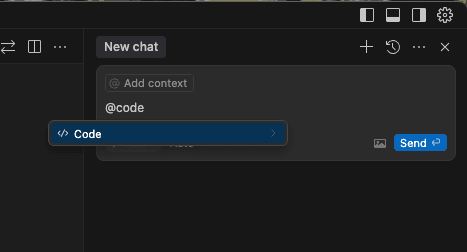
Type @docs to attach documentation (e.g. Next.js docs) as context. Type @web to let Cursor browse the live internet for your question. Pasting library docs in chat is obsolete — just @docs them.
When Cursor suggests code in the Chat panel, every code block has an “Apply” button. Click it — Cursor finds the right file and inserts the change. Stop copy-pasting code from chat.
Highlight an error in the terminal, right-click → “Debug with Cursor”. It pulls the error into Chat with the stack trace and your relevant code. Much faster than copy-paste-then-explain.
Type @ and a class or function name. Cursor pulls just that symbol’s definition into context instead of the whole file. Massive token savings on big projects, and the answers stay more focused.
Open a new project, your old chats stay tied to the old project. This is the right default — your “how does auth work here” answer doesn’t bleed into the next app. Re-open the old folder and the chat is back.
Multi-cursor mode meets AI. Select a variable, hit the shortcut, all instances are now multi-cursored. Edit one — they all update. Then hit Tab — Cursor predicts the rest of the rename across files.
Cmd+N opens a scratch buffer where you can paste random code and have Cursor analyze it without it polluting your project’s index. Great for “what does this regex do” or “explain this stack trace” questions.
.gitignore in indexing. By default, Cursor indexes everything not in .gitignore. Big node_modules-style folders will slow indexing if not properly ignored. Verify your .gitignore is comprehensive.After spending months watching developers use Cursor, a few habits separate power users from beginners:
.cursorrules as your team’s “AI taste”. When you find Cursor making a mistake repeatedly, add a rule. When you change a convention, update the rule. The file becomes living documentation of what good looks like.The Free tier (2,000 completions + 50 slow premium requests per month) is fine for evaluation. You’ll hit limits in a single afternoon of actual coding.
Pro at $20/mo is the plan that matters. Unlimited completions, 500 fast premium requests per month, unlimited slow requests. “Slow” tier uses cheaper models with queuing — perfect for background work, frustrating when you’re actively coding and waiting for a response.
Business at $40/user/mo adds SSO, enforced privacy mode, and centralized billing. Worth it for teams of 5+. For solo or duo, stay on Pro.
Bring-your-own-key (BYOK) is the interesting option. Skip Cursor’s billing, plug in OpenAI/Anthropic API keys directly. Math:
Headline price hides the real number. Here’s the full math for three scenarios.
The honest caveat: these are potential productivity gains. The actual realization depends on whether your developers actually use the tool, whether your codebase rewards AI assistance, and whether your management captures the freed-up time for higher-value work or simply has people work less. For organizations that capture the upside, Cursor is one of the highest-ROI tooling purchases available in 2026.
If you’re the engineering lead who has to roll out Cursor to a team of 10-100, here’s the playbook that works.
Identify 2-3 senior engineers who’ve used Cursor (or similar tools) personally. Make them pilots. Pay for their Pro accounts out of your team budget for one month. Don’t announce anything. Let them use it and report back.
Based on pilot feedback, decide if Cursor is the right tool. Common decision factors: privacy posture, integration with your existing stack, fit with team’s existing workflow. If yes, expand to a team-sized pilot of 5-10 developers on Business plan.
Before broad rollout, write a one-page AI tooling policy. What’s allowed, what’s forbidden, who pays. Common decisions: Privacy Mode required, no secrets in Chat, no AI-generated code without human review in PR, BYOK allowed for personal accounts.
Org-wide announcement. Optional opt-in for the first month — push people who want to try it. Run a 30-minute “Cursor lunch-and-learn” with the senior pilots demonstrating workflows. Make adoption opt-in, not mandatory. Forced adoption breeds resentment; voluntary adoption builds advocates.
Track usage via the Business admin dashboard. Identify power users — make them mentors. Identify non-users — interview them to understand why (often it’s editor preference, sometimes legitimate security concerns). Update your AI tooling policy quarterly as the landscape shifts.
Copilot if you want strong autocomplete and a $10 price tag. Cursor if you want an AI that actually reads your codebase before answering. For anyone shipping production code as a job, Cursor.
No. Anysphere holds zero-retention agreements with OpenAI and Anthropic. Enable Privacy Mode in Settings to enforce it client-side — even Anysphere’s servers won’t see your code.
Yes. The Business plan includes SSO and SAML. Self-hosted git works fine — the only “company” thing that matters is whether your security policy permits AI tooling that calls external APIs.
Editor: yes, it’s VS Code. AI features: no — they need an API connection to OpenAI, Anthropic, or whatever provider you’ve configured.
Tab autocomplete (predicting next edits, not just tokens) and Composer (multi-file edits with diff review) need deep editor integration that the VS Code extension API doesn’t expose. Windsurf is a fork for the same reason.
Cursor is a VS Code fork — your settings, extensions, and themes are portable. You’d lose the AI features but keep the editor. Open-source clones already exist (Void, Aider’s VS Code mode).
Yes, for Chat. Plug in any OpenAI-compatible endpoint in Settings. Tab autocomplete still uses Anysphere’s models — those aren’t currently swappable.
Cursor for inline editing and active coding work. Claude Code for batch operations (large refactors, repo-wide sweeps, automation) where you don’t want an editor in the way. Most working developers end up using both.
Pro plan is $20/mo regardless of usage. The “fast” request limit (500/mo) caps your premium model usage; if you hit it, the rest goes to “slow” tier (free but queued). For most users, $20/mo is the total. Heavy users sometimes go BYOK and spend $30-200/mo on direct provider bills.
Cursor has a Vim extension that handles 80% of typical Vim workflows. The remaining 20% (advanced macros, custom motions, exotic plugins) doesn’t always work. If you’re a Vim expert, Cursor will feel like a downgrade.
Yes. The admin dashboard lets you require Privacy Mode for all team members. Individual users can’t toggle it off if you’ve enforced it.
If you already use VS Code, getting productive in Cursor takes about 2 hours. Becoming a power user takes about 2 weeks of daily use, mostly learning when to use Chat vs Composer vs Tab and developing the habit of pressing Tab aggressively.
Cursor sets the bar for what “AI-native editor” means in 2026. It’s the most productive AI coding tool we’ve used, the codebase awareness is real, and the $20/mo price is a steal for anyone who codes professionally. The only reasons to skip are policy-driven (employer mandates) or workflow-driven (you live in Vim or only edit configs occasionally). Pick it up. Use the free tier for a week. Decide.
Every verified price, limit, and model change we have tracked for Cursor.
One email when Cursor changes price or limits. No account, no spam.