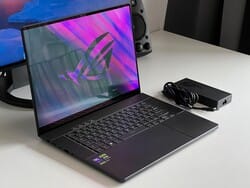
ASUS ROG Zephyrus G16 (2024) · Gaming power in an ultrabook body
Full bench sheet & specifications
16 ROWS · 8 GROUPS The Bench Sheet · ROG Zephyrus G16 (2024)
ASUS spent years chasing the MacBook Pro crowd with the Zephyrus G14. In 2024 it made the same bet on a 16-inch canvas — and the result is a machine that defies category. The ROG Zephyrus G16 (2024) pairs a Meteor Lake Core Ultra 9 185H processor with an NVIDIA GeForce RTX 4090 Laptop GPU inside a 1.95 kg aluminium chassis that is thinner than most ultrabooks. The headline feature is a 16-inch 2.5K 240 Hz OLED panel — a display that competes with anything on the market, portable or otherwise. But spec sheets lie. What actually matters is how ASUS reconciles high-wattage GPU power, a premium display, and sub-2 kg weight without melting your lap or your budget.
ASUS calls the G16’s lid pattern “Eclipse Gray” — a laser-etched dot matrix that shifts between slate and gunmetal under different light. It is a subtle flex: understated enough for a boardroom, identifiably ROG for a LAN party. The CNC-machined aluminium chassis passes the single-hand twist test comfortably, with no flex detectable along the keyboard deck or display hinge.
At 17.9 mm thin and 1.95 kg this is one of very few laptops running a full RTX 4090 Laptop GPU that you would willingly carry in a daypack. The competition (Razer Blade 16, MSI Titan 18) adds 300–500 g and nearly a centimetre of thickness. The hinge holds the display at any angle without drift and opens with one finger — a small but telling sign of build precision. The bottom panel flexes slightly under palm pressure, a familiar trade-off for low-profile chassis design.
Ports are distributed thoughtfully: two Thunderbolt 4 / USB-C 4 (both with Power Delivery and DisplayPort 1.4), two USB-A 3.2 Gen 2, HDMI 2.1, SD card reader (UHS-II), and a 3.5 mm combo jack. There is no proprietary charging connector — the 240 W barrel plug powers the GPU properly, while a USB-C PD charger keeps the machine alive for lighter workloads. That flexibility matters on travel.
The ROG Nebula OLED panel is the G16’s strongest argument for its price. 2560×1600 at 16:10 puts more vertical real estate on screen than the 1920×1200 IPS alternatives, and OLED’s native contrast eliminates the “grey blacks” tax common in IPS gaming panels. Measured peak brightness sits around 600 nits SDR, 1,000 nits HDR — credible figures for the technology, though sustained brightness dims slightly to protect burn-in longevity.
At 240 Hz with a 0.2 ms response, the display is fast enough that competitive gaming limitations are almost entirely CPU/GPU-bound rather than panel-bound. Colour accuracy out of the box is excellent — coverage reaches 100% DCI-P3 and factory calibration keeps Delta E below 2 across the gamut, a standard usually reserved for colour-critical professional monitors. ASUS ships the panel with three presets: Vivid, Natural, and sRGB-clipped, so content creators can switch mode without an ICC profile.
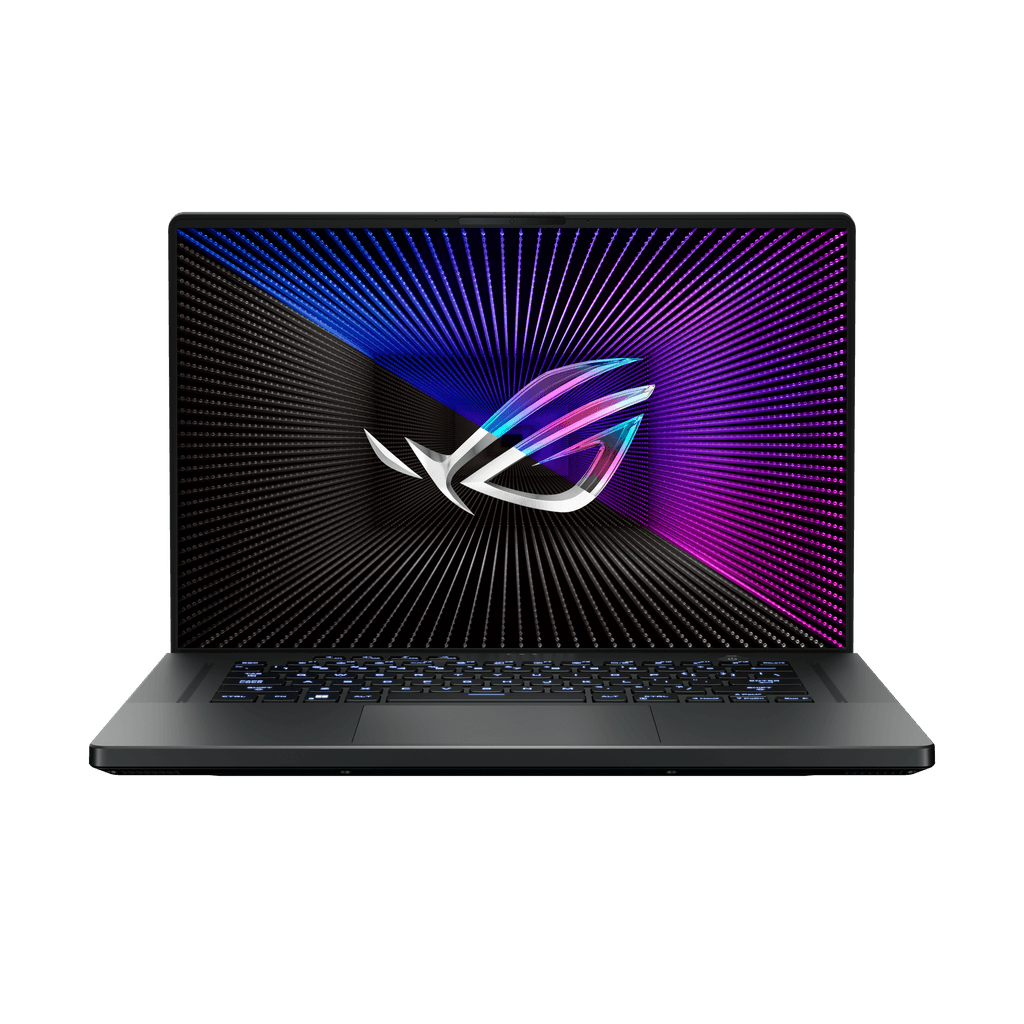
- Panel typeOLED (Samsung E4)
- Aspect ratio16:10
- Peak brightness (SDR)~600 nits
- Peak brightness (HDR)~1,000 nits
- Colour gamut100% DCI-P3
- Delta E (typical)< 2.0
- Adaptive syncG-Sync Compatible
Intel’s Core Ultra 9 185H (Meteor Lake, 16-core, up to 5.1 GHz) is a meaningful step over the previous 13th-gen in efficiency but broadly similar in peak multi-threaded throughput. The story is the RTX 4090 Laptop GPU, configured here at a 150 W TGP (Turbo) — the maximum NVIDIA allows in this class. ASUS supplements that with its MUX switch, routing the GPU directly to the display for a measured 10–15% frame rate gain in games over hybrid iGPU output.
In Cyberpunk 2077 at 1600p Ultra you land around 85–92 fps with Ray Tracing Medium — playable and visually stunning on the OLED at high refresh. At 1080p with DLSS Quality the same scene reaches 130+ fps. Blender Classroom renders complete in approximately 4 minutes 20 seconds, slightly behind desktop RTX 4090 but faster than any other laptop this class. Thermal management holds the GPU to a sustained 83–85 °C under extended load, with fan noise reaching 48 dBA at Turbo — audible but not oppressive. The Silent preset (35 W GPU) is genuinely quiet and handles light productivity without the fans spinning at all.
The G16’s keyboard is a tactile highlight in a category where scissor switches often feel mushy. ASUS uses a 1.7 mm travel per-key RGB deck with solid actuation feedback — not mechanical, but closer to ThinkPad feel than most gaming keyboards. The layout is near-full-size with narrow bezels at left and right, and the numpad is absent (welcome on a 16-inch for shoulder ergonomics). The top function row doubles as media controls without requiring an Fn press, configurable in Armoury Crate.
The trackpad is large at 120 × 80 mm and uses a glass surface with Microsoft Precision drivers. Palm rejection is reliable and gestures are smooth. There is no trackpad click rattle — a surprisingly rare achievement at this price range.
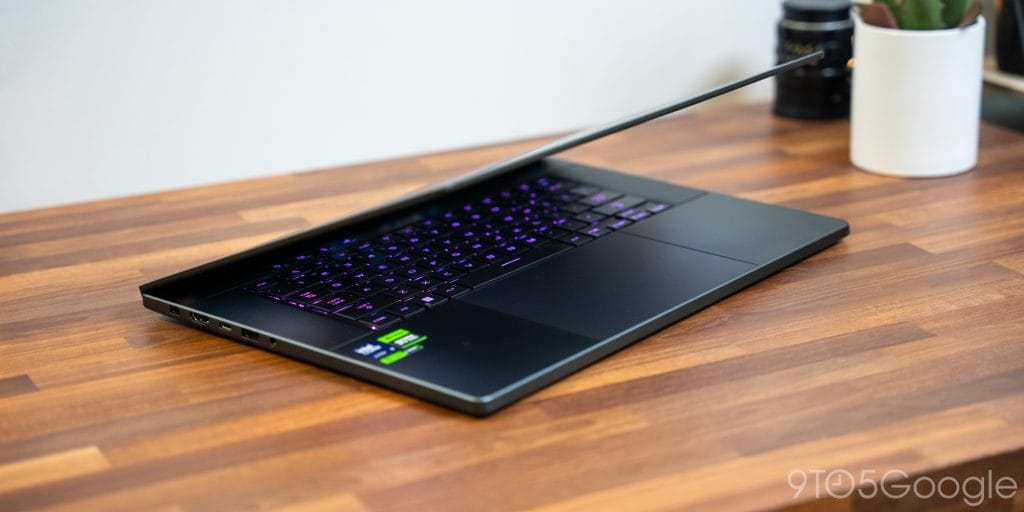
Port selection: 2× Thunderbolt 4 (USB-C 4, DP 1.4, PD), 2× USB-A 3.2 Gen 2, HDMI 2.1, UHS-II SD reader, 3.5 mm combo audio. The UHS-II card reader reads at ~260 MB/s, making it fast enough for direct RAW offload from a Sony A7 series or Canon R camera. The HDMI 2.1 port supports 4K 144 Hz externally. Both USB-C ports are on the left side, which can create cable management awkwardness at a desk — a minor layout criticism.
The G16 carries a 90 Wh battery — essentially the maximum volume the chassis allows. Real-world results are sharply use-case dependent. In Silent mode with the dGPU switched off, display at 150 nits, web browsing and writing, expect 7–9 hours. That is competitive for an ultrabook, let alone a gaming laptop. Switch into Performance mode with the RTX 4090 active and gaming workloads, and runtime collapses to 90–120 minutes — enough for a gaming session, not enough for an all-day bag companion at high settings.
The 240 W adapter recharges the battery from 0 to 50% in approximately 35 minutes using ASUS’s fast-charge mode. A USB-C 100 W PD charger works for productivity workloads but throttles the GPU — ASUS Armoury Crate will warn you. The Battery Care setting caps charge at 80% to extend long-term cell health, a useful option for desk-bound users who keep the machine plugged in.
The ROG Zephyrus G16 (2024) earns its price through a rare engineering achievement: genuine RTX 4090 Laptop GPU performance inside a chassis that does not punish you for taking it off your desk. The OLED panel is class-defining — it is the display against which competing gaming laptops will be measured for the next two years. Build quality is premium without being precious, and the keyboard is among the better ones shipping in the category.

The trade-offs are real but knowable. Gaming battery life is short — plan around the 240 W adapter for extended sessions. Fan noise at Turbo is audible; Silent mode trades that for a roughly 40% GPU performance reduction. The MUX switch requires a reboot to toggle, which is clunky if you frequently switch between desk and travel use. And at $2,499 for the RTX 4090 configuration, you are paying a premium over desktop-equivalent hardware — the value proposition is portability, not raw performance per dollar.
If portability and display quality are your first-order constraints and gaming performance is non-negotiable, the G16 has no peer in 2024. If you primarily game at a desk and want maximum frame rates, a desktop GPU will cost half as much and perform better. Context is everything.
- OLED display at 240 Hz: class-leading image quality and response
- Sub-2 kg with a full RTX 4090 Laptop GPU — engineering feat
- 7–9 h real-world battery life in Eco/Silent mode
- Excellent keyboard with 1.7 mm travel for a gaming laptop
- MUX switch delivers 10–15% fps gain over hybrid output
- UHS-II SD reader and TB4 for content creator workflows
- Premium aluminium construction, no chassis flex
- Gaming battery life: 90–120 minutes with GPU active
- Turbo fan noise reaches 48 dBA — noticeable without headphones
- MUX switch requires a full reboot to toggle
- Both USB-C ports on left side — awkward desk cable routing
- OLED burn-in risk with static HUD elements over years
- $2,499 starting — Razer Blade 16 is a closer competitor on price
Methodology · 14-day cycle
Compare against
Other top-rated laptops we've reviewed.