AI upscaler that invents photorealistic detail — skin pores, fabric weave, hair strands — rather than just enlarging pixels. The Creativity slider is the differentiator.
Magnific launched publicly on November 27, 2023, and broke the internet within 48 hours. Co-founders Javi Lopez and Emilio Nicolas — a two-person team operating out of Murcia, Spain — posted before/after comparisons on X showing AI upscaling that didn’t just enlarge pixels but seemed to invent photorealistic detail. The thread went massively viral. Over 30,000 accounts signed up in the first 24 hours. The waiting list stretched into weeks.
What made it land so hard was the audience. By late 2023, Midjourney had been out for over a year and the AI art community was enormous — millions of creators making stylized renders and chafing against the resolution ceiling. Magnific’s demo images were precisely that use case: Midjourney portraits upscaled 4x with convincing skin pores, stray hairs, and fabric texture that wasn’t in the source. For that community, it looked like magic.
In May 2024, Freepik — the global stock-asset platform with over 50 million registered users — acquired Magnific. The strategic logic was clear: Freepik’s user base was designers and creatives who already paid for asset access, and Magnific was the finishing-quality layer that would turn AI-generated drafts into deliverable assets. The acquisition price was not disclosed.
Post-acquisition, the product expanded. Relight launched in mid-2024, giving users AI-powered lighting control over existing images. Style Transfer followed. A Photoshop plugin shipped in July 2024. By April 2026, Freepik completed a full rebrand, folding the Freepik platform identity into Magnific — a signal of how central the upscaler and its associated tools had become to the company’s positioning. The combined entity now carries $230M ARR and over one million paid subscribers across the broader suite.
The founding story matters because it explains the product’s current shape. Magnific was built by two people for a very specific use case — finishing AI art. Everything in its design reflects that origin. It is exceptional at the thing it was invented to do, and conspicuously weaker at the things photographers or restorationists would want instead.
What Magnific actually is
Stripped to its function: Magnific is a web-based AI image processor that takes an input image, enlarges it, and in the process generates new pixel data that wasn’t there before. The “hallucination” framing is not a criticism — it is the feature. You are not just stretching pixels. You are asking a diffusion model to imagine what this image would look like at higher resolution, guided by your prompt and three control sliders.
The core product suite as of 2026 contains four distinct tools:
Magnific Upscaler Creative — the original hallucinating upscaler, prompt-guided, Creativity/HDR/Resemblance controls
Magnific Upscaler Precision — a more conservative mode designed for photographs where fidelity to source matters
Relight — AI relighting of existing images and videos using text prompts, reference images, or custom light maps
Style Transfer — apply the visual style of one image to the content of another
The platform is entirely web-based. No download required. You upload through magnific.com, set your parameters, and the model processes server-side — GPUs are theirs, not yours. Outputs arrive in your browser or via API. There is also an official Photoshop plugin (released July 2024) that pipes directly into the Creative Cloud workflow, which is notable: it means you can upscale inside Photoshop’s non-destructive layer stack without leaving your existing tool.
Everything runs on a credit (token) system. Normal upscales cost fewer credits than large ones. Credits expire monthly — they do not roll over. That last point has practical implications for pricing, which we’ll get into.
First five minutes
Sign up at magnific.com, subscribe (no free tier), and you’re in. The interface is minimal: an upload zone, a prompt field, and a panel of sliders. Upload an image. Write a prompt describing what you want the enhancement to look like — or leave it empty if you want the model to infer from the source. Pick your upscale factor (2x, 4x, up to 10,000 × 10,000 pixels maximum output). Set the three sliders. Hit Enhance.
The first thing that hits you is the output quality — specifically the invented quality. On an AI-generated portrait at Creativity 4, the output has pores that weren’t in the source, individual hair strands that make compositional sense, and fabric folds that match the lighting. It does not look like the source image made bigger. It looks like the source image re-rendered at higher resolution by the original model. That’s a hard perceptual distinction to describe, but it’s the thing that made 30,000 people sign up overnight.
The second thing you notice: it is slow. A 4x upscale at high creativity with priority processing takes 30 to 90 seconds. A large-format output can take several minutes. This is not a real-time preview tool. You set parameters, submit, and wait. Iterate slowly. The token cost of a bad Creativity setting is real — both in credits and in wall-clock time.
NOTE · start low on Creativity
First-time users almost universally crank Creativity too high. Start at 2–3. Evaluate. Work upward. At 7–8, you are asking the model to fundamentally reimagine the image — which sometimes produces extraordinary results and sometimes produces a face with three distinct nose interpretations. There is no undo at the token level.
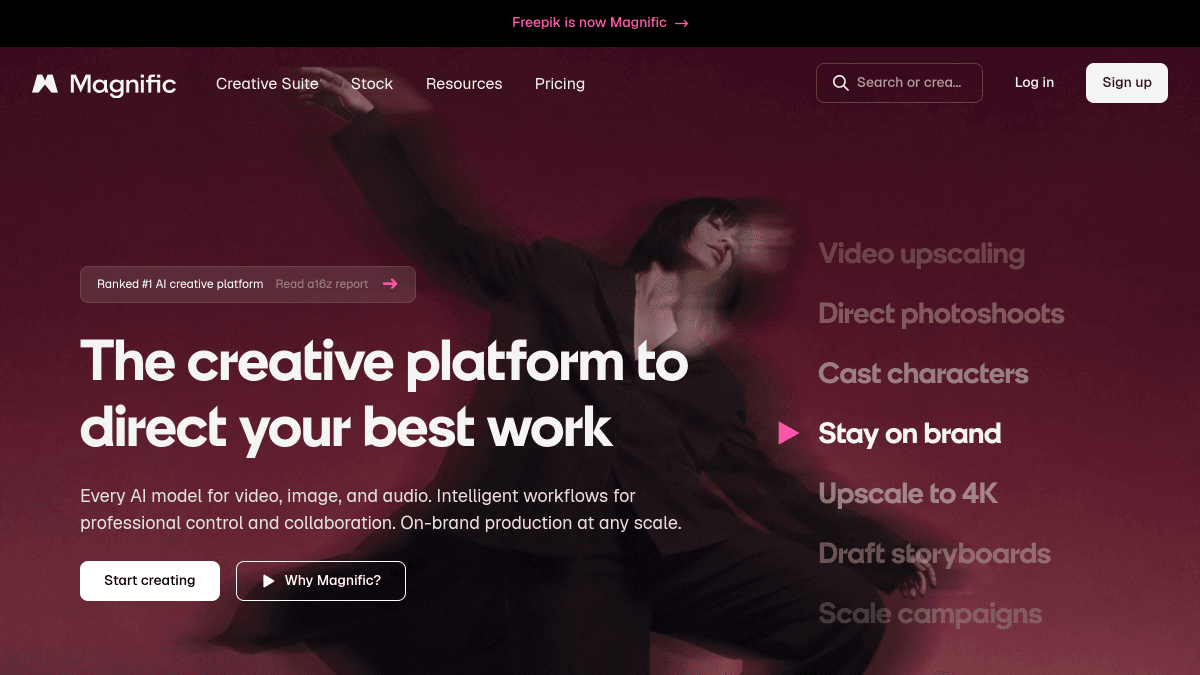
magnific-ai · magnific-ui.png
fig · The Magnific upscaler · source: listedai.co
The hallucination engine — the killer feature explained
Here is what actually happens when Magnific upscales an image. The model does not do traditional bicubic or Lanczos interpolation — it does not try to “fill in” the missing pixels by averaging neighbors. It runs a diffusion process, conditioned on your prompt and the Resemblance slider, that generates a plausible high-resolution version of the image. The word “plausible” is doing real work in that sentence.
At low Creativity (1–2), the conditioning on the source image is strong. The model stays close to the original composition, colors, and shapes. The new detail it invents is conservative: a bit of extra texture in a wall, slightly sharper feather edges on a bird, some grain structure in a fabric. The output looks like a better version of the source.
At mid Creativity (3–5), things get interesting. The model starts making interpretive decisions. Skin gets pores. Hair gets individual strands and small fly-aways. Metal gets subtle reflective micro-scratches. Eyes pick up catchlights and corneal structure. The model is imagining what this image would look like photographed at this resolution, and its imagination is guided by the billions of real photographs it was trained on. The results, for AI art finishing, are frequently stunning.
At high Creativity (6–10), you’re in fully generative territory. The model is effectively repainting the image at higher detail with your prompt as the main guide. The source image becomes a sketch, not a reference. Faces can gain entirely new expressions. Backgrounds can gain geometry that wasn’t implied. This is powerful for abstract art and stylized renders; it is dangerous for anything where source accuracy matters.
The prompt matters enormously. A blank prompt means the model decides what the image “should” contain. A detailed prompt — “ultra-sharp fashion photography, leather jacket texture, studio lighting” — steers the hallucination toward that style vocabulary. Magnific’s prompt field is not an afterthought. It is the primary artistic control.
Creativity, HDR, Resemblance — what each slider actually does
Creativity (0–10)
This is the hallucination dial. At 0, Magnific behaves more like a conservative upscaler — enlarging the image with minimal invented detail. At 10, it is a generative tool that uses the source primarily as a composition guide. For most practical workflows, the range of 2–5 covers the vast majority of useful outputs. Below 2, you might as well use a free upscaler. Above 6, you need a very specific artistic intent and a lot of patience with iteration.
HDR (0–10)
This controls the local contrast and tonal punch of the output. Think of it as a micro-contrast slider — similar to what you’d get from Clarity or Texture in Lightroom, but applied by the model at pixel generation time. Low HDR produces softer, flatter outputs. High HDR produces crisp, “crunchy” detail that reads well at full resolution and can look over-processed on portraits. For landscapes, architectural renders, and product shots, HDR 4–6 tends to produce output that pops. For skin and soft subjects, keep it at 2–3.
Resemblance (0–10)
This forces the model to stay closer to the original image’s overall structure, color palette, and composition. High Resemblance plus high Creativity creates an interesting creative tension — the model is trying to invent a lot of detail while being forced to stay compositionally close to the source. This combination often produces the best results for AI art finishing: you keep the look and feel of your original render while adding a layer of invented realism. Low Resemblance at high Creativity is effectively a style transfer operation.
TIP · the winning combination for AI art
For Midjourney and FLUX outputs: Creativity 3–4, HDR 3–4, Resemblance 6–7, with a detailed style prompt matching the source’s genre. This range delivers invented detail without destroying the source composition. It’s the combination most professional AI artists converge on after experimentation.
Relight — AI lighting control for images and video
Relight launched in beta in June 2024 and is now available on all paid plans. The premise: take an existing image and change its lighting without reshooting. This is the kind of operation that used to require a 3D re-render or a skilled Photoshop composite — Magnific does it through diffusion-based relighting guided by your input.
There are three ways to control Relight. The first is a text prompt: type “sci-fi neon green rim lighting, dark background” and the model interprets your lighting intent and applies it to the subject. The second is a reference image: provide a photograph with the lighting you want to match, and the model extracts its lighting characteristics and applies them. The third is a custom light map: a more technical input where you specify the 3D position, color, and intensity of virtual lights yourself — essentially a simplified lighting rig built into the web UI.
For single-subject portraits and product shots, Relight works well. Javi Lopez himself has noted the limitation honestly: multiple people in a single frame cause problems. The model can apply lighting inconsistently across faces, introduce unwanted skin tone shifts, or blur the boundary between subjects when lighting direction changes. It performs best on clean, well-separated subjects against neutral backgrounds.
Where Relight genuinely earns its keep is in creative pipeline work: an AI-generated scene with flat default lighting that you want to reframe as golden hour; a product photo needing a dramatic studio-light rework without a re-shoot; a concept art piece where you want to explore multiple mood variants quickly. For that kind of iteration, it is faster than any alternative short of having a 3D lighting rig already set up.
Style Transfer
Style Transfer does what it says: take the visual style of one image — its color grading, texture treatment, brushstroke character, or photographic aesthetic — and apply it to the content of another. Feed it a reference image shot on Kodak Portra 400 film and a clean digital product photo, and it produces the product photo with a convincing film-like treatment. Feed it a painting by Alphonse Mucha and a modern photograph, and it pushes the photo toward that illustrative, art-nouveau character.
The results are inconsistent in a way that makes it a creative exploration tool rather than a reliable production tool. Strong style signals — film grain, high-contrast graphic illustration, extreme color grading — transfer more cleanly than subtle ones. Photographic styles from different eras (1970s Kodachrome, 1990s point-and-shoot, modern cinema color science) work particularly well because they have clear tonal and grain signatures the model can latch onto.
For brand-consistency workflows — “make all our AI-generated content look like it was shot by the same photographer” — Style Transfer is a genuinely useful shortcut. It won’t replace a skilled retoucher on a key campaign image, but for batch creative content where visual consistency matters more than pixel-perfect execution, it gets the job done.
magnific-ai · magnific-ba.png
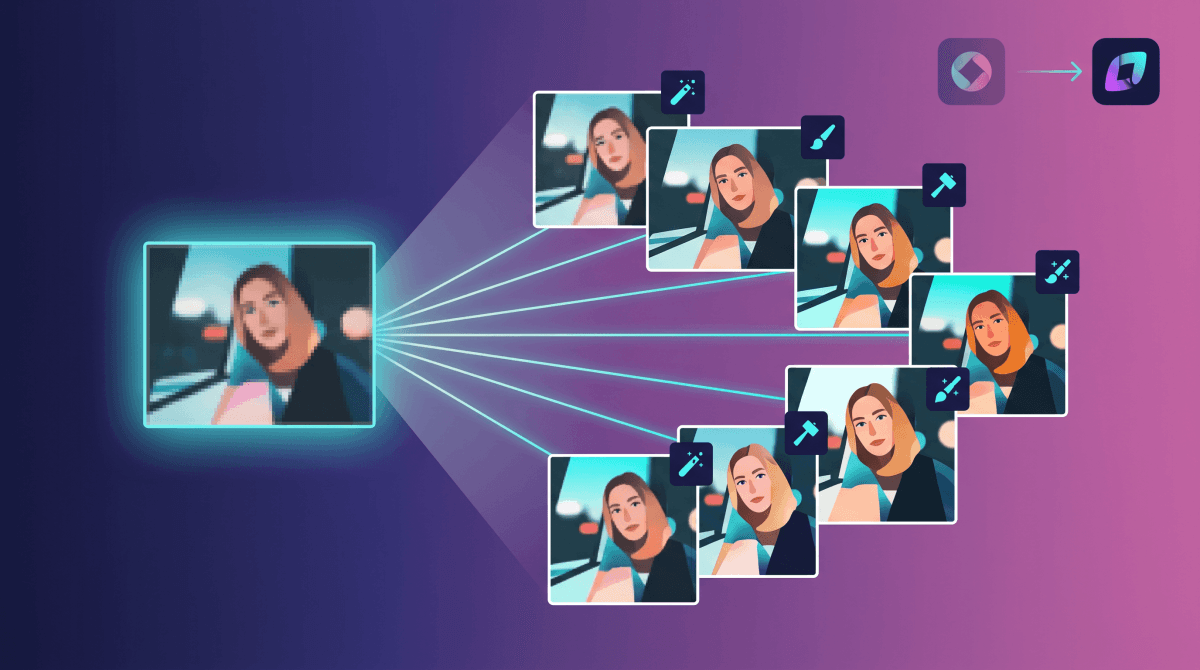
fig · Before / after detail · source: reddit.com
Three real workflows, end-to-end
case-study #01 · finishing a Midjourney album cover
512px AI render → print-ready 10K artwork
source: Midjourney v6 · target: 10,000 × 10,000px · use case: vinyl sleeve + digital stores
Starting point: a Midjourney-generated illustration — a cloaked figure in a dark forest, rendered at 1024px, with the model’s characteristic soft-detail ceiling. The client needed it at print resolution for a vinyl LP sleeve. Traditional upscaling with Photoshop AI produced a sharp but plasticky result that didn’t match the original’s painterly quality.
Magnific settings: Creativity 4, HDR 3, Resemblance 7. Prompt: “dark fantasy illustration, fine-art painting, visible brushwork, deep blacks, moody forest atmosphere.” Output took 90 seconds at premium processing priority. The result had individually resolved bark texture on each tree, fabric folds in the cloak that matched the source’s implied lighting direction, and a ground fog that gained internal volume and wisp detail.
The client could not distinguish the upscaled output from a hypothetical native-resolution Midjourney render. That is the benchmark Magnific is aiming for — and in this case, it hit it.
// total time: 4 minutes from upload to print-ready file · alternative: day of manual retouching or re-prompting
case-study #02 · product photography relight
Repurposing a hero product shot for a new campaign mood
source: existing studio hero shot · target: warm lifestyle look for new season campaign
A cosmetics brand with an existing library of clinical-white-background product shots needed to adapt them for a warmer, lifestyle-oriented summer campaign without re-shooting. Budget for reshoots: not available. Deadline: two weeks.
Using Relight with a warm golden-hour reference image as the lighting source, combined with a text prompt specifying “warm late-afternoon sun, soft directional shadow, lifestyle aesthetic,” Magnific relit eight hero product shots in under an hour. The texture of the packaging retained its original fidelity; only the lighting direction, color temperature, and shadow character changed.
Two of the eight shots had issues — a frosted glass bottle picked up an unnatural blue tint from the model’s lighting interpretation, and a tube product with a complex metallic surface developed some surface artifacts where the reflection map conflicted with the new light direction. Both were fixed with a short Photoshop pass.
// result: 6 of 8 shots production-ready · 2 needed minor manual fixes · estimated time saved vs. re-shoot: 3 days
case-study #03 · concept art upscale for pitch deck
source: FLUX renders at 768px · target: 1920px presentation quality
A game studio using FLUX for rapid concept exploration generates dozens of low-resolution environment and character concepts in a day. Before pitch meetings, they need a small selection at presentation-ready resolution — good enough for a 1920px slide on a 4K projector without looking like web thumbnails.
The workflow: flag five concepts after the day’s generation session, run each through Magnific at Creativity 3, HDR 4, Resemblance 8 — a conservative setting that adds texture and definition without changing the composition or silhouette. Prompt: “cinematic game concept art, high-detail matte painting, dramatic lighting.” Processing: roughly 45 seconds per image at normal priority.
The key insight here is that Magnific’s sweet spot is not “make a photograph look better.” It is “make an AI render look like it was generated at a higher parameter budget than it was.” For studios using AI for concept exploration, this is a significant acceleration — concepts look finished in the pitch, which accelerates approval, which accelerates production.
// workflow: 5 images processed in under 5 minutes · concepts land as presentation assets, not rough drafts
Magnific vs free upscalers — an honest comparison
bench –tool=all –metric=detail-invention,fidelity,speed,cost subjective · AI art use case
The chart reveals the core strategic tension with Magnific: it wins decisively at the thing it was built for (detail invention on AI renders), loses to dedicated photo-restoration tools on source fidelity, and costs more than any free alternative. The question is whether you are in the use case it was built for. If you are, nothing comes close. If you aren’t, there are better-fit tools at lower prices.
Where it gets it wrong
Magnific has a distinctive set of failure modes, and knowing them before you subscribe saves real money in wasted credits.
Faces at high Creativity
The most common failure: push Creativity above 6 on a portrait and the model can fundamentally reimagine facial expression, skin tone, and even facial structure. Eyes change. Lips part differently. Expressions shift from neutral to subtly smiling or strained. For stylized characters where the exact likeness doesn’t matter, this is occasionally charming. For client work involving real people or consistent character IP, it is a serious problem. Keeping Resemblance high helps, but does not eliminate the risk. Stay below Creativity 4 on portraits unless you are deliberately exploring character variation.
Tokens expire — no rollover
If you subscribe to the Pro plan and use 1,200 of your 2,500 monthly credits, the remaining 1,300 disappear at month end. This is not a minor pricing footnote — it means the effective cost per image can spike significantly in lighter-use months. For teams with irregular production schedules, this credit decay makes the Business plan harder to justify mathematically.
No free trial, no refunds
Magnific has a strict no-refund policy, citing high GPU processing costs. There is no free tier and no free trial. You are committing $39 on faith in the product before you see your first upscale. This is genuinely high friction for a new subscriber and it is the single most common complaint in user reviews. The opacity of the pricing makes the first subscription feel like a gamble.
Photorealistic photography restoration
If you want to upscale a grandfather’s scanned photo from 1960, use Topaz Photo AI or Gigapixel. Magnific will invent details the original never had — the wrong kind of hallucination for archival or sentimental work. It can introduce skin textures that look different from the person, replace soft background details with sharper imagined ones, and alter the tonal character of film grain in ways that feel inauthentic. This is not a product failure — it is using a creative detail engine for a fidelity task. Wrong tool for the job.
Multi-person Relight inconsistency
Javi Lopez acknowledged this himself at Relight’s launch: multiple subjects in one frame cause lighting to apply inconsistently. One person gets the new light; another retains some of the original. Skin tone mismatches emerge. Group shots are Relight’s weakest use case and it is better to apply Relight per-subject and composite manually if precision is required.
magnific-ai · magnific-relight.png
fig · Relight · source: sketchto.com
Magnific vs Topaz Gigapixel AI
a/magnific b/topaz-gigapixel
Topaz Photo AI and its Gigapixel module is the dominant photo-upscaling tool used by professional photographers, archivists, and print labs. It’s a desktop application with a one-time purchase option, and it has been optimized relentlessly for source fidelity. Choosing between them starts with one question: do you want the image to look like the source, or do you want it to look like a better version of what the source implied?
magnific wins at
detail invention on AI-generated art
prompt-guided aesthetic enhancement
Relight and Style Transfer in one platform
output that reads as “more detailed”, not just “bigger”
creative iteration speed for concept art pipelines
topaz wins at
source fidelity — what you shot is what you get, sharper
archival and restoration work
batch processing large photo libraries
desktop app — no internet required once installed
one-time purchase option vs monthly subscription
Verdict: For AI art finishing, Magnific wins clearly. For photographic work where accuracy to source is the priority, Topaz wins clearly. Many professionals keep both — Magnific for creative AI pipelines, Topaz for photo restoration and print prep. These are not substitutes; they solve different problems.
Magnific vs Krea AI
a/magnific b/krea-ai
Krea AI is the closest competitive upscaler to Magnific in the creative AI space. It also offers prompt-guided upscaling with a Creativity-equivalent dial, plus real-time generation, image-to-image tools, and video generation. Krea’s pricing starts around $36/mo, putting it in the same tier as Magnific Pro.
Verdict: Magnific is the specialist; Krea is the generalist. If upscaling and relighting are the primary workflow, Magnific’s depth is the edge. If you want a broader creative AI suite at a similar price point, Krea is genuinely competitive.
No creative control; decent for 2x sharpening, not detail invention
Free
Pricing, in real terms
Magnific runs three tiers. The numbers are straightforward; the real cost is in the token decay and the no-refund cliff.
Pro at $39/mo (or $390/yr) gives you 2,500 credits per month. That translates to roughly 200 standard upscales or 100 large-format upscales. For a creator who runs 5–10 upscales per day, this runs out in the first week. Pro is the right plan for occasional use — one or two finished pieces per day — not for production pipelines.
Premium at $99/mo (or $990/yr) gives 6,500 credits — approximately 550 standard upscales. This is the tier most professional AI artists report using. The math: 550 upscales across 30 days is about 18 per day, which comfortably handles the iterative work of exploring Creativity and HDR settings across a few images per session.
Business at $299/mo adds 20,000 credits, multi-user access, and 2 hours of dedicated support per month. This is genuinely a business-operations tier: a content team, game studio, or agency running production-scale AI finishing work. For solo creators, it’s 5–6x more than you need.
WARNING · the credit expiry problem
Credits do not roll over. If you subscribe in a busy month and barely use the tool in the following month, you lose whatever you didn’t spend. For irregular production schedules, this can make the effective cost per image significantly higher than the headline rate implies. Run the numbers against your actual usage before committing to an annual plan.
There is no free tier. There is no confirmed free trial as of mid-2026 — some users report receiving a small credit on signup, but this is not guaranteed or advertised. The refund policy is strictly no-refunds due to GPU cost structure. This is a meaningful friction point compared to competitors that offer free tiers or trial credits by default.
Post Freepik rebrand (April 2026), Freepik’s own subscription tiers now bundle some Magnific access starting at lower price points. If you are already a Freepik subscriber, it is worth checking whether your plan includes Magnific credits before paying for a standalone subscription.
magnific-ai · magnific-pricing.png
fig · Pricing tiers · source: xpay.sh
When it’s worth it — and when it isn’t
Buy Magnific if you are:
An AI artist finishing Midjourney, FLUX, or Stable Diffusion renders for print, client delivery, or commercial sale
A concept artist or game studio creating presentation-quality assets from rapid AI generation passes
A designer or creative director needing to relight existing product or portrait photography without a re-shoot
A cover artist or album packager who regularly needs AI renders at print resolution (300dpi, large format)
Working in a creative pipeline where the “what could this look like at higher detail” question has real monetary value
Skip Magnific if you are:
Restoring personal or archival photographs — use Topaz Photo AI instead, it won’t invent things that weren’t there
Upscaling casually once or twice a month — the subscription math doesn’t work at low volume
On a tight budget — the $39/mo entry and zero free tier mean real financial commitment upfront
Expecting it to fix blurry smartphone photos reliably — high-Creativity hallucination on real-world photos produces artifacts
What’s next for Magnific
// roadmap · what Magnific/Freepik has signaled · 2026
Video upscaling (expanding) — Magnific already offers video upscaling in limited form. The roadmap points to expanded resolution limits and higher Creativity modes for AI-generated video, which would make it directly relevant to Runway and Sora users.
Deeper Freepik integration — with the April 2026 rebrand complete, Freepik’s 50M+ user base now has Magnific tools embedded in their workflow. Expect tighter native integration between Magnific’s enhancement tools and Freepik’s generation models (Mystic, Flux-based).
Photoshop plugin maturity — the 2024 plugin is functional but basic. Priority improvements are non-destructive adjustment layer support and batch queue management inside Photoshop’s Export workflow.
API pricing transparency — the API currently requires contacting sales for pricing above basic tiers. Magnific has indicated a self-serve API pricing page is in development, which would open it to smaller developer integrations.
Relight for multi-person scenes — co-founder Javi Lopez has acknowledged this limitation publicly. Improved multi-face consistency in Relight is the most-requested feature from professional users.
FAQ
Is Magnific actually owned by Freepik now?
Yes. Freepik acquired Magnific in May 2024. In April 2026, Freepik completed a full rebrand, folding its identity under the Magnific name. The combined entity operates at $230M ARR. Javi Lopez and the founding team remained post-acquisition.
Is there a free trial?
No confirmed free trial. Some users report a small credit on signup but this is not advertised or guaranteed. Magnific enforces a strict no-refund policy. If you already have a Freepik subscription, check whether it includes Magnific credits — the April 2026 rebrand bundled some access across Freepik plans.
Does the Creativity slider literally “hallucinate” detail that wasn’t there?
Yes, deliberately. At Creativity 3 and above, the diffusion model generates new pixel data — textures, pores, strands, reflections — that did not exist in the source image. It is not interpolation. The model is imagining what the image would look like at higher resolution. For AI art finishing, this is the whole value proposition. For archival photography, it is a problem.
Can I use Magnific for real photographs, not just AI art?
You can, but the results are variable. Precision mode is more conservative than Creative mode. For clean, well-lit portraits or product shots with low Creativity settings, results are often good. For old or degraded photographs, Magnific tends to over-hallucinate. Topaz Photo AI is the better specialist for photographic restoration.
What upscale factors does it support?
Magnific supports 2x and 4x upscaling, with maximum output dimensions of 10,000 × 10,000 pixels. Large-format upscales consume more credits per operation than standard ones.
Do credits roll over if I don’t use them?
No. Credits expire at the end of each billing month. Unused credits are forfeited. This is the most-complained-about aspect of Magnific’s pricing and is important to factor into plan selection.
Is the Photoshop plugin worth using?
For designers already in a Photoshop workflow, yes — it is faster than switching to the web app and back. The plugin pipes your selection directly to Magnific’s servers and returns the result to a new layer. It is limited compared to the full web UI, but for standard upscaling in a CC pipeline it works well.
Magnific or Krea AI for AI art finishing?
Magnific for peak output quality, especially if Relight is in your workflow. Krea if you want a broader suite of creative AI tools at a comparable price and can tolerate a slightly lower quality ceiling on upscaling. Both are strong; Magnific has a narrower, deeper focus.
Does Magnific work on video?
Yes, with limitations. Video upscaling is available but slower and more credit-intensive than image upscaling. The Relight feature also works on video clips, though multi-person consistency issues apply there as well. Video is a growing part of Magnific’s roadmap, not a mature feature.
What is the best plan for a solo professional AI artist?
Premium at $99/mo is what most professional AI artists report using. The 6,500 credits cover roughly 550 standard upscales — enough for active daily production work including iteration and experimentation. Pro at $39 runs out too quickly for heavy use; Business at $299 is agency-scale.
The best creative upscaler alive — if you’re the right user.
Magnific earns its price for professional AI artists, concept teams, and creative directors who need AI-generated work to reach print or delivery quality. The hallucination engine — the Creativity slider and its interplay with Resemblance and HDR — is genuinely unlike anything free upscalers offer. Relight adds a production tool that used to require a re-shoot or a 3D pipeline. The Photoshop plugin means it fits into existing creative workflows without friction.
The asterisk is significant, though. No free trial, no refunds, credits that expire monthly, and pricing that starts at $39 and quickly justifies $99 for serious use. This is not a casual purchase. For photographers restoring real images, it’s the wrong tool. For budget-constrained creators, the math is punishing. But for the audience it was built for — AI artists finishing work for commercial or print delivery — nothing we’ve tested comes as close to making generated images look like they were native high-resolution to begin with. That is a specific and valuable capability.
// facts checked 2026-06-02
Keeping tabs
Change history
Every verified price, limit, and model change we have tracked for Magnific AI.
No changes detected since we started tracking — that's a good sign.
Verified October 2026
Watch this tool
One email when Magnific AI changes price or limits. No account, no spam.