AI Tool

Beautiful.ai
Beautiful.ai
Beautiful.ai
AI presentation tool where smart layouts auto-format so every slide looks polished
AI presentation tool where smart layouts auto-format so every slide looks polished
Beautiful.ai was founded in 2015 by Mitch Grasso — a name worth knowing, because he previously built SlideRocket, one of the earliest web-based presentation platforms before it was acquired by VMware. Grasso’s premise the second time around was sharper: the problem with presentation software wasn’t features, it was that professional-looking slides required professional design skills most people don’t have. Every hour spent nudging text boxes was an hour not spent on the argument itself.
The company launched publicly in February 2018 with what it called Smart Slides — a library of layout templates that auto-adjusted as you typed. The idea resonated. Within months of launch they had 50,000 users and an $11M Series B led by Trinity Ventures. The pitch: you’d never have to resize a text box again. The platform handled alignment, spacing, and visual hierarchy automatically. You filled in the content; the software figured out where everything should go.
The first few years were steady-growth territory — 6 million users, 100,000 businesses, 100 million slides created by 2025. Then in March 2026 the company closed a $45M Series B from General Catalyst, bringing total funding past $61M. The headline announcement: AI-native workflows, with DesignerBot graduating from beta to a full product feature and a new context-aware generation flow that builds the story outline first before committing to any design. That funding round marks the transition from “smart template tool” to credible AI presentation platform.
The lineage matters for understanding where Beautiful.ai sits in the market. It’s not a blank-canvas tool like Canva or a fully AI-driven document tool like Gamma. It’s a design-system-first platform — one where the constraints are the product. Every layout in the Smart Slide library was built by professional designers. Every auto-adjustment follows real typographic rules. The AI sits on top of a foundation that was already unusually disciplined about output quality.
The honest one-line description: it’s a web-based presentation tool where the layout engine does the design work so you don’t have to.
Everything in Beautiful.ai is built on top of its Smart Slide library — over 300 professionally designed layout templates, each built to react to content. Add a fourth bullet and the slide reflows. Drop in an image and the text repositions. Change the heading length and the spacing recalibrates. The result is that every slide you produce stays visually coherent regardless of how much or how little content you put in it. The constraint is also the guarantee: you can’t drag elements off-grid, you can’t stack text over images without the system compensating, you can’t produce a badly spaced slide by accident. This is the core premise — Beautiful.ai is a tool where you can’t make it ugly.
On top of that layout engine sit two AI layers: DesignerBot (generate a deck from a prompt) and a context-aware outline workflow (shape the structure before the AI commits to slides). Brand Kit, viewer analytics, team workspaces, and PowerPoint export round out the feature set. The pricing structure — Pro at $12/month annually, Team at $40/user/month — reflects a tool positioned at business users and collaborative teams, not casual slide-makers looking for a free option.
What it is not: a freeform design canvas. If you need to place a logo precisely 18px from the bottom-right corner of a slide, Beautiful.ai will fight you. If you need a layout that isn’t in the Smart Slide library, you’ll be improvising. The philosophy — constraints as quality guarantee — works brilliantly until it doesn’t, and knowing that line in advance saves frustration.
Smart Slides are the founding insight of Beautiful.ai and still its most differentiating feature in 2026. The company holds patents on the underlying auto-layout technology, which it calls DesignAI internally. The idea is straightforward: instead of building slides as fixed pixel canvases, every layout is a responsive system. Add content and the system rebalances. Remove content and it tightens. Swap a text block for an image and the proportions shift accordingly. The user never manually adjusts anything.
In practice this plays out in a few ways that matter:
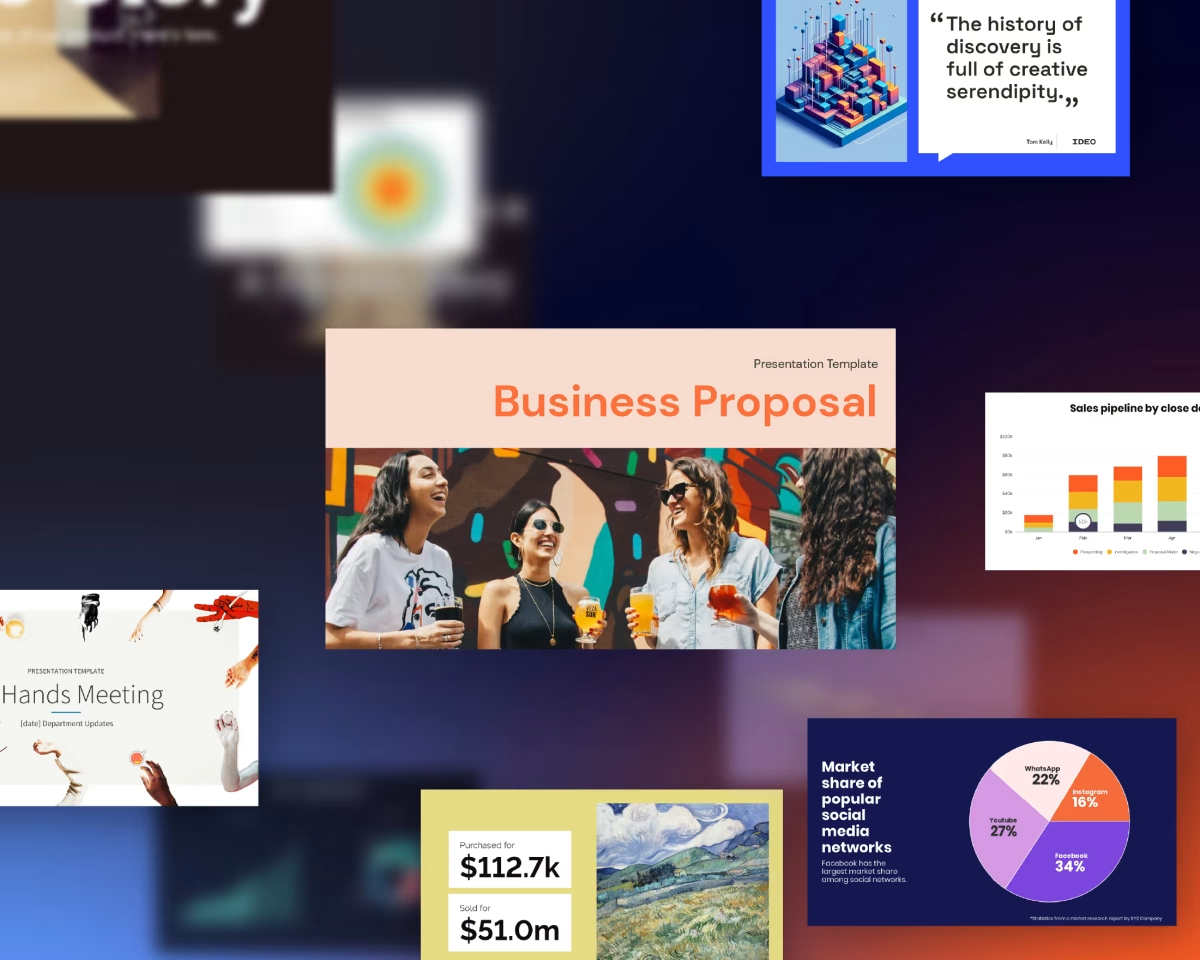
The 300+ Smart Slide layouts cover the standard presentation vocabulary: title slides, section breaks, timelines, comparison grids, stats and metrics, process flows, team introductions, quote slides, charts, and image-heavy storytelling layouts. Most business presentations stay within this vocabulary — which is exactly why the constraint-as-quality approach works for the audience Beautiful.ai is targeting.
The limitation is equally clear: anything outside this vocabulary requires workarounds. A custom infographic built to client specs, a layout that mixes a background video with an overlaid text column at a specific angle — that’s not Beautiful.ai territory. The product is honest about this. It’s designed for decks that need to look professional, not decks that need to look bespoke.
Most presentation tools give you infinite flexibility, which means infinite ways to make something ugly. Beautiful.ai makes the opposite bet: fewer choices, consistently better output. For teams where “just make it look good” is the brief, this is the right trade.
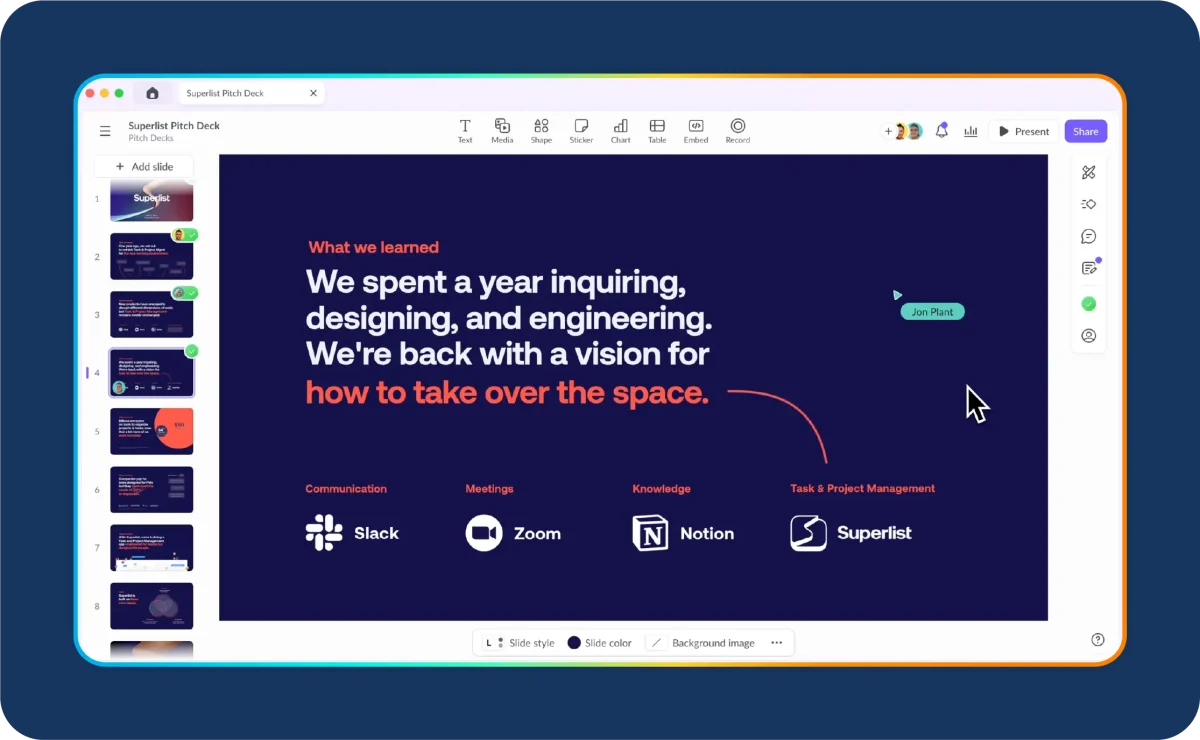
DesignerBot launched in January 2023 and has been iterating ever since. The current version — updated significantly in 2026 — is a two-stage generation flow that addresses the biggest complaint about first-generation AI presentation tools: you’d get a deck instantly but the narrative structure would be wrong, and restructuring after the fact was painful.
The 2026 workflow fixes this. When you start with DesignerBot, it generates a text outline first — slide titles, bullet points, suggested visual types — and presents it for your review before any design work happens. You can reorder slides, delete sections, rewrite headings, change the tone, or add content at the outline stage. Only when you approve the outline does DesignerBot commit to the Smart Slide layouts, images, and design choices. The result: a deck that reflects your actual narrative, not the AI’s best guess at what your narrative might be.
What DesignerBot can generate from a prompt:
The honest assessment of DesignerBot’s output quality: the design work is excellent — layouts are chosen appropriately, spacing is consistent, the deck looks professional immediately. The content writing is workmanlike. It produces grammatically correct, structurally sound copy that communicates the brief. It doesn’t produce strategically sharp copy. A sales deck generated by DesignerBot will have the right sections and clear headlines, but a good sales writer will punch it up. The tool gets you 70% of the way there on content; you cover the last 30%. It gets you 95% of the way there on design; the Smart Slide engine covers the rest.
The most underused DesignerBot workflow is document-to-deck. Paste in a research report, a client brief, or a long-form article and ask it to build a presentation. The outline step lets you cut the irrelevant sections before anything gets designed. A 40-page document becomes a 12-slide deck in under two minutes, outline-reviewed and ready to polish.
This is where Beautiful.ai genuinely earns its Team and Enterprise pricing. The Brand Kit feature — available on Team and above — lets an admin upload the company’s logos, color palettes, custom fonts, and footer styles into a centralized library. From that point forward, every presentation a team member creates starts from that brand foundation. Colors, fonts, and logo placements apply automatically. The admin can lock specific slides or elements against editing, so the cover slide or the legal disclaimer slide stays exactly as designed regardless of what else the team does to the deck.
For organizations that have invested in a brand identity and need that identity to survive the sales team’s creativity, this is a meaningful capability. The alternative — sending out a PowerPoint template and hoping people use it — reliably produces brand drift. Beautiful.ai’s locking and default-brand system closes that gap.
The Brand Kit also propagates updates. If the company rebrands — new logo, new primary color — the admin uploads the new assets and existing presentations update automatically on next open. That’s the kind of operational leverage that justifies the Team plan cost for a marketing or sales organization managing dozens of live decks.
The limitations are real: the Brand Kit covers the essentials (colors, fonts, logos) but struggles with nuanced guidelines beyond those three dimensions. A brand guide that specifies precise image treatments, illustration styles, or layout micro-rules won’t be fully enforced. Beautiful.ai is a design system for presentations, not a brand compliance platform. For tier-one brand governance, it reduces drift significantly but doesn’t eliminate it.
Collaboration in Beautiful.ai is a Team-plan feature — Pro is a solo tool. On Team, you get real-time co-editing, slide-level commenting, version history, role-based permissions, and shared workspaces with centralized asset libraries. The experience is broadly comparable to Google Slides-style collaboration, with the addition of Smart Slide consistency being maintained across simultaneous edits.
In practice, the collaboration features are solid for the typical use case — a few people building and refining a deck together — and less smooth at the edges. Multiple people editing the same slide simultaneously can produce occasional layout conflicts, which the system flags but doesn’t always resolve elegantly. For most teams, “one person edits at a time while others comment” is the actual workflow anyway, and Beautiful.ai handles that case well.
The shared workspace is genuinely useful for sales and marketing teams. Presentations live centrally, not in someone’s local files or a Dropbox folder that three people have varying versions of. The template library is shared — when the marketing team produces a new pitch deck template, it’s immediately available to the sales team. Access controls let you decide who can edit, duplicate, or only view each deck. For an org that sends a lot of external presentations, the ability to set a deck to “view-only with analytics” before sharing is a clean workflow.
Beautiful.ai includes viewer analytics — and for sales and client-services teams, this may be the feature that closes the deal on Team plan pricing. When you share a presentation via a Beautiful.ai link (rather than exporting it), the platform tracks who opened it, what slides they spent time on, how many times they came back, and where they dropped off.
This tells you things that an emailed PDF never can. The prospect opened your deck on Tuesday and spent four minutes on the pricing slide. They came back Thursday and spent six minutes on the case studies section. They never looked at the appendix. That intelligence shapes your follow-up conversation — you know where their attention was and where it wasn’t.
The Team plan adds Salesforce integration, so engagement data flows directly into CRM records. A rep doesn’t have to manually log “prospect reviewed deck” — it’s tracked, timestamped, and attached to the opportunity. This is a genuinely useful closed loop for sales teams and it’s one of the more distinctive capabilities in the AI presentation space. Gamma doesn’t offer analytics at this depth. Canva AI doesn’t offer it at all.
PowerPoint export is listed as a feature across all plans. The honest assessment from multiple reviews in 2026: it works, but with friction. Simple decks with standard fonts export cleanly. Decks with custom fonts, complex image-text combinations, or heavily customized Smart Slide layouts often have rendering inconsistencies — shifted text boxes, fallback fonts substituting for custom ones, broken alignments on complex two-column layouts.
The practical implication: if your workflow ends with a PPTX file landing on a client’s desktop, test the export carefully before you rely on it. For most standard presentations, it’s fine. For brand-critical client presentations where layout fidelity matters, plan to spend time spot-checking the export. This is a known limitation the company has been working on, and the worst edge cases from 2024 have improved. But it’s not yet at the level where you can export and send without review.
Where export works without friction: PDF export is reliable and clean, and the Beautiful.ai shareable link is often the better delivery method for external presentations anyway — the viewer gets the live-rendered version, not a re-rendered PPTX, and you get the analytics to boot.
Don’t assume the exported PowerPoint looks identical to what you built. Custom fonts are the most common breakage point. If the recipient doesn’t have the font installed, their PowerPoint substitutes the system default. Either embed fonts in the export settings (where available) or default to a system-safe font like Inter or Georgia for any deck that will be emailed as a PPTX.
The quarterly pipeline review is due in two hours. The sales manager opens Beautiful.ai, clicks “Create with AI,” and types: “Q3 pipeline review presentation — show funnel metrics, deal highlights, risk deals, and next quarter priorities.” DesignerBot returns a text outline in 12 seconds: 18 slides, clearly structured, with the right sections in the right order. The manager deletes two slides that aren’t relevant to this audience, rewrites the opening headline, and approves the outline.
The deck generates. Because the team is on a Team plan with the company Brand Kit active, every slide comes in using the approved colors, the correct font stack, and the logo in the right position. The manager drops in the actual pipeline numbers, swaps the placeholder stats for real figures from the CRM, and adjusts two headlines. The team uses the collaboration comments to flag two data points that need confirmation, and a colleague updates them in real time.
The final deck — 18 slides, brand-compliant, consistent layout throughout — is ready to share via a Beautiful.ai link. The manager sets it to analytics-tracked view mode. By the meeting, they can see which stakeholders opened it and which slides they spent the most time on.
A strategy consultant has a 40-page market analysis PDF and needs a boardroom deck for a client presentation in three hours. She pastes the document URL into DesignerBot and asks it to build a 12-15 slide executive summary, focused on market opportunity, competitive landscape, and strategic recommendations.
DesignerBot reads the document, returns a 15-slide outline. She removes three slides covering methodology that aren’t relevant at the board level, adds a slide for the specific strategic recommendation she knows the client is focused on, and approves. The generated deck uses appropriate data-heavy Smart Slide layouts — stat callouts, comparison grids, timeline — that match the content type. She fills in the actual numbers from her research, rewrites the recommendation slide completely (DesignerBot’s strategic language was too generic), and adds three charts from her analysis.
The output quality is what you’d expect from a senior designer who read the brief but didn’t understand the client’s business deeply. Visually polished, structurally sound, copy needs a strategic pass. For a consultant who can do that strategic pass quickly, it’s a significant time save over building from scratch.
The company has rebranded. New logo, new primary color, new font. In a traditional PowerPoint workflow, this means finding every deck the sales team has ever made, opening each one, manually updating the logo, changing the color theme, swapping the font, checking every slide for inconsistencies. A day of tedious work, with inevitable misses.
In Beautiful.ai, the Brand Kit admin uploads the new logo, enters the new color hex codes, and selects the new font from the custom font uploader. Every presentation in the workspace that was built using the Brand Kit opens to the updated brand on next access. The admin schedules a 20-minute team check-in to verify a sample of decks. They find three presentations where sales reps had overridden the brand colors on individual slides — those get fixed in the check-in. The whole org is on the new brand within an afternoon.
a/beautiful-ai b/gamma
Gamma is Beautiful.ai’s closest rival in AI presentation generation, and the comparison comes up constantly in 2026. Both use AI to generate decks from prompts. The philosophies are different enough that the “better” answer genuinely depends on your use case.
Verdict: Gamma if you want the AI to do the heavy writing and you need a free option. Beautiful.ai if design consistency and brand governance are non-negotiable and your team is buying. The output polish gap is real — Beautiful.ai decks look more corporate-ready out of the box.

a/beautiful-ai b/canva-ai
Canva AI is the design platform that added AI generation. Beautiful.ai is the AI presentation platform that was built as a design system from day one. The comparison is worth making because many teams are already on Canva and wonder if they need both.
Verdict: Canva AI if you need a generalist design tool and slides are one of many outputs. Beautiful.ai if presentations are the primary deliverable and you want the layout handled automatically. They solve different problems — many orgs use both.
There is no permanent free plan. The 14-day trial requires a credit card upfront. For a category where Gamma offers a genuinely capable free tier and Canva AI gives you substantial free access, this is a meaningful disadvantage. Anyone evaluating presentation tools will try Gamma for free before paying $12/month for Beautiful.ai. The trial is reasonable — 14 days with full feature access — but the credit-card gate creates friction that costs Beautiful.ai casual adopters.
The Smart Slide system that makes Beautiful.ai consistent is also what makes it frustrating when you need something it doesn’t have. You can’t drag elements freely. You can’t create a layout that doesn’t exist in the library. If your design direction requires a specific arrangement that falls outside the 300+ Smart Slide options, you’re either adapting your vision to fit the tool or looking elsewhere. For brand-standard business decks, this rarely matters. For agencies making bespoke client work, it matters often.
DesignerBot writes clearly and structures content logically. It doesn’t write with strategic conviction. For a sales deck that needs a sharp value proposition, a pitch that needs an investor hook, or a client proposal that needs to reflect specific relationship knowledge — the AI output is a first draft that requires substantive rewriting. Gamma’s AI writing tends to be sharper; Tome produces more narrative-driven copy. Beautiful.ai is closer to a smart outline generator than a copywriter.
The jump from Pro ($12/month) to Team ($40/user/month) is significant. Collaboration features are entirely gated behind Team — Pro is a solo product. For a five-person team, that’s $200/month versus $60/month for five individual Gamma paid accounts with comparable AI generation. The analytics and brand governance on the Team plan are genuinely differentiating, but the value calculation only works if you’re actually using those features.
Covered in detail above. Custom fonts, complex layouts, and multi-column Smart Slides are the failure points. Not a dealbreaker for most workflows, but it means you can’t treat export as a fire-and-forget operation.
Beautiful.ai is designed for people who make a lot of presentations and whose presentations represent their brand or organization. The constraint-based design approach pays off when:
Beautiful.ai is the wrong tool when:
Three tiers with no free plan:
Pro at $12/month (annual, or $45/month billed monthly) is for individual users. You get unlimited presentations, the full Smart Slide library, DesignerBot AI generation, custom branding tools, video embedding, and viewer analytics. This is the right plan for a solo consultant, freelancer, or executive who makes presentations regularly. At $12/month annually it’s a reasonable subscription. At $45/month on a monthly basis it’s hard to justify against Gamma at $8/month.
Team at $40/user/month (annual, or $50/user/month monthly) adds real-time collaboration, the Brand Kit, shared workspaces, version control, content locking, and Salesforce analytics integration. The minimum to access collaboration is Team. For a five-person team at annual pricing, that’s $2,400/year. The ROI math works if you’re using the analytics and brand governance features — a sales team that closes one additional deal because of deck analytics intelligence has paid for the plan many times over. The math doesn’t work if your team is primarily using it as a prettier PowerPoint.
Enterprise is custom pricing for 20+ users. Includes SSO, GDPR and SOC 2 Type II compliance, CCPA and PCI certification, dedicated onboarding, and priority support. For regulated industries or large orgs, this is the tier to negotiate. The security posture is serious — Beautiful.ai has invested in enterprise compliance in a way that casual presentation tools haven’t.
One practical note: the 14-day trial is legitimately full-featured. Use it. Build three real presentations, test the analytics workflow, try DesignerBot on an actual brief you have. The trial gives you enough signal to know whether the Auto-layout benefit is worth the subscription cost for your specific use case.
No. Beautiful.ai has no permanent free tier. There is a 14-day free trial — with full feature access — that requires a credit card. If you want to try AI presentation tools without committing payment details, start with Gamma, which has a capable no-credit-card free tier.
The fundamental difference is the Smart Slide engine. PowerPoint with Copilot can suggest text and generate outlines, but slide layouts are still static — you still manually adjust spacing when you change content. Beautiful.ai’s layouts are dynamic. Add content and the slide reformats automatically. The constraint is also different: you can’t place elements freely, but you also can’t produce a badly formatted slide by accident.
Yes, on the Team plan. The Brand Kit centralizes logos, colors, and fonts, and they apply automatically to every new presentation. You can also lock specific slides — cover pages, legal disclaimers — against team edits. This is the core use case for the Team plan pricing.
No. DesignerBot generates structure and copy from what you give it — a prompt, a document, or a URL. It doesn’t pull live data from the web or research topics independently. Think of it as a smart outline and layout generator, not a research assistant. For factual decks, you supply the facts; DesignerBot arranges them.
When you share a presentation via a Beautiful.ai link (not a PPTX export), the platform tracks opens, time-per-slide, total view duration, and return visits. On the Team plan with Salesforce integration, this data logs directly to CRM contact records. You don’t get individual viewer identity unless they’re logged in or you use a tracked link with an email gate.
Yes. Export quality is good for standard presentations using system-safe fonts and straightforward layouts. Complex custom fonts and multi-column Smart Slide layouts can render with inconsistencies in PowerPoint. Test any deck before sending as PPTX if layout fidelity is critical.
On the Enterprise plan, yes — the security posture includes SOC 2 Type II, GDPR, CCPA, and PCI certification. SSO is available. For healthcare (HIPAA) or government (FedRAMP) specifically, verify current compliance status with the Beautiful.ai sales team before committing.
Try Gamma first if you want to evaluate without a credit card and prioritize AI writing quality. Try Beautiful.ai first if your primary concern is design consistency and brand governance for a team. The 14-day Beautiful.ai trial is long enough to make a real evaluation. Build two or three actual presentations you need and you’ll know within a week whether the Smart Slide polish is worth the subscription cost.
Beautiful.ai earns its place when polish, consistency, and brand governance are non-negotiable. The Smart Slide engine is genuinely patented, genuinely differentiated, and genuinely better than anything else at making sure a twelve-person sales team produces presentations that all look like they came from the same company. DesignerBot gets you from brief to structured deck in minutes, and the viewer analytics close a loop that most presentation tools don’t even try to close.
The reasons to look elsewhere are equally clear: no free tier, a steep jump to the Team plan, layout constraints that feel limiting if you want freeform control, and AI copy that’s competent but not sharp. Gamma beats it on writing quality and price. Canva AI beats it on creative breadth. Beautiful.ai beats both of them on the thing it was specifically built to do: making sure every slide in your deck looks exactly as good as the best designer on your team would make it — automatically, every time.
Every verified price, limit, and model change we have tracked for Beautiful.ai.
One email when Beautiful.ai changes price or limits. No account, no spam.