AI Tool

Copy.ai
Copy.ai
Copy.ai
Copy.ai started as a GPT-3 copywriting tool and pivoted hard into a GTM AI platform — Workflows, Agents, and CRM automation for revenue teams.
Copy.ai started as a GPT-3 copywriting tool and pivoted hard into a GTM AI platform — Workflows, Agents, and CRM automation for revenue teams.
In October 2020, two former general partners at ESO Fund — Paul Yacoubian (a finance-background CEO) and Chris Lu (a computer science engineer who had already built five generative AI prototypes using GPT-2 and GPT-3) — bought the domain copy.ai for $5,000 and shipped their first product in a matter of weeks. Yacoubian’s inaugural tweet got 280,000 impressions and 2,000 signups within a year. The tool was dead simple: type a product name and a few details, get back taglines, ad copy, product descriptions. No friction. No setup.
The timing was perfect. GPT-3 had just landed and most people had never touched an AI writing tool. Copy.ai was one of the first three or four consumer products to put a clean UI on top of it, alongside Jasper (then Jarvis) and Writesonic. In 2021 and 2022 it accumulated users at an astonishing pace — by early 2025 the company claimed 16 million users and had raised $16.9M in total venture funding, including an $11M Series A led by Craft Ventures and Sequoia.
That early growth came from the same thing that made the tool fun: you could ship a usable first draft in ten seconds. Blog intro, LinkedIn post, cold email opening, Facebook ad. The templates were the product. Type in your product, hit a button, copy the text. It was genuinely delightful in 2021.
By 2023 that frictionless delight was becoming a commodity. Every major AI model — GPT-4, Claude 2, Gemini — could do the same thing with a good prompt. The template-based wrapper wasn’t differentiated anymore. Copy.ai had a choice: compete on templates and price, or find a new layer of value. They chose the latter, and the pivot they made is what this review is really about.
In late 2023, Copy.ai launched Workflows. Not new templates. Not a better UI. A visual automation builder where you chain multiple AI-powered steps together — research a prospect, enrich their data, generate a personalised email sequence, push the output to Salesforce, log the action in Slack. A single workflow can do what previously required a human, a data vendor, a copywriter, and a CRM admin working in sequence.
Yacoubian was explicit about why. He stated that pure AI copywriting had become commoditized and that the real value lay in automating the workflows around content, not just the content itself. The word count model was dropped. The startup repositioned itself as “The First AI-Native GTM Platform.” Marketing materials now talked about eliminating GTM bloat — the sprawl of disconnected point solutions that most revenue teams run across sales, marketing, and operations.
This is a significant identity change. Copy.ai in 2020 was a consumer product for individuals who wanted to write faster. Copy.ai in 2026 is enterprise software for revenue teams who want to automate the full cycle from prospecting to closed deal. The logo is the same. The users are completely different.
The “GTM bloat” problem is real. A typical mid-size B2B SaaS company runs 10-15 separate tools across sales and marketing: a CRM, a sequencing tool, a data enrichment service, a content calendar, an ad platform, a social scheduler, and so on. Each has its own login, its own data model, its own cost. Copy.ai’s pitch is to collapse the AI-driven parts of that stack into one platform — prospecting, content creation, lead processing — while keeping native integrations with the tools that remain.
The platform runs five interconnected modules. Understanding all five is necessary to understand who actually gets value from it:
The platform holds 2,000+ integrations — the bulk through Zapier, with direct native connectors for Salesforce, HubSpot, Google Docs, OneDrive, and Slack. Security certifications include SOC 2 Type II and GDPR compliance, which matter for enterprise deals.
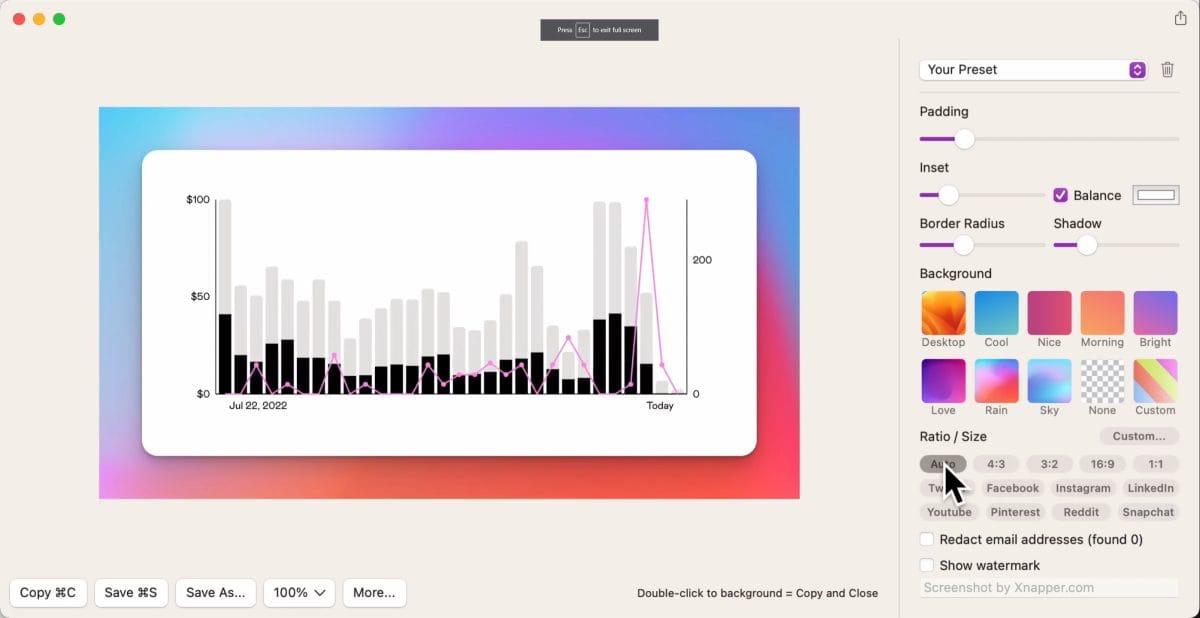
Workflows are where Copy.ai earns its GTM positioning. A Workflow is a directed graph of steps: a trigger fires, data flows through a series of AI and integration nodes, and an output lands somewhere useful — a Google Doc, a Salesforce record, a Slack message, an outbound email sequence.
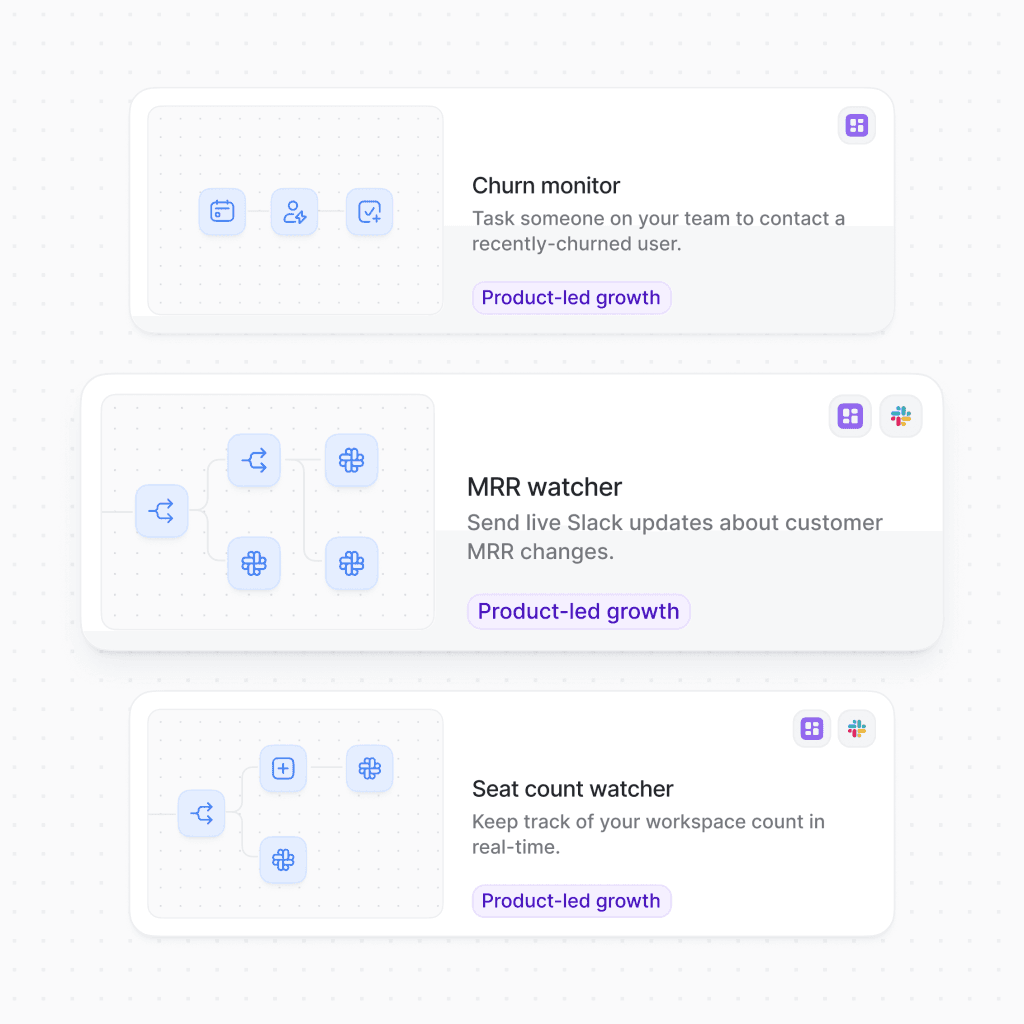
The prebuilt workflow library covers the core GTM use cases well. There are 15+ marketing workflows (SEO brief generation, blog repurposing, ad copy variations, social post calendars) and 15+ sales workflows (account research, cold email personalization, follow-up sequences, call-prep notes). Each is a starting point — you fork it, swap in your Infobase context, wire up your integrations, and it runs.
The Workflow Builder is visual and low-code. You don’t need engineering support to build basic automation. More complex workflows — conditional branching, looping over a list of leads, calling external APIs — require meaningful effort and at least someone who thinks in data pipelines. This is not a no-code tool in the way Zapier is for simple integrations. It’s a medium-code platform that rewards users who understand how data flows through systems.
That pseudocode represents a workflow that would previously require a data enrichment vendor, a copywriter reviewing enriched profiles, a salesperson copying text into a sequencing tool, and a CRM admin logging the notes. Copy.ai’s pitch is that you build this once and it runs on every new lead. For teams processing hundreds of inbound leads per week, the math works.
Agents are the newer layer, pushed heavily in 2025 and 2026. Where Workflows are pipelines you build and trigger, Agents are more autonomous — they can process information, make decisions against defined criteria, and take action without a manual trigger on each run.
The Prospecting Cockpit is the flagship Agent. Give it a target company and ICP criteria; it researches the account across available data sources, identifies key contacts, and drafts a tailored outreach sequence. A sales team that would normally spend half an SDR’s day on research and personalization runs this overnight and wakes up to a queue of ready-to-review sequences.
The Inbound Lead Processing Agent handles the other direction: a lead fills out a form, the Agent enriches the record, scores it against your ICP, routes it to the right rep, and generates a context brief. Qualify, route, and brief — in under a minute, without a human touching it until the rep opens their queue.
The Deal Coaching and Forecasting Agent is the most ambitious. It ingests sales call transcripts (via Gong, Chorus, or direct upload), identifies deal risks, surfaces coaching moments for managers, and generates forecast inputs. This competes directly with dedicated call intelligence platforms.
Worth being clear-eyed about: Agents are powerful when the input data is clean and the criteria are well-defined. They are unreliable when your CRM data is messy, your ICP criteria are vague, or the underlying LLM hallucinates a company detail. Human review before any Agent output touches a prospect is not optional — it’s necessary.
The most underrated feature in the platform is the Infobase. Out of the box, any LLM writes generic, interchangeable marketing copy. Give Copy.ai your brand voice samples, your ICP definition, your competitor differentiation notes, and your product documentation — and the outputs shift noticeably. The tool starts writing like your team, not like every other B2B SaaS.
Brand Voice works by analyzing writing samples you provide. It extracts tone, vocabulary preferences, and structural patterns. From that point forward, every content output — emails, ads, blog sections, LinkedIn posts — runs through that lens. It’s not magic; you’ll still edit. But it’s the difference between “AI slop that sounds like a robot” and “AI draft that sounds like a junior marketer who read our style guide.”
The Infobase also stores factual context: your pricing, your competitor comparisons, your use case library. This dramatically reduces hallucinations about your own product. The AI can’t make up a feature you don’t have when the actual feature list is sitting in the Infobase.
The SDR team’s bottleneck was research-and-personalization. Each rep was spending 2-3 hours daily reading LinkedIn profiles, company news, and 10-Ks before writing the first email. That left maybe 3-4 hours for actual outreach and calls.
The Workflow: nightly, a list of new target accounts is pulled from Salesforce. The Prospecting Cockpit Agent researches each one — company news, recent funding, tech stack signals, job postings — and generates a personalized three-email sequence per contact. Outputs land in a review queue in Salesloft by 9am. Reps spend 30-45 minutes reviewing and approving, then the sequences send.
Research time per account dropped from ~18 minutes to ~4 minutes of review. The reps aren’t removed from the loop — the Agent is explicit that human approval is the last gate. But the cognitive load shifted from “research and write” to “review and refine.”
The brief: a 1,500-word blog post goes live. Within an hour, the team needs: 5 LinkedIn post variants, 8 tweet-length posts, 3 email newsletter excerpts, and 2 paid ad headlines. Previously this was manual — a writer doing four drafts across four formats after the blog was already published.
The Workflow triggers on a new Google Doc being moved to a specific folder. Copy.ai reads the document, pulls the Brand Voice context from the Infobase, and generates all the derivative formats simultaneously. Outputs land in a shared Google Sheet with format, character count, and channel clearly labeled.
This is the use case where Copy.ai is genuinely excellent. Short-form derivative content at volume, with brand voice applied consistently. No hallucination risk because the source document is in-context. No external data lookups.
Demo requests were landing in HubSpot with minimal data — name, company, email. The RevOps analyst was manually enriching each record, scoring against ICP criteria, and routing to the right AE. At 30-40 inbound leads per day, this consumed most of one person’s working hours.
The Inbound Lead Processing Agent now handles the first pass. A HubSpot form submission triggers the workflow. The Agent enriches the company record (size, industry, tech stack, funding stage), scores against the defined ICP, generates a one-paragraph context brief for the AE, and routes the record to the correct queue in Salesforce. Borderline scores go to a human review queue rather than auto-routing.
The analyst now spends 45 minutes per day reviewing the human queue and spot-checking Agent outputs rather than processing every lead manually. Response times improved significantly because routing no longer waits for manual processing.
Be honest with yourself before subscribing. The people who get clear ROI from Copy.ai in 2026 are a specific group:
Here’s the honest part that most reviews skip: if you came to Copy.ai in 2021 or 2022 as an individual creator, a freelance copywriter, or a small business owner who wanted help writing marketing copy — the product has moved away from you.
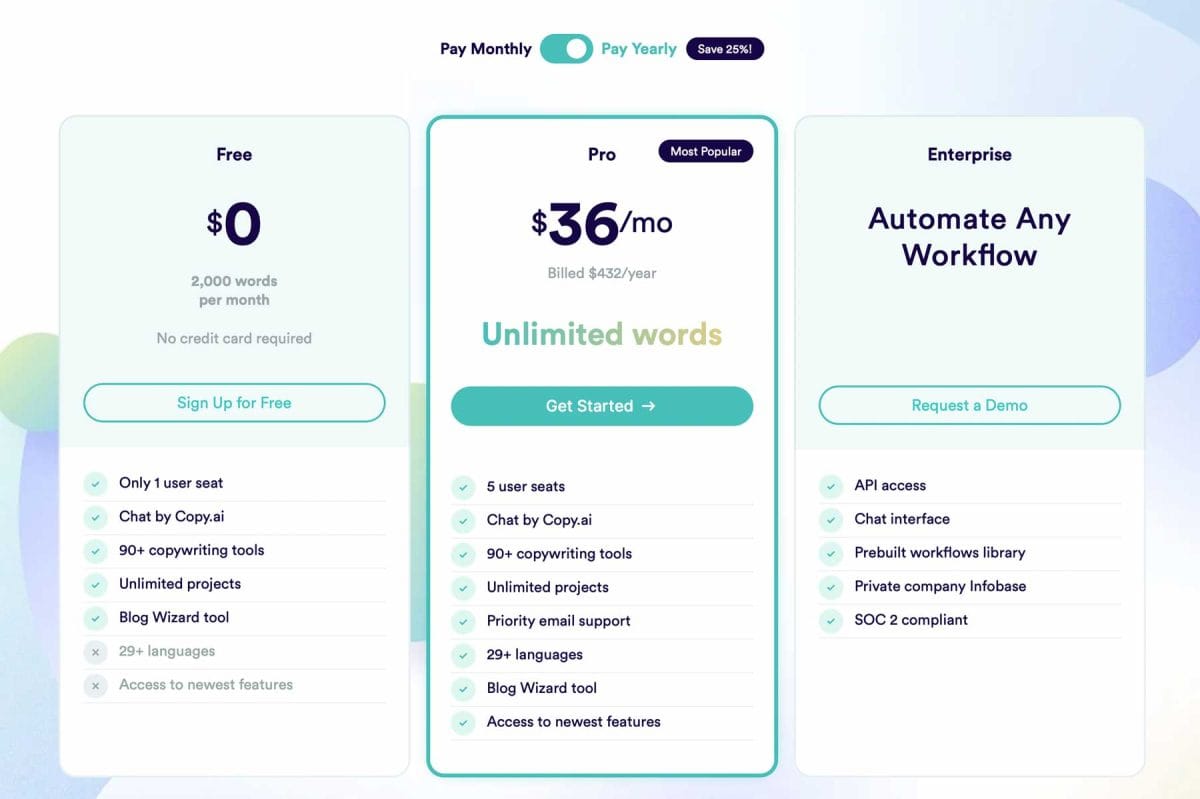
The free tier gives you access to the Chat interface with limited usage. The Chat interface is useful. But it’s functionally equivalent to ChatGPT or Claude with slightly better marketing prompts. There’s no competitive moat here for individuals in 2026. The tools you’re being pitched to upgrade to — Workflows, Agents, Tables — are enterprise infrastructure with enterprise pricing. The cheapest plan that gives you meaningful Workflow access starts at $1,000/month.
This isn’t a complaint, it’s a product reality. Copy.ai made a deliberate choice to pursue enterprise revenue over individual subscribers. For the kinds of teams described above, that’s the right call. For individuals, there are better-priced options that haven’t abandoned the consumer market.
The pricing gap between Chat ($29/mo) and Growth ($1,000/mo) is a cliff, not a slope. If you want Workflows — the actual differentiating feature — you’re looking at a 34x price jump. There is currently no middle tier. Make sure your use case genuinely justifies the Growth plan before committing, because the Chat plan is essentially just a branded LLM wrapper.
The broader AI-in-sales space has been embroiled in a loud debate since 2023: AI SDR tools promise to replace human sales development reps entirely. Companies like Artisan AI ran provocative campaigns positioning their products as SDR replacements. The result — for many early adopters — was a wave of impersonal, obviously AI-generated outreach that tanked reply rates and damaged sender reputations.
Copy.ai’s response to this controversy was unusually self-aware. The company launched a campaign called “Injured by AI SDRs” — explicitly acknowledging that over-reliance on fully automated AI outreach causes “ruined customer relationships, impersonal interactions, and decimated addressable markets.” Their positioning flipped from “let AI do it all” to “let AI do the research and first draft; keep humans in the loop for judgment and relationship.”
This matters for how you evaluate the platform. Copy.ai is not pitching you a replacement for your sales team. It’s pitching a tool that makes your sales team faster. The Agents still require human approval before anything touches a prospect. The SDR isn’t dead — they just do less of the repetitive work that AI handles better than humans do anyway.
a/copy-ai b/jasper
Jasper is Copy.ai’s closest peer in the AI content platform space. Both started as GPT-3-powered copywriting tools around the same time. Both pivoted toward enterprise. Their current positioning, however, has diverged meaningfully — Copy.ai went hard on GTM automation and sales workflows, while Jasper stayed closer to content operations and brand management. The gap matters when you’re deciding which to buy.
Rule of thumb: if your primary workflow is sales prospecting and outreach, Copy.ai. If your primary workflow is content production at scale for SEO and brand, Jasper. If you need both, neither one covers both cleanly — consider them complementary, not interchangeable. See our full Jasper review for the complete picture.
The pricing structure Copy.ai runs in 2026 reflects its enterprise pivot. It is not designed for individuals:
The workflow credit model is worth understanding before you commit to Growth or above. Each workflow step that calls an AI model consumes credits. A complex Workflow — enrich a lead, score it, generate three email variants, push to CRM — might consume 40-80 credits per lead. At 20,000 credits per month on the Growth plan, you’re running about 250-500 full workflow executions monthly. For a team processing 50 leads per day, that math doesn’t stretch far.
Request a workflow credit estimate from the Copy.ai sales team before signing. Map your actual expected workflow executions per month against their credit model. The $1,000/mo entry price for Workflows sounds manageable — until you realize your actual usage pattern burns through the credit allocation in week two.
If you need 2,000-word SEO blog posts that rank, Copy.ai is not the tool for it. User feedback consistently cites generic, AI-detectable output for long-form content that requires substantial human editing and fact-checking. The platform was built for short-to-medium-form content — emails, ads, social posts, briefs — and that’s where the quality holds up. Ask it to write a comprehensive technical guide and the result feels thin.
Until you’ve run a workflow at production volume, credit consumption is hard to estimate. Teams frequently discover their Growth-tier credit budget is insufficient within the first two weeks of a new workflow going live. The billing model rewards enterprise contracts (where credits are negotiated upfront) but punishes mid-market teams trying to operate on a fixed monthly budget.
Trustpilot reviews in 2025-2026 include a meaningful cluster of complaints around support response times, account access issues, and billing disputes. This is not uniform — many teams report responsive support — but it’s frequent enough to be a real pattern. For enterprise contracts with a designated account team, this is less of a concern. For teams on self-serve plans, expect slower resolution times.
The Agents are only as good as the data they’re working with. If your CRM is a mess — duplicate records, missing company domains, inconsistent job titles — the enrichment and scoring steps produce unreliable outputs. Copy.ai requires clean input infrastructure. Teams that haven’t invested in CRM hygiene will spend more time reviewing and correcting Agent outputs than they save in manual work.
At $29/mo, the Chat plan competes directly against ChatGPT Team ($30/mo), Claude Pro ($20/mo), and Gemini Advanced ($20/mo). The Infobase and brand voice context give it an edge for teams that have invested in those assets, but for most users who haven’t loaded the Infobase, it’s a more expensive version of something they already have.
In a narrow sense, yes — the Chat interface generates copy and the templates still exist. But the product roadmap, the pricing structure, and the marketing are all aimed at GTM automation for revenue teams. If you want a simple writing assistant, the Chat plan is there but it’s overpriced for what it offers compared to native ChatGPT or Claude. The real product is Workflows and Agents.
Copy.ai offers demos and guided trials for the Growth tier. The free plan does not include Workflows. If you want to evaluate Workflows before committing $1,000/mo, request a formal trial through their sales team — they typically offer 14-day enterprise trials with full feature access for qualified prospects.
Copy.ai holds SOC 2 Type II certification and is GDPR-compliant. Data sent through Workflows and Agents is processed by the underlying LLM providers (OpenAI, Anthropic, Google) under their API data handling terms. For enterprise contracts, Copy.ai offers additional data processing agreements. The Infobase data you store (brand guides, product docs) is scoped to your account and not used to train shared models.
No — and Copy.ai has been explicit about this in their “Injured by AI SDRs” campaign. The Prospecting Cockpit automates research and first-draft personalization. Human reps review every sequence before it sends. The SDR’s job shifts from research-and-write to review-and-approve, which means the same rep can cover more accounts, not that you need fewer reps.
Workflows stop executing if you drop below the Growth plan. The Workflow definitions themselves are preserved in your account, but they won’t run on the Chat plan or free tier. This is a meaningful lock-in dynamic worth being aware of before building critical operations infrastructure on top of the platform.
For short-form copy — ads, emails, social posts — they’re roughly equivalent with good Infobase context loaded. For long-form SEO content, Jasper has a consistent edge. For sales automation and outreach workflow automation, Copy.ai has no direct equivalent in Jasper. Pick based on your primary use case, not on general output quality comparisons.
Yes. Copy.ai connects to 2,000+ apps through Zapier, and has direct integrations with Google Docs, OneDrive, Slack, and Salesloft, among others. The Zapier connection means most business tools are reachable. Native integrations are more reliable for high-volume workflows — Zapier has latency and throttling constraints at scale that can be problematic for time-sensitive automations.
The free plan (2,000 words/month in Chat) is useful for a quick hands-on evaluation before buying the Chat plan. It’s not useful for any ongoing production work. There’s no free access to Workflows or Agents, which is where the actual value proposition lives.
Copy.ai’s pivot from copywriting tool to GTM AI platform is one of the more honest product evolutions in the AI space. Rather than pretending to be all things to all users, they made a deliberate choice: serve revenue teams with real automation infrastructure, and let the commodity writing use case commoditize. For RevOps, SDR teams, and demand generation marketers who process high volumes of outreach and content — the Workflows and Agents are genuinely useful, and the Salesforce and HubSpot integrations are well-built.
The score isn’t higher because of two significant friction points. First, the pricing cliff between Chat ($29/mo) and Growth ($1,000/mo) is real and abrupt — there is no middle tier for teams who need some automation but don’t need 75 seats and 20,000 workflow credits. Second, the output quality on long-form content remains a weak spot, which limits its utility for content-driven marketing orgs who also need AI help with actual writing.
If you’re evaluating this as a writing assistant in 2026, look elsewhere — Writesonic, Jasper, or ChatGPT serve that use case better at lower cost. If you run a GTM operation and need AI-powered research, personalization, and automation plumbed into your existing CRM stack, Copy.ai is a serious tool worth a genuine evaluation.
Every verified price, limit, and model change we have tracked for Copy.ai.
One email when Copy.ai changes price or limits. No account, no spam.