AI Tool

Lovable
Lovable
Lovable
AI app builder that turns plain-English prompts into full-stack React + Supabase apps — no code required.
AI app builder that turns plain-English prompts into full-stack React + Supabase apps — no code required.
Lovable began as a side project. In June 2023, Anton Osika — then CTO at another startup — published a Python repo called gpt-engineer on GitHub. The premise was minimal: give GPT-4 a description, let it scaffold a codebase. The repo exploded. Fifty thousand stars inside weeks. Hundreds of thousands of people cloning a tool that barely had a README.
Osika and co-founder Fabian Hedin registered Lovable as a company in Stockholm, Sweden in November 2023. They shipped the first commercial product in December 2023 — rough, modest uptake. The August 2024 rebuild was more polished but growth still plateaued. Then, in November 2024, they rebranded from GPT Engineer to Lovable and opened full public access.
What followed was one of the fastest revenue ramps in European startup history. $17M ARR in three months from launch. By November 2025 they crossed $200M ARR — announced at the Slush conference in Helsinki. In December 2025 they closed a $330M Series B led by CapitalG and Menlo Ventures at a $6.6 billion valuation, with Nvidia and Alphabet’s VC arms participating. By February 2026, Lovable hit $400M ARR. CEO Anton Osika told Bloomberg: “We’re pacing five months ahead of projections.”
That growth story matters for a product review because it tells you two things: a real, large market exists for “non-technical people building working apps,” and Lovable has enough capital and velocity to keep shipping fast. The company with 2.3 million users and $400M ARR is not going to disappear next quarter.
Lovable is a browser-based, AI-first app builder. You type a description of what you want to build. Lovable writes the code — React + TypeScript + Tailwind CSS on the frontend, Supabase on the backend — previews it live in a side panel, and deploys it to a lovable.app subdomain (or your custom domain on paid plans). You never open a terminal. You never configure a database. You never touch a Dockerfile.
The technical stack underneath is modern and real. This is not a no-code block editor producing proprietary markup you can’t export. Every app Lovable creates is a genuine React codebase that you can sync to your own GitHub repo, clone locally, edit in VS Code, and hand off to a developer when you outgrow the platform. That distinction — real code, not locked-in drag-and-drop — is the most important thing about Lovable that many of its competitors can’t say.
Three interaction modes exist inside the editor:
The underlying model is a combination of Anthropic’s Claude (for complex code generation and reasoning) and OpenAI’s GPT-4 Mini (for faster pre-processing tasks). Lovable orchestrates these quietly — you prompt, it routes.
Sign-up is an email, Google, or GitHub login — thirty seconds. The workspace opens immediately. There’s one input: a text box that says “What do you want to build?” You type. Lovable generates.
The experience is genuinely surprising the first time. Type “a task management app where users can create projects, add tasks with due dates, and mark them complete” — and forty seconds later you have a working app: sidebar navigation, project list, task cards with checkboxes, a date picker, and a responsive layout. It looks like the output of a competent designer’s Figma mockup translated to code, not like Bootstrap circa 2014.
The live preview panel updates in real time as Lovable writes. You watch the UI materialize — components appearing, styles applying, interactions wiring up. It’s the most satisfying onboarding experience in the AI tools space. No setup friction, no config, no mental model to build first. The product sells itself in the first five minutes more effectively than any landing page.
After the first generation, immediately ask Lovable to “add authentication — Google login and email/password, with a protected dashboard.” Watch what happens. This is the moment most tools break; Lovable connects Supabase, scaffolds the auth flow, and wires up row-level security in one prompt. This is Lovable’s strongest differentiator over every frontend-only competitor.
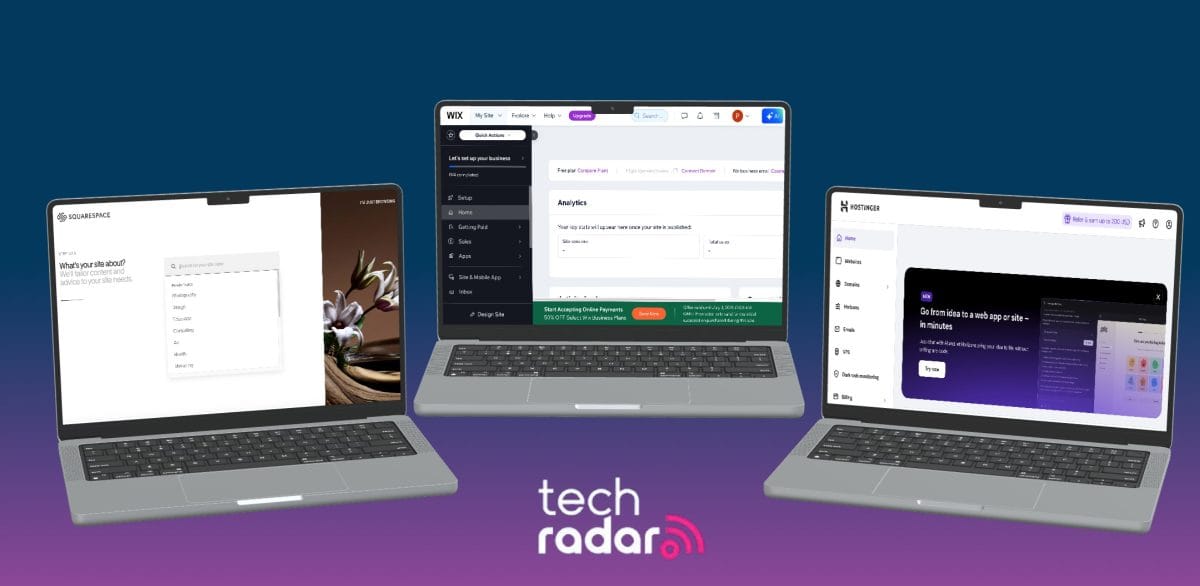
The word “full-stack” gets applied loosely in this space. Bolt.new generates full-stack code. v0 generates React components. Lovable’s claim to full-stack is backed by something more concrete: a native, first-class integration with Supabase — the open-source Firebase alternative that provides a real PostgreSQL database, built-in authentication, storage, and edge functions.
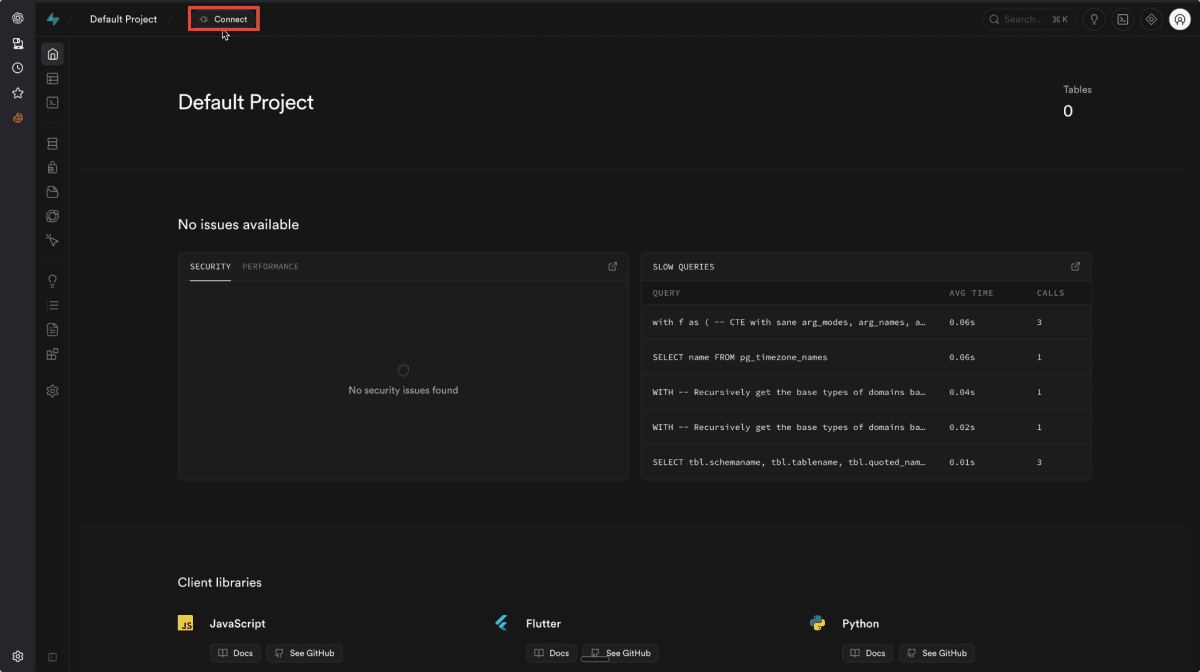
When you connect a Supabase project to Lovable (two clicks, an API key), you gain the ability to prompt for data persistence, user accounts, and real backend logic — and Lovable handles the schema design, the RLS (row-level security) policies, and the API calls automatically. In practice:
profiles table in Supabase, adds a storage bucket, and writes the upload component.This changes what category Lovable belongs to. It’s not a landing page builder. It’s not a Webflow alternative. It is genuinely a tool for building applications that persist data, authenticate real users, and scale on real infrastructure. The Supabase database is yours — connect to it from any other tool, run queries, export data. Nothing is locked behind Lovable’s servers.
The Supabase free tier is generous (500MB database, 50,000 monthly active users). You do need a separate Supabase account. Lovable walks you through connecting one, but it’s a required step for any app that persists data. Budget 5 minutes the first time.
This is where the honest answer diverges from the marketing. Lovable’s generated UI is good, not great. It consistently produces clean, modern interfaces that look like a competent Tailwind implementation — proper spacing, readable type, reasonable component hierarchy. For a non-designer shipping an internal tool or an MVP, it’s excellent. For a product launch where visual identity matters, it’s a starting point, not a finish line.
The specific critique that surfaces in every serious review: Lovable apps converge on a recognizable visual language. Purple gradients on headings, boxy card layouts, the same SaaS-template aesthetic. After you’ve seen five Lovable-generated dashboards, you can identify them on sight. This isn’t a dealbreaker — it’s a reflection of what the model has learned from a sea of Tailwind SaaS starters. But it is a real ceiling on visual differentiation.
The fix is prompt engineering. Explicitly describe your brand: “the color palette is warm amber and off-white, the typography is large and editorial, avoid card borders and use whitespace instead.” Lovable respects detailed visual direction better than most alternatives. The more opinionated your prompt, the less generic the output. But extracting a truly distinctive visual identity still requires more iteration than a designer working in a dedicated tool.
Where Lovable’s design engine genuinely excels: micro-interactions and component states. Hover states, loading spinners, empty-state messages, form validation feedback — these are handled well by default, often without being asked. The functional layer of good UX gets more love than the brand layer.
The brief: a landing page, email waitlist capture, referral tracking (each user gets a unique share link), and a dashboard showing total signups and top referrers. Stack: auth optional, data must persist, custom domain.
Prompt one: “Build a waitlist app for a project management tool. There’s a landing page with a hero section, email signup, and a referral system — when someone signs up they get a unique link, and if their link brings in more signups they move up the list. Show them their position and referral count after signup.”
Lovable produced a landing page, a signup flow, and a user dashboard in the first generation. The referral link logic was there in structure — unique tokens per user — but the actual link counting needed a second prompt: “When someone signs up via a referral link, increment the referrer’s count in the database.” That prompted Lovable to wire in a Supabase edge function for the increment logic.
Third prompt: “Add a simple admin view at /admin, protected so only I can see it, showing total signups and a sorted leaderboard of top referrers.” Lovable created the route, added an admin check against a hardcoded email (ask it to use an env variable and it will), and rendered the leaderboard table.
Custom domain connected in Lovable’s settings in three minutes. The founder had a live, functioning product — real database, real auth, real referral system — with no code written.
The agency was using a messy combination of Notion comments, Slack threads, and email to track client feedback on design deliverables. The brief: a simple internal tool where team members can log client feedback items, tag them by project and status, and mark them resolved.
Lovable built the data model automatically — a feedback_items table with project, status, and assignee columns — and generated a clean list view with filters. The interesting part was the status workflow: “Add a Kanban board view with columns for New, In Review, and Resolved.” Lovable rendered a drag-and-drop board using the existing data model, wiring the column changes to Supabase updates.
One area where prompting required care: the initial design defaulted to a wide-screen layout that felt like a data table, not a tool the team would enjoy using. Asking Lovable to “make the interface feel less like a spreadsheet — more card-based, more breathing room” improved it considerably. The redesign cost two credits and one prompt.
The finished tool was shared with the team via a lovable.app link. Each team member signs in with Google (Supabase auth). The PM estimated the old multi-tool workflow cost them an hour per project per week in context-switching. The new app collapsed that to a ten-minute daily standup review.
A UX designer had a client pitch the following morning and needed to turn a set of Figma screens into an interactive prototype — not a static click-through, but a demo that could accept real input and show realistic state changes. Figma prototyping handles flows; it doesn’t handle real data or conditional logic.
The designer used Lovable’s Visual Edit mode alongside AI prompts, importing the Figma screen descriptions and asking Lovable to match the layout as closely as possible. The AI didn’t replicate the Figma exactly — the color matching required two rounds of correction — but the structure (three-column layout, sidebar nav, modal dialogs) came through cleanly.
The interactive parts Lovable handled well: a form that validated input and showed error/success states, a list that filtered on search input, a multi-step wizard with progress tracking. These are the interactions that sell a demo — and Lovable implemented them without a single line of code from the designer.
The resulting demo was deployed to a custom URL and shared with the client before the pitch. The client commented that the prototype “felt like a real product.” It was. The codebase was exported to GitHub and handed to the client’s development team as a starting point, saving an estimated two weeks of boilerplate work.
We gave Lovable this prompt on a blank project:
What Lovable returned in under 60 seconds:
Two things worth noting. First, the pricing math was correct on the first generation — the 20% discount applied to all tiers, toggle state was managed properly in React state, and the “billed annually” annotation appeared correctly. This is the kind of small logic that cheaper tools fumble. Second, the FAQ content was entirely generic placeholder text. Lovable cannot invent your actual business content — that took a follow-up prompt with the real Q&A provided.
Total credits consumed: 1.2. For a production-ready pricing page layout, that’s exceptional value.
The GitHub integration is more than an export button. Lovable supports two-way sync: changes made in Lovable push to your repo, and changes pushed to your repo from external tools sync back into Lovable’s preview. This matters for teams that want to maintain a normal git workflow while still using Lovable for iteration.
Practical implications:
Connect your GitHub repo before you start building, not after. Retroactive connection works, but establishing the sync from the first commit gives you a clean history and makes handoff to a developer frictionless. A clean git history is professional. “I exported a zip file” is not.
a/lovable b/bolt-new
Bolt.new is StackBlitz’s AI app builder — browser-based like Lovable, also generates full-stack code, also supports frameworks like Next.js, Remix, and Vue. The positioning is slightly different: Bolt skews toward developers who want more control; Lovable skews toward non-coders who want a finished product.
Verdict: Non-technical user building a real app with user accounts and data — Lovable. Developer who wants browser-based prototyping with more framework control — Bolt. The gap narrows when both tools hit their complexity ceiling at roughly the same point.
a/lovable b/v0
v0 is Vercel’s AI UI generator. It produces React components using shadcn/ui and Tailwind, optimized for Next.js projects. It’s a component generator first, not an app builder — and that distinction is the whole comparison.
Verdict: If you have no codebase and no technical background, Lovable. If you’re a developer who needs premium UI components to drop into a Next.js app, v0. The two tools solve adjacent but distinct problems and are often used together.
Every tool review is most useful at the failure modes. Here is where Lovable consistently disappoints:
Lovable handles CRUD operations, authentication, filtering, and simple workflows with high reliability. Once complexity increases — conditional multi-step workflows, role-based permissions with more than two tiers, real-time collaboration features, complex pricing logic with overrides — success rate drops noticeably. A common pattern: Lovable gets 70% through a complex feature, introduces a subtle bug in an adjacent component, and then spends two or three follow-up prompts in a repair loop. The fix works, but the credit cost mounts and the code accumulates layers of patches.
Apps built over many prompt iterations accumulate technical debt inside Lovable. By prompt 30 or 40 on a complex project, Lovable occasionally loses track of the full context — generating changes that undo previous fixes. The most reliable workaround is starting with a very detailed initial prompt to minimize the number of follow-up iterations needed, and syncing to GitHub regularly so you have clean rollback points.
As covered in the design section: without detailed visual direction, most Lovable outputs look like the same SaaS template. This matters most for consumer-facing products where visual differentiation is part of the value proposition. For internal tools and MVPs, it’s largely a non-issue.
Browser-based preview is fast for small and medium apps. As the app grows in size and complexity, preview refresh slows and Lovable’s in-browser editing can become sluggish. Projects that have outgrown Lovable should be on GitHub and in a local dev environment — Lovable’s browser editor is not a substitute for a real IDE on a mature codebase.
This is the most frequent complaint in user reviews. Simple styling changes cost ~0.5 credits. Adding authentication costs ~1.2. Building a Stripe integration with webhooks might cost 4-8 depending on complexity and how many correction prompts are needed. On Pro’s 100 monthly credits, a busy development session can consume 20-30 credits. Lovable shows credit consumption per prompt, which helps, but new users consistently underestimate the monthly budget. More on this in the pricing section.
Lovable’s credit system is the most polarizing part of the product. Here is the honest math for a few representative projects:
bench –project=typical –metric=credits-consumed real usage estimates
The 5 daily bonus credits on the Pro plan (up to 150/month total with rollover) help. So does planning your prompts: one well-structured prompt that includes the full feature spec costs fewer credits than four iterative correction prompts chasing down a vague initial instruction. Writing better prompts is the highest-leverage skill for keeping costs manageable.
Don’t fix bugs by re-prompting broadly (“fix everything that’s broken”). Each vague re-generation of a whole section burns 2-5 credits. Instead: identify the specific component, describe exactly what’s wrong, ask for a targeted fix. Surgical prompts cost a fraction of broad regenerations — and produce cleaner code.
Additional credit packs are available at $50 for 200 credits on Pro, up to $2,250 for 10,000 credits. Annual billing saves 17% on both Pro and Business plans. Students and teachers get 50% off Pro. Nonprofits get 20% off.
The Free plan gives you 5 credits per day — enough to explore the tool, not enough to build a real product. Public projects only, no custom domain. Use it to decide if Lovable is right for your use case, not to ship anything serious.
Pro at $25/mo (or ~$21/mo on annual) is the plan for solo builders. 100 monthly credits plus 5 daily bonus credits, unlimited team members sharing the workspace, custom domains, the Lovable badge removed, and full GitHub sync. For a single project or two per month, this is entirely workable. For a heavy builder shipping multiple apps simultaneously, credits can run short in the second or third week.
Business at $50/mo (or ~$42/mo annual) adds SSO, team workspace controls, reusable design templates, role-based access, and the ability to opt out of data training. If your team has any compliance requirements, or if you’re building client apps you want to keep private from Lovable’s model training pipeline, Business is the right tier.
The practical bottom line: for a non-technical founder validating a single product idea, $25/mo is exceptionally good value. The equivalent in developer time — even a cheap freelancer — would cost $500-2,000 for the same working app. For an agency managing multiple client builds simultaneously, the credit ceiling becomes real and the per-project economics need a more careful look.
Write your best, most complete prompt as the very first message. Describe the app’s purpose, the key features, the target user, and any visual preferences. A strong first prompt produces a generation you can iterate from rather than rebuild. Half your credits will be saved by not having to course-correct a vague initial output.
Clicking an element and typing “change this button to red, make it slightly larger” costs almost nothing and avoids triggering a whole-page regeneration. Reserve AI prompts for feature additions and logic changes. Use Visual Edit for styling tweaks.
Enable GitHub sync from the first generation. This gives you rollback points, a professional handoff artifact, and the ability to continue development in a real IDE when Lovable’s browser editor becomes a constraint. You cannot add history retroactively.
When something doesn’t work, describe the specific bug (“the login button shows a spinner forever after clicking — the API call succeeds but the redirect doesn’t happen”) rather than asking to fix the whole auth flow. Targeted bug descriptions produce targeted fixes at 10x lower credit cost.
If visual identity matters: include color hex codes, font preferences, and layout philosophy in your initial prompt. “Use #0F172A for dark backgrounds, amber (#F59E0B) as the primary accent, large editorial headings, generous whitespace, avoid card borders” produces meaningfully different output than no direction at all.
No, and that is the entire premise of the product. Lovable is designed for people with zero coding background. The most successful non-technical users are those who write detailed, specific prompts — describing what they want in terms of user actions (“when a user clicks X, Y should happen”) rather than technical implementations. Good prompting is a learnable skill; coding knowledge is not required.
If you’ve connected GitHub sync, your code lives in your own repository — Lovable’s status has zero effect on it. Your Supabase database is also fully yours. The only thing you lose is access to the Lovable editor for making changes. This is the key reason to connect GitHub from day one: eliminate the lock-in risk entirely.
The user data in your app lives in your own Supabase instance — Lovable never touches it. Lovable processes your prompts and the generated code on their servers. The Business plan includes the option to opt out of data training on your prompts and code. For anything involving personal user data (GDPR-regulated or otherwise), review Lovable’s data processing agreement and ensure your Supabase instance is configured appropriately.
Yes — this is one of Lovable’s designed use cases. The output is real React code with real TypeScript, real Tailwind, and real Supabase queries. A developer inheriting the codebase can read it and extend it. The code quality is not the same as a senior engineer’s greenfield build, but it’s clean enough that handoff is far less painful than proprietary no-code platforms that export nothing useful.
For most solo builders working on one or two projects per month: yes. A simple landing page costs around 8 credits. An MVP with auth and a database runs 20-40 credits. If you’re actively iterating on multiple apps simultaneously, you’ll likely need to purchase additional credit packs ($50 for 200 credits) or consider whether the Business plan’s volume makes more sense for your workflow.
Not yet. Lovable generates web apps only, deployed as responsive web apps that work on mobile browsers. Native iOS or Android app generation (React Native / Expo) is on the roadmap but has no announced ship date as of mid-2026.
Lovable stops making sense when your app’s complexity genuinely requires production engineering: custom infrastructure, complex business logic with many edge cases, deep third-party integrations, or performance optimization at scale. The rule of thumb: use Lovable to validate that the thing is worth building, then hire a developer to build the thing properly. The MVP code Lovable produces is often a useful starting point even in that handoff scenario.
Lovable uses a multi-model approach: primarily Anthropic’s Claude for complex code generation and reasoning tasks, combined with OpenAI’s GPT-4 Mini for faster pre-processing. The routing between models is handled automatically by Lovable — you don’t configure it directly. Lovable does not expose a model picker to users, unlike tools like Cursor.
Lovable does something no other tool in its category does as cleanly: takes a non-technical person from idea to a live, full-stack application with real authentication, a real database, and a real URL — without a single line of code written. The Supabase integration is the secret weapon. The GitHub sync is the escape hatch. The $25/mo Pro plan is, for the right person, among the highest-value subscriptions in the AI tools market.
The limitations are real: the generic visual output requires effort to brand, complex business logic hits reliability ceilings, and the credit system rewards experienced prompt engineers over new users. Lovable is not a substitute for production engineering. But for validating ideas, building internal tools, shipping client demos, and creating functional prototypes that can be handed off to developers — it is the most capable tool available to a non-technical builder in 2026.
Every verified price, limit, and model change we have tracked for Lovable.
One email when Lovable changes price or limits. No account, no spam.