Prompt-to-UI tool by Vercel that generates production-ready React, Next.js, Tailwind, and shadcn/ui code from text, images, or Figma exports — with one-click Vercel deployment.
Vercel’s product line has always had a coherent logic: deploy frontend code as easily as possible. Next.js, edge functions, the deployment platform — each one removed a layer of friction between the developer and the browser. v0 is the same thesis applied earlier in the process. Instead of making deployment easier, it asks: what if generating the UI was as easy as deploying it?
v0 launched as a private alpha in September 2023, attracting over 100,000 developers to its waitlist within three weeks. It entered public beta in October 2023. The initial product was narrow: describe a UI component in natural language, get React with Tailwind and shadcn/ui back. It was impressive but clearly incomplete — a component generator, not a builder.
The story since then is one of rapid scope expansion. In August 2025, Vercel rebranded from v0.dev to v0.app, signaling the ambition shift: this was no longer a component toy but a production application platform. By early 2026, v0 had a VS Code-style editor, GitHub integration, Git panel, sandbox runtime, database connectivity (Postgres, Snowflake, AWS), and agentic multi-step workflows. The core output — clean React, Next.js, shadcn/ui — stayed the same. The container around it got dramatically larger.
The strategic logic is unusually legible. Vercel makes money when you deploy on Vercel. The more friction in the path from “idea” to “deployed Vercel project,” the less they make. v0 removes the biggest friction of all: writing the UI in the first place. Every v0 session that ends in a deployed app is a Vercel customer acquired. The business model and the product are perfectly aligned.
What v0 actually is
v0 is an AI-powered frontend development tool that generates production-ready React components, pages, and full Next.js applications from natural language prompts, images, or Figma exports. Every output is React. Every output uses Tailwind CSS for styling and shadcn/ui as the component foundation. Every output is deployable to Vercel in one click.
This specificity is a deliberate design choice, and it matters. Unlike Bolt.new or Lovable, which try to scaffold any stack for any developer, v0 does one thing: React, Next.js, Tailwind, shadcn. The constraint makes the outputs dramatically better. The model is fine-tuned on that specific combination. The generated code is idiomatic. It doesn’t look like AI wrote it — it looks like a competent Next.js developer wrote it.
Three workflows account for most v0 sessions:
Prompt-to-component — describe a UI element, get a React component. A date picker. A data table. A sidebar with collapsible sections.
Prompt-to-page — describe a full page layout. A pricing page, an admin dashboard, a landing page with hero, features, and CTA.
Image-to-code — paste a screenshot, Figma export, or design mockup. v0 produces matching React markup with Tailwind utility classes.
Since 2026 updates, a fourth workflow has matured: prompt-to-app, where v0 scaffolds multi-page Next.js applications with routing, layouts, and database connectivity — though backend logic (auth, payments, complex API routes) still requires your own work or external integration.
First five minutes
There is no install. You open v0.app in a browser, sign in with your Vercel account (or create one free), and type. The free tier gives you $5 of monthly credits and a 7 messages/day limit — enough for a meaningful evaluation without a credit card.
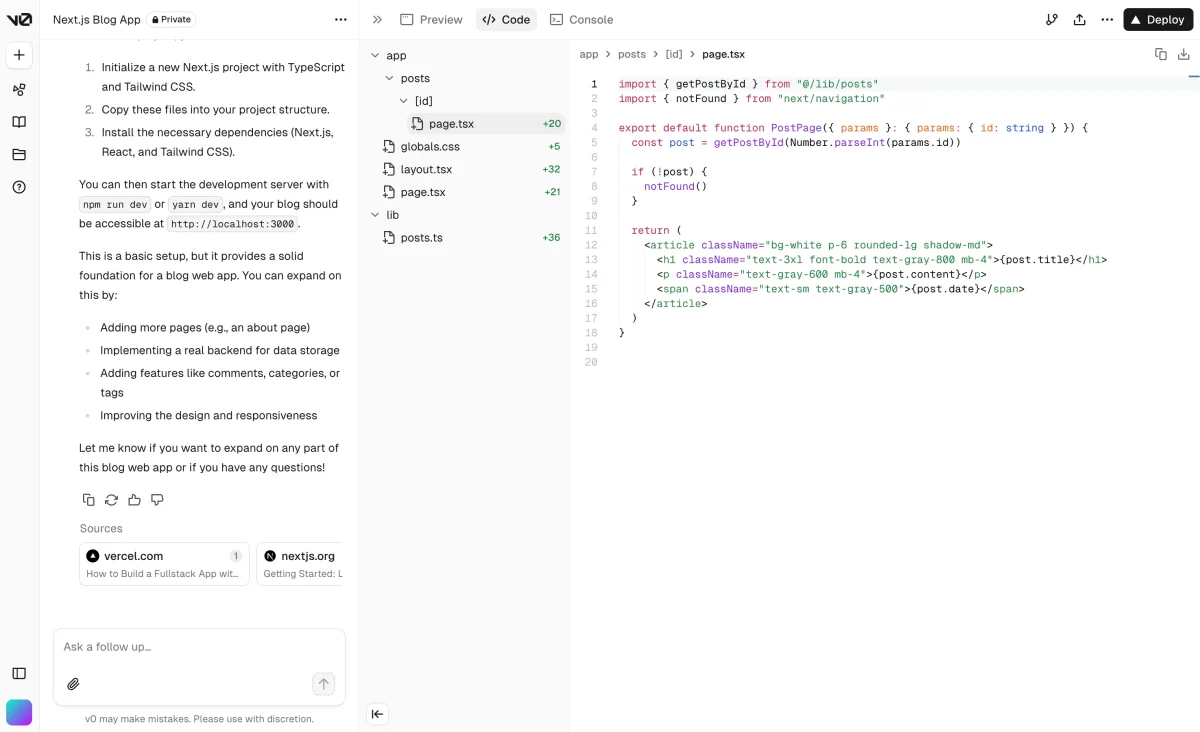
The default interface is a chat panel on the left and a preview pane on the right. You describe what you want; the preview renders the component live. Below the preview, a code tab shows the generated React. Click “Deploy to Vercel” — the component is live on a Vercel preview URL in under 60 seconds.
NOTE · what the free tier actually gets you
The 7 messages/day cap is tighter than it sounds. Each iteration — “add a dark mode toggle,” “make the button larger” — costs one message. A medium-complexity component will chew through 4-5 messages before it looks right. Budget accordingly; the free tier is genuinely for evaluation, not production work.
The first thing you notice: the generated code is already very close to what you’d write by hand. No wrapper divs for no reason. No inline styles. Tailwind classes are purposeful. shadcn/ui components are used the way the shadcn docs actually recommend. This is unusual. Most AI-generated UI code feels like it was copy-pasted from five different Stack Overflow answers. v0’s output has a single, coherent voice.
The second thing you notice: iteration is fast. Click in the preview, tell v0 what to change, and the whole component rerenders in a few seconds. You’re not re-prompting from scratch — the conversation holds context. “Make the header sticky” after a ten-message session still knows what the header is, where it lives, and what styles it’s using.
v0-by-vercel · v0-interface.png
fig · The v0 prompt-to-UI view · source: refine.dev
The code it generates
Let’s be concrete. Here’s a representative prompt and what comes back:
user-prompt.txt
Build a pricing section with three tiers: Starter ($9/mo), Pro ($29/mo), and Enterprise (custom).
Pro should be highlighted as recommended. Each tier should have 4-5 feature bullet points and a CTA button.
Dark background, clean typography, modern SaaS aesthetic.
v0-output.tsx (excerpt)
import { Check } from “lucide-react”
import { Button } from “@/components/ui/button”
import { Badge } from “@/components/ui/badge”
import { Card, CardContent, CardDescription, CardFooter, CardHeader, CardTitle } from “@/components/ui/card”
import { cn } from “@/lib/utils”
That’s production-quality code. The cn() helper from shadcn/ui is used correctly. The lucide-react import is the actual icon library shadcn recommends. The Tailwind classes are semantic and concise, not a soup of utilities. You could commit this directly to a Next.js project without touching it.
This is v0’s genuine differentiator: not that it generates UI (everything does), but that the generated UI code is already idiomatic. Bolt.new generates code that works. v0 generates code a senior React developer would actually write.
Three real workflows, end-to-end
case-study #01 · scaffolding a SaaS dashboard
From prompt to deployed dashboard shell in 22 minutes
The brief: a SaaS analytics dashboard with a sidebar nav, overview page with metric cards, a table page, a settings page, and a billing page. Nothing wired to a real backend — just the shell.
Single prompt: “Build a SaaS analytics dashboard with a collapsible sidebar nav, overview page with 4 metric cards (users, revenue, sessions, churn), a data table page, a settings page, and a billing page. Use shadcn/ui, dark mode by default, Vercel-inspired aesthetic.”
v0 scaffolded all five pages with routing, a shared layout, and a sidebar component in one generation. The sidebar had active-state highlighting, the metric cards were responsive, the table page used shadcn’s DataTable with sorting. The billing page had a plan comparison layout that matched the prompt’s aesthetic brief.
Iteration took 8 more messages: add a notifications bell to the header, make the sidebar collapse to icons on mobile, add a dark/light mode toggle, adjust the metric card colors. Fourteen messages total, 22 minutes wall-clock, deployed to a Vercel preview URL.
// 22 min prompt-to-preview · zero boilerplate written by hand · code ready to wire to a real API
case-study #02 · landing page from a rough sketch
Figma export to live page, no design handoff meeting required
The scenario: a designer has produced a landing page mockup. Normally this kicks off a 2-hour handoff meeting. Instead, export the Figma frame to PNG, upload it to v0 on the Premium plan (Figma import requires Premium), add a one-line prompt: “Convert this design to React, matching the layout, colors, and typography as closely as possible. Use shadcn/ui components where applicable.”
v0’s output matched the layout with high fidelity — hero section, feature grid, testimonials, CTA. The color values were pulled correctly from the image. The font choices were inferred and mapped to Tailwind’s font utilities. One area where it diverged: a custom illustration in the hero was replaced with a placeholder div. That’s the right call — AI can’t reconstruct vector art from a PNG. Everything else was correct.
Developer time to production-ready: 45 minutes of iteration to match the remaining design details (spacing adjustments, hover states, mobile breakpoints). Versus the typical 6-8 hours of hand-coding a landing page from a Figma spec.
// designer handoff cut from half-day to 45 min · code quality stayed production-grade throughout
case-study #03 · rapid component iteration for a design system
Building a custom component library on top of shadcn/ui
use case: design system / component library · team: 2 devs + 1 designer
The scenario: a startup needs a set of branded components — buttons, form elements, cards, modals — that extend shadcn/ui with their own color palette and radius tokens. Normally this is a week of careful work.
The workflow: describe each component variant in v0, get the base implementation, copy into the design system repo, and adjust the token references to match the team’s CSS variables. v0 becomes the first-draft generator; the developer owns the final customization.
This is where v0 shines as a power tool rather than a magic box. It doesn’t replace design decisions — it removes the tedium of translating design decisions into boilerplate. The team ran 28 component generations over two days. Acceptance rate was around 80% without iteration. That’s a week of component work compressed into two days, with the developer staying in full control of the final output.
// 28 components · 2 days vs ~5 days by hand · 80% acceptance rate on first generation
Design-to-code: the image import workflow
The image-to-code capability deserves its own section because it changes the designer-developer relationship in a specific and useful way. Upload any screenshot — a reference app, a Dribbble mockup, a Figma PNG export — and v0 attempts to produce matching React markup. It doesn’t trace pixel-by-pixel, but it reads layout, hierarchy, spacing intent, color palette, and component patterns.
In practice, it performs best on: landing pages with a clear grid, dashboard layouts with card-based UI, form-heavy screens with labeled inputs, navigation structures. It performs worse on: highly custom illustrations, complex data visualizations, or designs that rely on proprietary fonts or brand-specific motion. For the former category, the output is frequently 70-80% complete on the first generation — enough that iteration is cheaper than starting from scratch.
TIP · maximize image-to-code accuracy
Export your Figma frames at 2x, ensure text is legible in the export, and annotate the prompt: “This is a checkout form. The left panel is the order summary; the right panel is the payment form. Use shadcn Card and Input components.” The more context you give about intent, the better v0 maps the visual to the right component abstractions.
The Premium plan unlocks direct Figma import — paste a Figma URL instead of uploading a PNG. This preserves more semantic information (layer names, component structure) and produces noticeably cleaner output than the image-upload path. If your team uses Figma as the source of truth, this feature alone is worth the $20/mo.
The Vercel ecosystem advantage — and the lock-in
v0’s biggest structural advantage over every other AI builder is this: it’s made by the same company that runs the deployment platform. The integration is not cosmetic. When you click “Deploy to Vercel,” v0 creates a repository, configures Next.js build settings, sets up preview deployments, and wires Vercel Postgres if you’ve enabled database connectivity. It knows exactly what Vercel wants because it is Vercel.
Compare this to Bolt.new deploying to Netlify or Lovable deploying to Lovable Cloud. Those work, but there’s a conceptual seam — the builder and the host are different products with different assumptions. v0 and Vercel are the same product in two surfaces. The deployment experience is frictionless in a way no integration can fully replicate.
The same logic applies to Next.js. v0’s output uses App Router, server components, loading.tsx skeletons, and Next.js metadata APIs the way Vercel’s own Next.js team would use them. It doesn’t generate Pages Router code. It doesn’t generate workarounds for things the App Router makes easy. v0 knows Next.js the way a member of the Next.js core team knows it — because Vercel employs that team.
WARNING · the ecosystem advantage is also a lock-in
Everything above is a genuine advantage — if you’re building on Next.js and deploying to Vercel. If you’re not, the picture reverses. v0 generates React only. It generates Next.js specifically. It deploys to Vercel natively. If your stack is Vue, SvelteKit, or a non-Vercel host, v0 is either useless or an awkward fit. The ecosystem advantage and the ecosystem lock-in are the same feature.
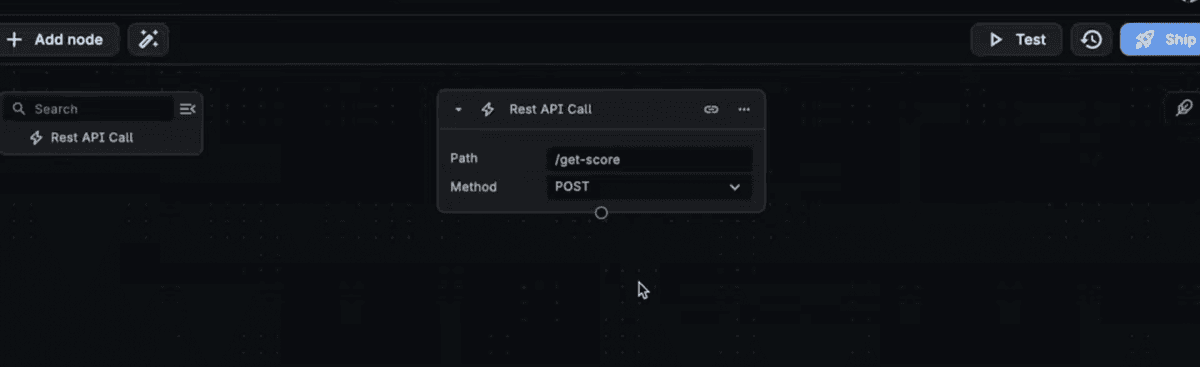
v0-by-vercel · v0-generated.png
fig · Generated UI you can edit · source: buildship.com
Agentic mode in 2026
The February 2026 update shipped the feature that turned v0 from “impressive component generator” into “genuine app builder”: agentic multi-step workflows. In agentic mode, v0 doesn’t just generate code in response to a single prompt — it plans, reasons, and executes across multiple steps. Ask it to “build a user settings page with profile editing, password change, and notification preferences” and it doesn’t return one blob of code. It creates three distinct components, wires them into a tabbed layout, adds a shared state management pattern, and queues them into a diff-reviewable series of changes.
The agentic layer also introduced database connectivity. Connect a Vercel Postgres database, and v0 can scaffold server actions, API routes, and data fetching logic alongside the UI components. It won’t design your schema from scratch (you need to provide the table structure), but it will write the query layer, the loading state, the error boundary, and the form submission handler for that schema. For CRUD interfaces — the bread and butter of SaaS products — this closes much of the gap between “frontend generator” and “app builder.”
The important caveat: agentic mode is model-expensive. Complex multi-step sessions can consume credits quickly on the free and Premium tiers. Monitor your credit dashboard when using agentic workflows for large scaffolding tasks.
v0 vs Bolt.new
a/v0-by-vercel b/bolt-new
Bolt.new is StackBlitz’s full-stack AI builder — it runs a full development environment in the browser, scaffolds backends, wires databases, and deploys complete applications in one shot. It’s the most batteries-included option in the market. See our full Bolt.new review.
complete working prototype without existing backend
mobile-capable frameworks — React Native support
Verdict: v0 if you have a backend and need excellent UI fast. Bolt.new if you’re building a full MVP from zero and need the database, auth, and API wired automatically.
v0 vs Lovable
a/v0-by-vercel b/lovable
Lovable markets itself as the AI tool for non-technical founders — visual editing, Supabase integration baked in, one-click deploy to Lovable Cloud. It covers more of the product surface than v0, but the output code quality is lower. See our full Lovable review.
v0 wins at
React code quality — substantially cleaner output
developer workflow — GitHub sync, proper Git history
Figma and image-to-code pipeline
component-level precision — iterate one element at a time
pricing transparency — token-based credits are predictable
lovable wins at
non-technical users — visual editing, no code required
native Supabase integration — auth and database in minutes
complete app scaffold — no backend required from the user
lower floor for getting something working end-to-end
Verdict: v0 for developers who want to control the code. Lovable for founders who want to avoid touching code entirely. The output quality gap is real — if you’re technical, v0 wins on merit.
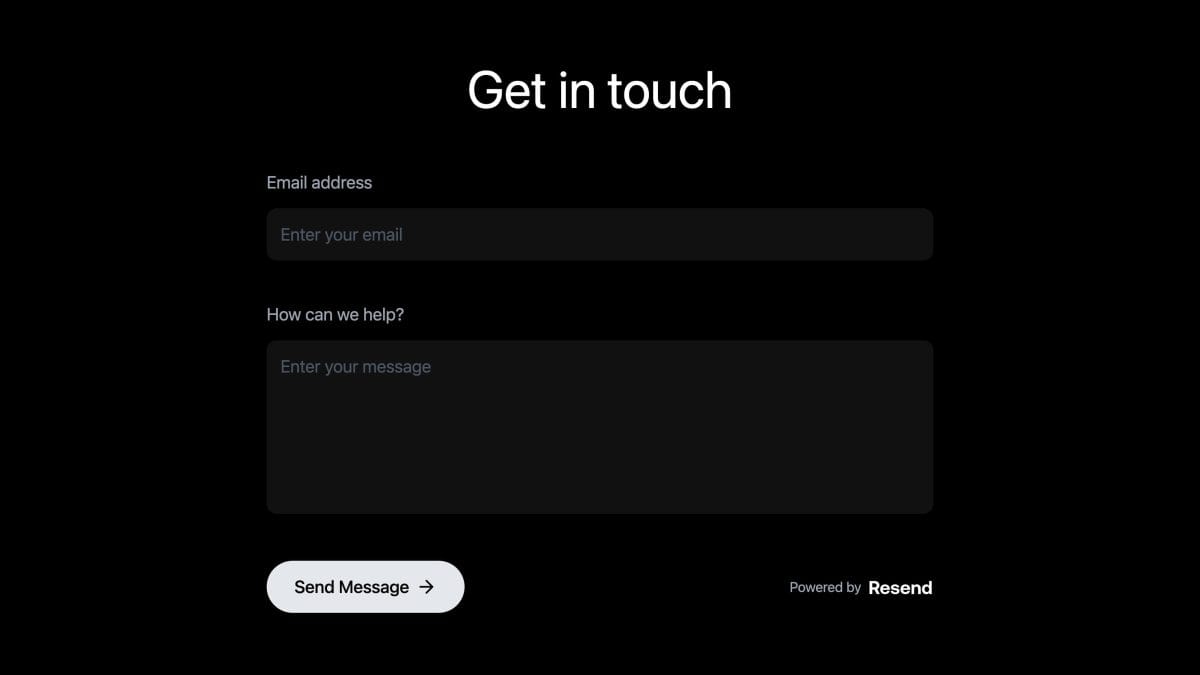
v0-by-vercel · v0-chat.png
fig · From prompt to working app · source: v0.app
v0 vs Cursor
a/v0-by-vercel b/cursor
Cursor is an AI-native IDE — a VS Code fork with codebase-aware AI, multi-file editing, and Tab prediction. It’s a fundamentally different product solving a different problem. The comparison matters because many developers consider both. See our full Cursor review.
v0 wins at
greenfield UI generation — faster from zero to component
design-to-code — no equivalent in Cursor
non-developer-friendly — browser, no install, no setup
Vercel deploy integration — one-click from generation
shadcn/ui specificity — deep component knowledge
cursor wins at
editing within an existing codebase
multi-file awareness — reads your entire project
tab autocomplete for speed during active coding
any language, any framework, any stack
complex refactors and bug investigation
Verdict: These tools are complementary, not competitive. Use v0 to generate the component from a prompt or design; use Cursor to integrate it into your codebase and keep iterating. The best React developers in 2026 use both.
Where v0 falls short
The honest version of this review has to spend time here. v0’s limitations aren’t obscure edge cases — several of them are central enough to be dealbreakers for certain teams.
React only. No exceptions.
v0 does not generate Vue, Svelte, Angular, or vanilla HTML/CSS. It generates React with Next.js and Tailwind. If your stack is anything else, v0 is not a partial fit — it is not a fit. This is the single most common reason teams evaluate v0 and walk away. No roadmap item addresses this; it’s a product philosophy decision, not a gap Vercel plans to close.
No built-in backend
Despite the 2026 agentic additions and database connectivity, v0 still requires you to bring a backend. It won’t provision Supabase, set up authentication, or scaffold a payments layer from scratch. The database integration works with a Vercel Postgres connection you’ve already set up. Auth requires your own implementation or a library like NextAuth. For technical teams, this is fine — they have the backend. For founders without a developer, it’s a meaningful gap that tools like Lovable and Bolt.new fill.
Credit consumption is unpredictable
v0’s token-based credit model is more honest than fixed message counts, but it creates unpredictable spending. A complex component with multiple iterations can consume your monthly free credits in a single session. Agentic mode is especially hungry. The Premium plan’s $20 monthly credits can evaporate faster than expected on ambitious projects. Teams doing serious work should budget for additional credit purchases.
The 7 messages/day free tier is stingy
Seven messages per day sounds reasonable until you’re mid-iteration on a component that needs 10-12 follow-ups to land. Hitting the daily limit in the middle of a flow is frustrating. It’s a nudge toward the Premium plan that feels more aggressive than it should for an evaluation tool.
Complex logic is out of scope
v0 generates UI structure and styling exceptionally well. It generates functional state management adequately. It does not generate complex business logic, sophisticated API orchestration, or non-trivial data transformations. Asking v0 to build a real-time collaborative editor or a complex multi-step form with branching validation will produce something that looks right and behaves approximately right — requiring significant developer intervention to be actually right.
WARNING · the Vercel lock-in compounds over time
The first project on v0 is quick and easy. By the third project, your entire frontend muscle memory is oriented around Vercel’s tooling, shadcn/ui conventions, and the v0 iteration loop. Switching away from Vercel later — or hiring a developer who doesn’t know this stack — becomes meaningfully harder. Enter the ecosystem with clear eyes.
Pricing, in real terms
v0 uses a credit-based model where credits map to token consumption — longer prompts and more complex outputs cost more credits. The credit-to-dollar ratio is stable, but the credits-per-generation rate varies with complexity, which makes exact monthly cost hard to predict without usage history.
Free — $0/mo ($5 of monthly credits)
Genuinely useful for evaluation. The 7 messages/day cap is the binding constraint, not the $5 credit limit. Good for: trying v0 for the first time, generating occasional one-off components, proof-of-concept work.
Premium — $20/mo ($20 of monthly credits)
The plan that makes sense for solo developers and freelancers. Unlocks Figma imports, removes the daily message cap, and allows additional credit purchases when you burn through the monthly allocation. Additional credits are purchasable at roughly $0.30-2.00 per generation depending on complexity, and purchased credits expire after one year.
Team — $30/user/mo ($30 of monthly credits per user)
Adds shared credit pools, centralized billing, and collaborative chat access. For teams actively using v0 as part of their frontend workflow — not just individual power users — this is the right entry point. Shared credits mean one prolific user doesn’t starve the rest of the team.
Business — $100/user/mo
Adds training opt-out by default (your prompts and outputs are never used to improve the v0 model). For companies handling client work, proprietary design systems, or sensitive product strategy, this is the privacy tier. The jump from Team to Business is significant — the value proposition is specifically around data handling guarantees.
Enterprise
Custom pricing. Adds SAML SSO, role-based access control, priority performance access, guaranteed SLAs, and contractual data non-training assurances. For larger engineering organizations standardizing on the Vercel platform, this is the appropriate tier.
NOTE · the real monthly spend on Premium
For a solo developer generating 3-5 components per day, the $20 monthly credit allocation typically runs out in the second or third week. Budget an extra $15-30/mo in additional credits if you’re using v0 as a daily workflow tool, not an occasional one.
Who should use v0
Use v0 if you are:
A frontend developer already working in React and Next.js — v0 speaks your language natively and outputs code you can commit directly
A designer who codes — image-to-code and Figma import close the design-to-implementation gap without a developer handoff
A full-stack developer who already has the backend sorted and needs UI faster than writing it by hand
A founder building a SaaS on Vercel — the deployment integration means you can go from idea to live preview without leaving the browser
A team standardizing on shadcn/ui — v0 generates components that follow shadcn conventions exactly, accelerating design system work
An agency producing landing pages and marketing sites at volume — the speed-to-first-draft advantage is substantial at scale
Skip v0 if you are:
Building on Vue, Svelte, Angular, or any non-React framework — v0 cannot help you
A non-technical founder who needs auth, database, and backend scaffolded automatically — use Lovable or Bolt.new instead
In a company that forbids Vercel as a cloud provider — the platform advantage disappears and the lock-in disadvantage remains
Building React Native or mobile apps — v0 is web-only
Working on a mature codebase with complex conventions — v0 generates fresh components well, but integrating them into idiosyncratic legacy code requires significant manual work
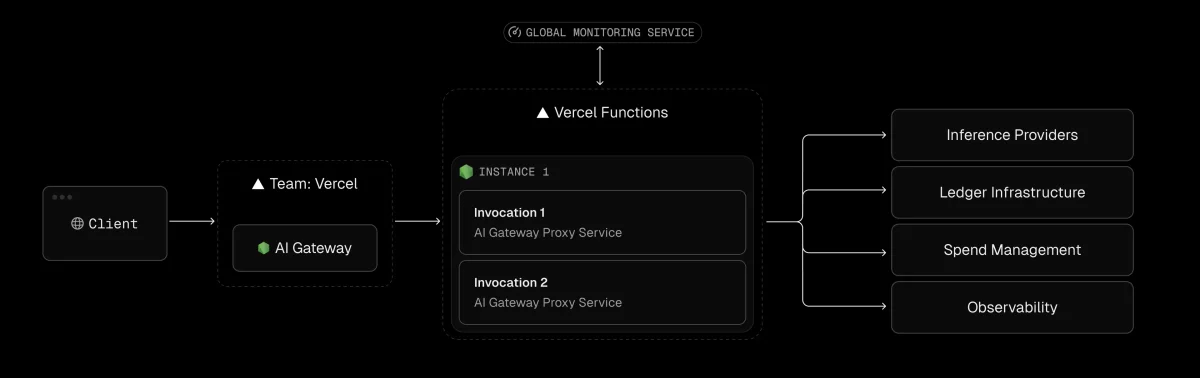
v0-by-vercel · v0-pricing.png
fig · Plans and credits · source: truefoundry.com
Power-user tips
TIP 01 · use shadcn component names in prompts
v0 knows shadcn/ui intimately. Prompts like “use a Command component for the search” or “wrap this in a Sheet, not a Dialog” produce better results than describing the UI pattern from scratch. The more shadcn vocabulary in your prompt, the more idiomatic the output.
TIP 02 · iterate in small steps
One-shot “build the entire dashboard” prompts produce acceptable results. Iterative prompts — “add the header, now add the sidebar, now add the main content grid” — produce noticeably cleaner code with fewer layout conflicts. Smaller scope per message means fewer things v0 has to infer.
TIP 03 · export to GitHub immediately
v0 sessions are temporary. If you’ve iterated a component to the point where it’s ready to use, push it to GitHub before the session state ages. The GitHub sync is one click from the header. Don’t rebuild work from a dead session.
TIP 04 · paste your existing Tailwind config
If your project has a custom Tailwind config with brand colors, font stacks, or custom spacing, paste the relevant section into your first prompt: “Here are my Tailwind color tokens: [paste]. Use these throughout.” v0 applies them correctly and the generated component won’t need a full restyle before it fits your brand.
TIP 05 · use the code tab, not just the preview
The preview is for evaluating layout. The code tab is for evaluating quality. Check the code on every generation — not because v0 frequently produces broken code, but because understanding the generated code is what keeps you in control of your codebase rather than dependent on v0 to maintain it.
TIP 06 · combine with Cursor for the full workflow
Generate the component scaffold in v0. Deploy to a preview URL to validate the layout. Open the GitHub repo in Cursor to integrate it into your codebase, wire it to real data, and extend it with your existing patterns. The two tools are designed differently but compose well — v0 starts the work, Cursor finishes it.
What’s next for v0
// roadmap · what Vercel has signaled · mid-2026
Deeper agentic capabilities — v0’s multi-step reasoning is improving rapidly. Expect more complex app scaffolds with less iteration required, and better handling of state management across generated components.
Expanded database integrations — current Postgres and Snowflake/AWS support will expand. Supabase integration is widely requested and likely coming — it would close the biggest gap with Lovable for full-stack workflows.
Mobile and React Native output — not confirmed, but Vercel’s ambitions have grown consistently. The React Native ecosystem is the obvious adjacent market. No public roadmap item, but worth watching.
Enhanced design system tooling — better support for importing and maintaining custom component libraries, not just one-off generations. Teams building large component systems want v0 to know their conventions the way Cursor knows via .cursorrules.
AI model upgrades — the v0 Mini / Pro / Max tiers will receive capability updates as Vercel’s model improves. Expect lower per-token costs as the model becomes more efficient and the market matures.
Collaboration features — multi-user real-time editing in v0 sessions is a natural Team/Enterprise roadmap item. Currently each session is single-user.
FAQ
Is v0 only for Vercel users?
Technically no — you can generate React components in v0 and copy the code into any project. But the deployment integration, preview URLs, and database connectivity only work on Vercel. If you’re not deploying to Vercel, you lose roughly 40% of v0’s practical value. It still generates good code, but the workflow integration disappears.
Does v0 replace a frontend developer?
No, and this matters. v0 replaces the tedious part of frontend development — the boilerplate, the first draft, the mechanical layout work. It doesn’t replace judgment about component architecture, performance optimization, accessibility, or the kind of design thinking that makes a UI actually good. The best use of v0 is to get a senior developer writing architecture decisions instead of writing button components.
How does v0 handle accessibility?
Better than most AI tools because it builds on shadcn/ui, which itself is built on Radix UI primitives — one of the most accessibility-correct component foundations in the React ecosystem. Keyboard navigation, ARIA roles, and focus management are inherited from Radix by default. That said, v0 doesn’t audit for WCAG compliance on the generated output. Complex accessible patterns — custom data visualizations, screen-reader-optimized tables — require developer attention.
What’s the difference between v0 Mini, Pro, and Max?
Vercel’s v0 model tiers correspond to capability and cost. Mini uses fewer tokens and is faster — appropriate for simple components and quick iterations. Pro is the default for most work. Max handles complex, multi-component scaffolds with higher quality reasoning. Max Fast prioritizes speed on complex tasks. In practice, Premium plan users can mix tiers per session; the credit cost adjusts accordingly.
Can I use v0 if I don’t know React?
You can generate components. You won’t know how to integrate them. v0 outputs production-quality React, which means it assumes some knowledge on your end — you’ll need to understand props, imports, component hierarchy, and how to add the code to your Next.js project. Non-technical users are better served by Lovable, which abstracts the code entirely.
Is my design work used to train v0’s model?
On the free, Premium, and Team plans: yes, by default. Vercel uses session data to improve the v0 model. The Business plan opts out of training by default. The Enterprise plan includes contractual data non-training guarantees. If you’re uploading client designs or proprietary UI, use Business or Enterprise to ensure your design work stays private.
How does the Figma import actually work?
On the Premium plan and above, you can paste a Figma share URL directly into v0. v0 reads the Figma file via the Figma API, extracts layer structure, component names, and design tokens, and uses this richer semantic input to produce better-targeted React code than the image upload path. You need to give v0 read access to the Figma file. The output is still React/Tailwind/shadcn — Figma import improves input quality, not output format.
v0 or Cursor for a frontend developer in 2026?
Both, used differently. v0 for greenfield UI generation and design-to-code. Cursor for integrating into an existing codebase, refactoring, debugging, and multi-file work. They’re complementary tools that solve different phases of the same problem. Most React developers who try both end up keeping both subscriptions.
The best frontend code generation available — for exactly one ecosystem.
v0 is not trying to be the everything-app of AI builders. It’s trying to be the best possible tool for a specific developer, building a specific kind of product, on a specific platform. For that developer — React, Next.js, Vercel, shadcn/ui — it succeeds better than any competitor. The generated code quality is genuinely impressive. The design-to-code pipeline is the best in the market. The Vercel deploy integration is seamless in a way no third-party tool can match.
The penalty for this specificity is steep: if you’re not in the Vercel ecosystem, v0 isn’t your tool. If you need a backend scaffolded automatically, v0 isn’t your tool. If you want to build across frameworks, v0 isn’t your tool. These aren’t gaps that better prompting can bridge — they’re product decisions.
Score it honestly: 8.7 for a developer in the target persona. Something closer to 5.0 for everyone outside it. Know which one you are before subscribing.
// facts checked 2026-06-02
Keeping tabs
Change history
Every verified price, limit, and model change we have tracked for v0 by Vercel.
No changes detected since we started tracking — that's a good sign.
Verified October 2026
Watch this tool
One email when v0 by Vercel changes price or limits. No account, no spam.