AI Tool

Claude Code
Anthropic
Claude Code
Terminal-native agentic coding CLI by Anthropic — autonomous multi-file edits, MCP servers, subagents, and overnight background tasks.
Terminal-native agentic coding CLI by Anthropic — autonomous multi-file edits, MCP servers, subagents, and overnight background tasks.
Claude Code was announced on February 24, 2025, alongside Claude 3.7 Sonnet, as a research preview. The timing was deliberate: Claude 3.7 Sonnet was Anthropic’s first model with “extended thinking” — the ability to reason step-by-step through complex problems before answering. Pairing that with an agentic CLI made more sense than pairing it with a chat interface. The research preview turned heads fast. Developers who’d spent years duct-taping scripts together to automate code tasks suddenly had something that could plan, execute, and verify on its own.
General availability arrived on May 22, 2025, with the Claude 4 generation launch. The growth from there was historic: Claude Code hit $1 billion in annualized run-rate revenue within roughly six months of GA — faster than ChatGPT’s revenue ramp when it launched. By mid-2026, as Anthropic closed its Series G at a $380 billion valuation, Claude Code’s run-rate had grown past $2.5 billion ARR. The product line that started as a terminal prototype was generating more revenue than most standalone SaaS companies.
One detail worth knowing for context: Anthropic also powers the AI concierge on PixlRun. We mention this neutrally because it’s true, and because it doesn’t change the review — Claude Code is a different product from Claude-the-model, and its terminal-native design has specific tradeoffs that deserve honest assessment regardless of who built it.
The design philosophy is the interesting part. Most AI coding tools are editor-centric: you write code in a GUI, the AI helps as you type. Anthropic’s bet was the opposite. The terminal is the right surface for autonomous work. Editors are optimized for human-in-the-loop interaction — tabs, cursor position, visual diffs. The terminal is optimized for processes that run unattended. That bet is paying off in exactly the use cases that matter most: long refactors, repo-wide changes, and workflows that span git, tests, and deployment.
Claude Code is not a text editor. It’s not a VS Code extension. It’s a CLI agent — you install it with npm install -g @anthropic-ai/claude-code, run claude in your project directory, and give it tasks in natural language. It reads your codebase, figures out what needs to happen, executes the changes across however many files are needed, runs your tests, and reports back.
The surfaces have expanded significantly since launch. Today Claude Code runs on:
claude.ai/code, launched October 2025, for browser-based accessAll surfaces share the same underlying engine: your CLAUDE.md files, MCP server configs, and settings travel with you. Switch from terminal to VS Code mid-session and the agent remembers where it is.
The model underneath is Claude — Sonnet 5 for speed, Opus 5.5 for depth, with the newer Fable 5.1 available on Max plans for the hardest tasks. Unlike Cursor, which routes your prompts to external providers (OpenAI, Google, Anthropic), Claude Code runs exclusively on Anthropic’s models. The upside: deep integration between the model’s capabilities and the tool’s design. The downside: no model picker if you prefer GPT-6 or Gemini for certain tasks.
Install is one command: npm install -g @anthropic-ai/claude-code. Then claude from any project directory. The agent announces itself in the terminal and waits for a task.
Type: “Audit this codebase. What’s the authentication flow, and are there any obvious security gaps?” Claude Code reads the relevant files, traces the auth implementation, and returns a structured answer with specific file references and concrete findings. Not a generic checklist — actual analysis of your code.
Then give it work to do: “Add rate limiting to all API routes using our existing Redis connection.” It doesn’t ask clarifying questions. It finds the Redis setup, reads how existing middleware is structured, writes the rate limiter, wires it into all routes, and shows you a diff. The entire flow — from prompt to executable changes — happens in the terminal without you clicking anything.
Stop thinking of Claude Code as a smarter autocomplete. Think of it as a junior engineer who runs in the background while you do other things. You give it a task, set permissions, and come back. That’s the interaction model — and it changes which tasks you assign to it entirely.
The CLAUDE.md file is the most important thing to set up in your first week. Drop one at your project root and it becomes a persistent system prompt — your conventions, stack details, what not to touch. Claude Code reads it on every session. A tight CLAUDE.md is the difference between an agent that writes code in your style and one that writes generic code you have to rewrite anyway.
## Conventions
– Result<T, E> pattern for all async ops — never throw from service layer.
– Zod schemas in /schemas/, not inline in handlers.
– All new routes need integration tests in /tests/routes/.
– Never write console.log — use /lib/logger.ts.
## Permissions
– Read/write: src/, tests/, prisma/
– Never touch: .env, docker-compose.yml, deployment configs
– Ask before adding new npm packages.
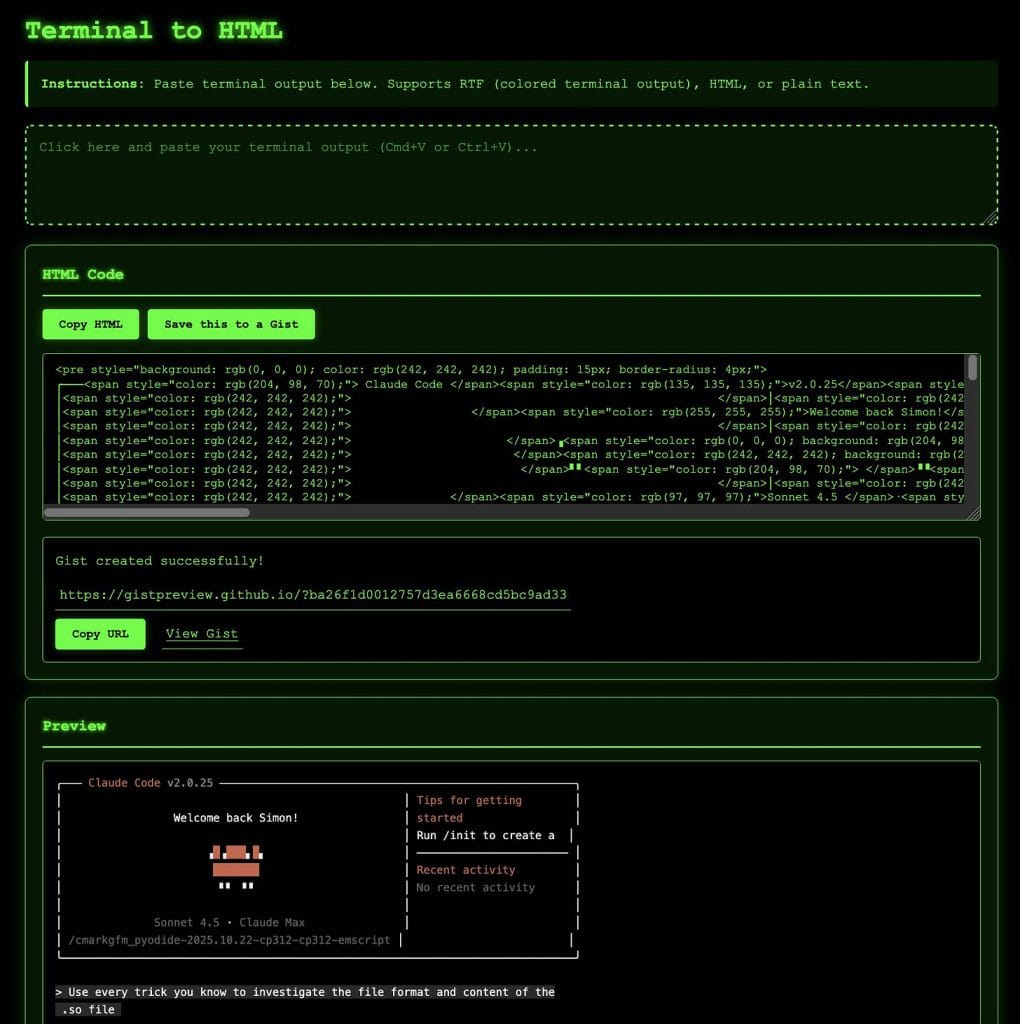
The key distinction between Claude Code and every editor-integrated AI tool is the planning-then-executing loop. Before touching a single file, Claude Code maps out what it’s about to do. You see the plan before execution begins. Approve it, refine it, or reject it. Once approved, it executes — and it can handle dozens of files in a single pass without prompting for confirmation at each step.
Permission modes control how much autonomy you grant. The default mode asks for confirmation before risky operations (deleting files, running shell commands, committing). Auto-approve mode lets Claude Code run fully unattended — useful for long overnight tasks, risky for anything touching production configs. Hooks (see below) let you build custom guardrails that sit between the agent and dangerous operations regardless of which permission mode you’ve set.
Context management is where Claude Code’s architecture shows its sophistication. Each session maintains a conversation-style context window. For large codebases, Claude Code selectively loads only the relevant files — it doesn’t dump your entire repo into context. It reads what it needs, edits it, moves on. The CLAUDE.md hierarchy (project file, user global file, managed policy file) stays persistent across all sessions, so your conventions don’t need to be re-established every time.
Git integration is first-class. Claude Code can plan changes, execute them, run tests, and commit — all in one task. Worktrees let it run isolated experiments in parallel branches without touching your working tree. For teams running multiple agent instances simultaneously, worktree-based isolation means one agent’s work doesn’t collide with another’s.
MCP — Model Context Protocol — is how Claude Code reaches outside your codebase. It’s an open standard Anthropic ships alongside Claude Code that lets any external tool expose itself as a Claude Code server. The effect: Claude Code can read from databases, call APIs, manage deployments, send Slack messages, query GitHub, or interact with any service that has an MCP implementation — all within a single natural-language task.
Configuration is per-project via .mcp.json. Secrets reference environment variables, not hardcoded values:
With that config in place, Claude Code can query your database directly during a task — no need to paste schema files or explain the data structure manually. It reads the live schema and works with it.
Subagents are the more recent and more powerful addition. A subagent is a specialized Claude Code instance with its own context, tools, and permission set, orchestrated by a main agent. You define them as markdown files with YAML frontmatter stored in .claude/agents/ (project) or ~/.claude/agents/ (user). A security-review subagent might have read-only permissions and a focused prompt about OWASP patterns. A test-runner subagent might have permission to run tests but not write files. The main agent delegates, the specialist executes, results come back.
In practice: you tell Claude Code to ship a new feature. The main agent writes the implementation, then spawns a security subagent to audit it and a test subagent to write coverage. Three agents run in parallel. You review the combined output. This is the architecture of the AI-native development workflow — not one agent doing everything, but a coordinated team.
Hooks are shell scripts that execute automatically on specific Claude Code lifecycle events. Think of them as middleware for your agent. They fire before or after tool calls, on session start or end, when a subagent completes, or at any of a dozen other events the agent emits.
The most common use: pre-operation safety checks. A hook that blocks Claude Code from committing if it detects a credential pattern in staged files. A hook that runs your linter after every file write. A hook that pings a Slack channel when an overnight task finishes. A hook that cancels any operation attempting to write to a production config directory.
The architectural value of hooks is separation of concerns. Claude Code handles the coding. Your hooks handle the safety, compliance, and notifications. You can run unattended agents overnight and trust that your guardrails are enforced at the script level — not at the model level, where instructions can be misunderstood. That separation is what makes fully autonomous Claude Code sessions viable in production-adjacent environments.
Starting point: a large Express API stuck on CommonJS require(). Newer packages were dropping CommonJS support. The brief: convert everything to ESM, update the Prisma client import pattern, fix the handful of dynamic require()s that needed special handling.
Claude Code’s plan, generated before touching a single file: identify all require() callsites, flag the ones with dynamic paths for manual review, convert in dependency order (shared utilities first, then consumers), update package.json and tsconfig.json, run the test suite after each batch of 10 files to catch failures early. Scope: 60 files, 4 flagged for human review.
What the agent caught that we didn’t anticipate: two files using __dirname (an ESM non-existent global) and a Prisma client initialization pattern that needed a named import change. It flagged both before executing and added the fileURLToPath+import.meta.url pattern automatically for the __dirname cases.
The 4 flagged dynamic requires turned out to be a plugin loader — Claude Code wrote a comment in each file explaining why it left them alone and what the ESM equivalent would look like. Not a mistake, not a silent skip — a documented handoff to human judgment. That’s exactly the behavior you want from an autonomous agent.
Before shipping a new REST API, we pointed a read-only Claude Code subagent at the codebase with a single prompt: “Audit this API against the OWASP Top 10. Return findings as a structured list with file references and severity ratings.”
The subagent read the entire src/ tree in about 4 minutes. It returned 11 findings: 3 high-severity (missing input sanitization on two endpoints, rate limiting applied to login but not to password reset), 5 medium (missing security headers, session tokens not marked HttpOnly), 3 low (verbose error messages in development mode leaking stack traces). Every finding came with the exact file and line number, the specific risk, and a one-sentence fix recommendation.
The high-severity rate-limiting miss on password reset was the standout. It’s exactly the kind of thing that passes code review because it looks fine — the route is authenticated, the logic is correct. The OWASP pattern the agent caught was the asymmetry between the login and reset endpoints. A human reviewer would need to specifically check for that pattern. The agent checked every endpoint systematically.
A common technical debt scenario: a working API with zero integration test coverage. The brief: generate integration tests for all 40 routes, matching the existing test style, without writing tests that just echo the implementation back.
We configured a pre-write hook to lint each generated test file before it hit disk. We configured a Slack MCP to send a summary on completion. We started the task at 11pm and went to bed.
Morning: Slack notification, 40 test files written, 38 passing, 2 failing. The failing tests weren’t wrong — they were correct tests that exposed real bugs in two endpoints (a pagination edge case and an incorrect 404 response on a soft-deleted resource). The bugs were in the implementation, not the tests. Claude Code had generated tests accurate enough to catch existing bugs that were already live.
That’s the overnight agent use case realized: you sleep, the agent works, you wake up with a summary and actionable output. No babysitting, no approval dialogs every 5 minutes. The hook infrastructure made that level of autonomy safe.
We asked Claude Code to add observability to an existing Express app:
The response before executing (edited for length):
2. Create /lib/telemetry.ts — SDK init, Jaeger exporter, resource attributes from package.json name/version
3. Import /lib/telemetry.ts at top of /src/index.ts (before other imports — required for auto-instrumentation)
4. Add @prisma/instrumentation to the Prisma client config in /lib/db.ts
5. Run: npx tsc –noEmit (verify no type errors)
6. Run: npm test (verify existing tests pass)
Estimated files: 3 modified, 1 created. Proceed?
It executed exactly that plan. The one thing it caught without being asked: auto-instrumentation must be initialized before any other imports. It added a comment in index.ts explaining why the telemetry import is first — not just what it does, but why the order matters. That kind of contextual documentation, written automatically, is what separates Claude Code from a scripted tool.
a/claude-code b/cursor
Cursor is the editor-native AI IDE (VS Code fork with AI baked in). Claude Code is the terminal-native autonomous agent. They’re different tools for different moments — and the best developers in 2026 use both.
Verdict: Cursor while actively typing code. Claude Code when you want to delegate a chunk of work and review later. Most productive developers use Cursor 70% of the time and Claude Code 30% — specifically for the batch work that makes Cursor look slow.
a/claude-code b/copilot
Copilot is the mature, editor-integrated suggestion engine at $10/mo. Claude Code is the autonomous agent at $20/mo Pro. They barely compete — they serve different workflows entirely.
Verdict: Copilot if you want autocomplete and already pay for GitHub Enterprise. Claude Code if you want an agent that executes tasks. Different categories — many teams run both.
a/claude-code b/windsurf
Windsurf, formerly built by Codeium, is a VS Code fork with its Cascade agentic mode — as of September 2026 it’s part of Cognition’s Devin product line. Both tools have agentic capabilities — the difference is the surface. Windsurf lives in an editor; Claude Code lives in the terminal.
Verdict: Windsurf if you want agentic capabilities without leaving your editor. Claude Code if you want the most powerful autonomous execution available today, and the terminal is your natural home.

No honest review omits the failure modes. Claude Code has real weaknesses that matter depending on how you use it.
Claude Code requires you to trust an invisible process. There’s no visual diff accumulating in a panel as it works — in terminal mode, you see log lines. For developers who need to watch changes happen (or who review diffs as they’re generated), this is genuinely uncomfortable. The IDE integrations help, but the core interaction model is “delegate and review later,” and some workflows don’t fit that model.
For monorepos with millions of lines of code, Claude Code can’t hold the full codebase in context at once. It reads selectively — which is usually fine — but on complex tasks touching many distant parts of a large codebase, the agent can miss connections that a human engineer who knows the code would catch. Workaround: break large tasks into scoped subtasks, and use subagents with narrow context when specificity matters.
The Pro plan’s token budget (roughly 44,000 tokens per 5-hour window) runs out fast on intensive autonomous tasks. A multi-file refactor at scale can eat a session’s budget in one long run. This is the clearest friction point in the pricing model — the jump from Pro ($20) to Max 5x ($100) is steep, but for developers running Claude Code as a primary tool all day, Max is the honest tier.
The hook system is powerful but not beginner-friendly. If you don’t write shell scripts comfortably, setting up meaningful guardrails is a barrier. Anthropic ships example hooks, but configuring them correctly for your specific environment is work. This is a tool for experienced developers — not a knock on Claude Code, but worth naming plainly.
This is the most common confusion from developers evaluating Claude Code after using Cursor or Copilot. Claude Code does not autocomplete as you type. It doesn’t predict the next line when you pause at the cursor. If that’s your core workflow, Claude Code is not the right tool — or not the only tool. The combination of Cursor (for inline work) and Claude Code (for batch work) is the setup that resolves this.
Treat CLAUDE.md exactly like a system prompt you’d write for a custom AI assistant. Stack, conventions, files to never touch, what to ask before doing. The quality of this file directly determines the quality of Claude Code’s output. Keep it under 200 lines — beyond that, context overhead grows and focus suffers.
Git worktrees let multiple Claude Code instances run on the same repo simultaneously without collisions. Agent A works on the auth refactor in one branch. Agent B writes the test suite in another. You review both outputs, cherry-pick, and merge. It’s the closest thing to having a small team of focused engineers.
The highest-leverage use of Claude Code is overnight batch work. Write a tight task description, configure your MCP servers and hooks, start the job at night, review the output in the morning. The Slack MCP for completion notifications makes this workflow feel like delegating to an actual colleague.
Subagents with narrow tool permissions and focused prompts outperform a single agent trying to do everything. A subagent that can only read files and run tests, and only knows about security patterns, produces better security findings than a general agent asked to “also check for security issues.” Specialization beats generalization for quality.
Any workflow you run more than twice deserves a skill — a markdown file in .claude/skills/ that Claude Code can invoke as a slash command. A /deploy-check skill that runs your full pre-deploy verification. A /audit-pr skill that runs the security subagent on any branch. Skills are reusable playbooks — the institutional memory of how your team works.
The Agent SDK lets you build your own tools powered by Claude Code’s underlying capabilities. If Claude Code’s standard CLI isn’t the right shape for your workflow — say, you want it embedded in your own deployment pipeline or triggered by CI events — the SDK gives you full orchestration control. Most teams don’t need this. Teams building internal tooling around agentic AI do.
Claude Code is available on three individual subscription tiers, a team plan, and the raw API. Understanding which tier fits your usage pattern matters — the gap between Pro and Max is significant.
Pro at $20/mo includes Claude Code access across all surfaces (terminal, desktop, web, IDE plugins), access to Sonnet 5 and Opus 5.5, and a token budget of roughly 44,000 tokens per 5-hour window. For occasional use and focused tasks, Pro is sufficient. For developers running Claude Code as a primary tool for hours per day, Pro’s window fills up.
Max 5x at $100/mo gives approximately 88,000 tokens per 5-hour window plus priority access during high-traffic periods. The practical jump: long autonomous tasks that would hit Pro limits now complete without interruption. This is the tier for developers who use Claude Code seriously.
Max 20x at $200/mo is roughly 220,000 tokens per 5-hour window — enough for full-day intensive use across multiple parallel agent sessions. For teams running Claude Code as the backbone of their development workflow, this is the honest ceiling before team plans.
Team plans start at $25/seat/month billed monthly ($20/seat/month billed annually) for the Standard tier. Claude Code requires the Premium tier at $125/seat/month ($100/seat/month billed annually). Minimum 5 seats. For organizations running Claude Code at scale, the enterprise plan adds a 500K context window, HIPAA-ready infrastructure, and custom pricing.
API/pay-as-you-go is available for developers who want direct token-level control. Sonnet 5 input starts at $2/million tokens, output at $10/million tokens. With heavy use, API costs can run $100-200/developer/month — making the Max subscription plans meaningfully cheaper for sustained use. The API makes sense for CI integration, custom tooling, and variable workloads where monthly subscriptions would overpay.
bench –plan=all –metric=tokens,autonomy,price june 2026
No — they’re different tools for different moments. Cursor is for active coding with inline AI assistance. Claude Code is for delegating tasks that run autonomously. The productive combination is Cursor while you’re actively coding, Claude Code when you want to hand off a batch task and review later. Most serious developers in 2026 use both.
Pro ($20/mo) runs out fast with intensive use — the 44,000 token per 5-hour window is consumed by a single large autonomous task. Serious daily users land on Max 5x ($100/mo) or Max 20x ($200/mo). The API is cost-effective for variable/CI workloads but can hit $100-200/month with sustained heavy use. Budget Max 5x as the honest “I use this all day” tier.
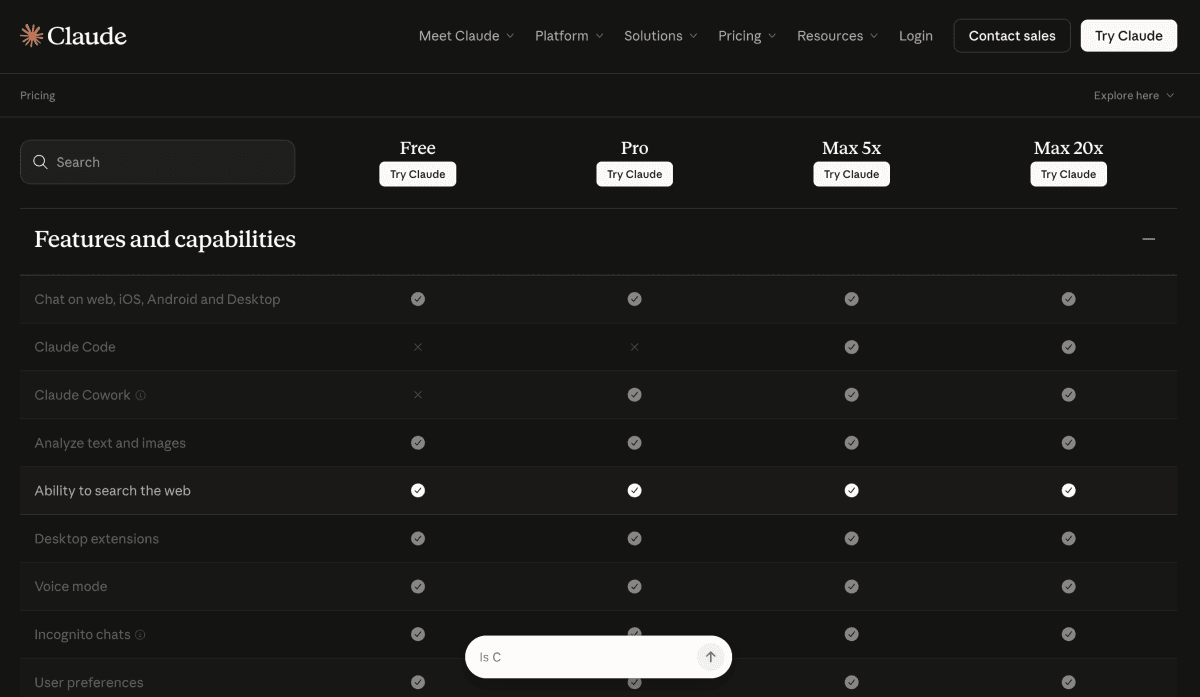
No. Claude Code requires a paid Anthropic subscription (Pro at minimum). There’s no free tier for the agentic tool, though Claude.ai’s free plan gives limited access to Claude-the-model in a chat interface — a different product entirely.
No. Anthropic’s standard terms prohibit using API-processed code for model training. For extra certainty: enterprise contracts and Bedrock/Vertex/Foundry deployments include explicit data processing agreements. The code you send to Claude Code for a task is used for that task and discarded.
The CLI itself can be installed and cached offline, but all AI features require a connection to Anthropic’s API. For air-gapped environments, the Bedrock and Vertex integrations let enterprises route traffic through their own cloud infrastructure with appropriate controls.
Model Context Protocol is an open standard that lets external tools (databases, APIs, services) expose themselves to Claude Code. You don’t need it for basic code tasks — the CLI works out of the box. MCP becomes essential when you want Claude Code to reach beyond your local filesystem: query a live database, post a Slack message, manage deployments. Start without it, add servers as you identify specific workflow needs.
Yes. The Agent SDK is specifically designed for this use case — embedding Claude Code’s capabilities in custom pipelines, triggered by CI events, with full orchestration control. Teams use it for automated code review on PRs, pre-merge test generation, and post-deploy verification passes.
Devin is a fully autonomous AI software engineer operating in a cloud sandbox — it has a persistent environment, can run code, browse the web, and deploy. Claude Code is a terminal agent running on your machine with your credentials and your codebase. Devin costs significantly more and targets teams that want cloud-isolated agent work. Claude Code is cheaper, faster to set up, and runs where your code actually lives. For most developers, Claude Code is the right starting point.
Claude Code runs on Anthropic’s Claude family — Sonnet 5 for most tasks (speed-optimized), Opus 5.5 for complex reasoning (depth-optimized), and Fable 5.1 on Max plans for the hardest tasks. Unlike Cursor, there’s no model picker for other providers. If you need GPT-6 or Gemini for specific tasks, Claude Code isn’t the right tool for those tasks — or combine it with a model-flexible editor like Cursor.
The VS Code extension and desktop apps give you Claude Code without living in the terminal. The agentic capabilities are the same; the surface is more familiar. That said, power-user features — hooks, worktrees, advanced MCP configuration, overnight batch tasks — are easiest to access and reason about from the terminal. If you’re willing to develop terminal comfort, the ceiling is higher.
Claude Code earns its PixlRun Pick not by being the easiest AI coding tool — it’s not — but by being the most capable for the workflows that matter most to serious developers. Autonomous multi-file execution, overnight background tasks, MCP ecosystem extensibility, and subagent orchestration are capabilities that simply don’t exist at this level anywhere else.
The pricing is steep at Max tiers and the tool demands terminal fluency and willingness to configure hooks properly. Skip it if you want inline autocomplete while typing — that’s Cursor’s domain. But if you want to delegate a 60-file refactor, run an overnight test-generation job, or build a custom agentic pipeline for your CI system, Claude Code is the right tool by a meaningful margin. It’s not a better Copilot. It’s a different category.
Every verified price, limit, and model change we have tracked for Claude Code.
One email when Claude Code changes price or limits. No account, no spam.