AI Tool

GitHub Copilot
GitHub (Microsoft)
GitHub Copilot
AI coding assistant with completions, chat, agent mode, and a cloud coding agent — built into VS Code, JetBrains, and GitHub itself.
AI coding assistant with completions, chat, agent mode, and a cloud coding agent — built into VS Code, JetBrains, and GitHub itself.
GitHub Copilot launched in June 2021 as a technical preview — a VS Code extension powered by OpenAI Codex that autocompleted code as you typed. The concept was simple: train a model on the entirety of public GitHub, surface the most likely continuation of whatever you were writing. The first-mover advantage it captured was staggering. Before any competitor existed, Copilot was already in millions of developers’ daily workflows.
The early version was pure autocomplete. You typed; it suggested the next line or block. It was shockingly good by 2021 standards, reliably completing boilerplate, inferring function signatures from names, and surfacing API patterns you’d otherwise have to look up. Developers who used it for a month couldn’t go back to typing without it.
What’s happened since is a platform story. GitHub — now owned by Microsoft, with Azure’s AI infrastructure behind it — has layered feature after feature onto that original autocomplete core. Copilot Chat arrived in 2023. The CLI followed. Code review capabilities in 2024. Agent mode in 2025, reaching general availability in VS Code in early 2026. And in mid-2026 GitHub made a structural billing change that reveals the long-term ambition: all plans now operate on AI Credits, a unified token pool shared across every Copilot surface — inline completions, chat, agent tasks, cloud agents. The message is clear: Copilot is no longer a completion tool bolted onto an editor. It’s an AI development platform that happens to include an editor extension.
The network effect matters here. Because Copilot sits inside GitHub itself — pull requests, issues, code review — it has context that pure IDE tools like Cursor can never have. When you’re reviewing a PR and Copilot summarizes the diff, or when the cloud agent picks up a GitHub issue and opens a PR to fix it, that’s a workflow no other tool can replicate without also living in your repository host. That’s the structural advantage Microsoft is betting on, and in 2026 it’s genuinely starting to pay off.
The short answer: Copilot is now three overlapping things bundled under one subscription.
1. The editor extension — inline code completions and next-edit predictions in VS Code, JetBrains, Visual Studio, Xcode, Eclipse, Neovim, and GitHub’s web editor. This is the original product, still the most-used surface, and still very good.
2. Copilot Chat — a conversational AI panel inside your IDE (and on github.com, and in GitHub Mobile). Ask it questions about your code, get explanations, generate tests, debug stack traces. The model is your choice: GPT-6, Claude Sonnet 5, Gemini 3.1 Pro, or a handful of others from a dropdown.
3. The agentic layer — agent mode in your IDE (multi-file autonomous edits, terminal execution, test-fix loops) plus the cloud coding agent (picks up GitHub issues, opens PRs, runs in a secure sandbox asynchronously while you do other things). This is the new frontier, and it’s where Copilot’s trajectory becomes genuinely exciting.
Three things to know before we go deeper:
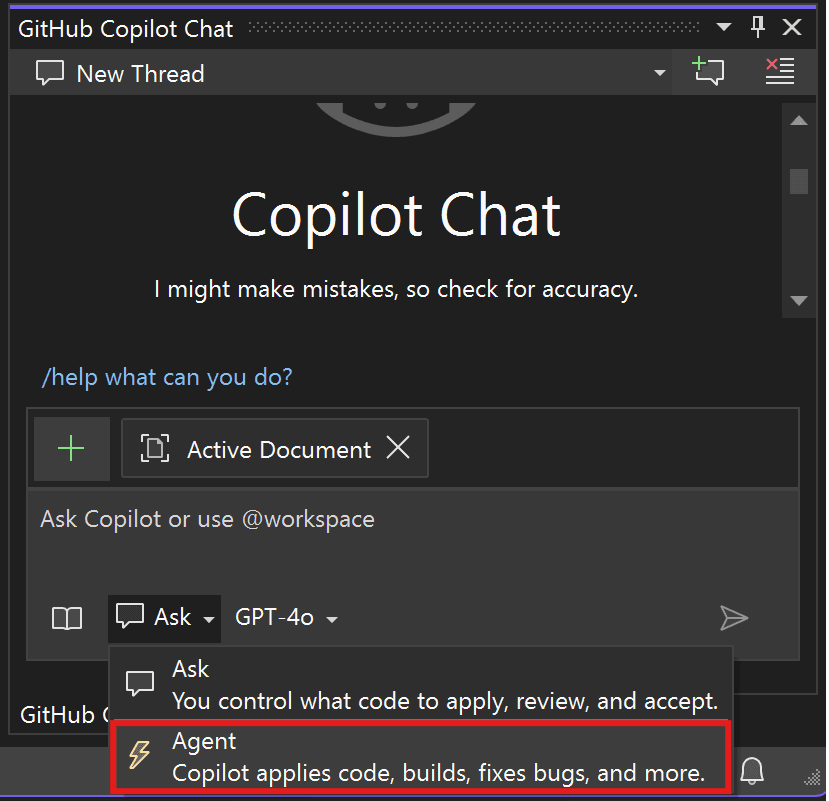
You already have VS Code. Open Extensions, search “GitHub Copilot,” install it. Sign in with your GitHub account. Done. The entire setup takes under two minutes, no API keys, no config files, no forking anything. This matters more than it sounds: the path from “I want to try this” to “it’s running” is the shortest of any AI coding tool on the market.
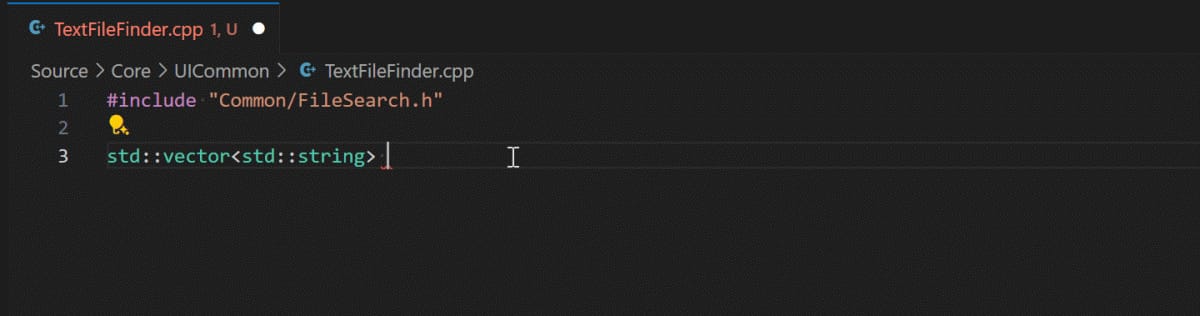
The first thing you’ll notice is the ghost text — the gray autocomplete suggestion that appears as you type, ahead of your cursor. Press Tab to accept, Esc to dismiss, Alt+] to cycle through alternatives. This is table stakes for AI coding tools in 2026, but Copilot’s version is still among the fastest — typically under a second to first suggestion.
Next edit suggestions are newer and less talked-about. After you make an edit, Copilot predicts the next change you’ll want to make — not just in the current file but across related files. Accept with Tab. It’s not as aggressive or as accurate as Cursor’s version of the same feature, but it’s available across more editors (VS Code, JetBrains, Xcode, Eclipse) which is a meaningful advantage in heterogeneous teams.
Hit Ctrl+I (or Cmd+I on Mac) to open inline chat — a small floating input over your code. Type “add input validation” or “explain this function” and Copilot edits in place or explains inline. For quick, single-file changes this is faster than opening the full Chat panel. Most users default to the panel; power users learn to use inline chat for 70% of their work.
Drop a .github/copilot-instructions.md at your repo root and Copilot reads it on every prompt — your code conventions, what to avoid, team preferences. It’s the equivalent of Cursor’s .cursorrules. Most developers don’t know it exists. Create it on day one.
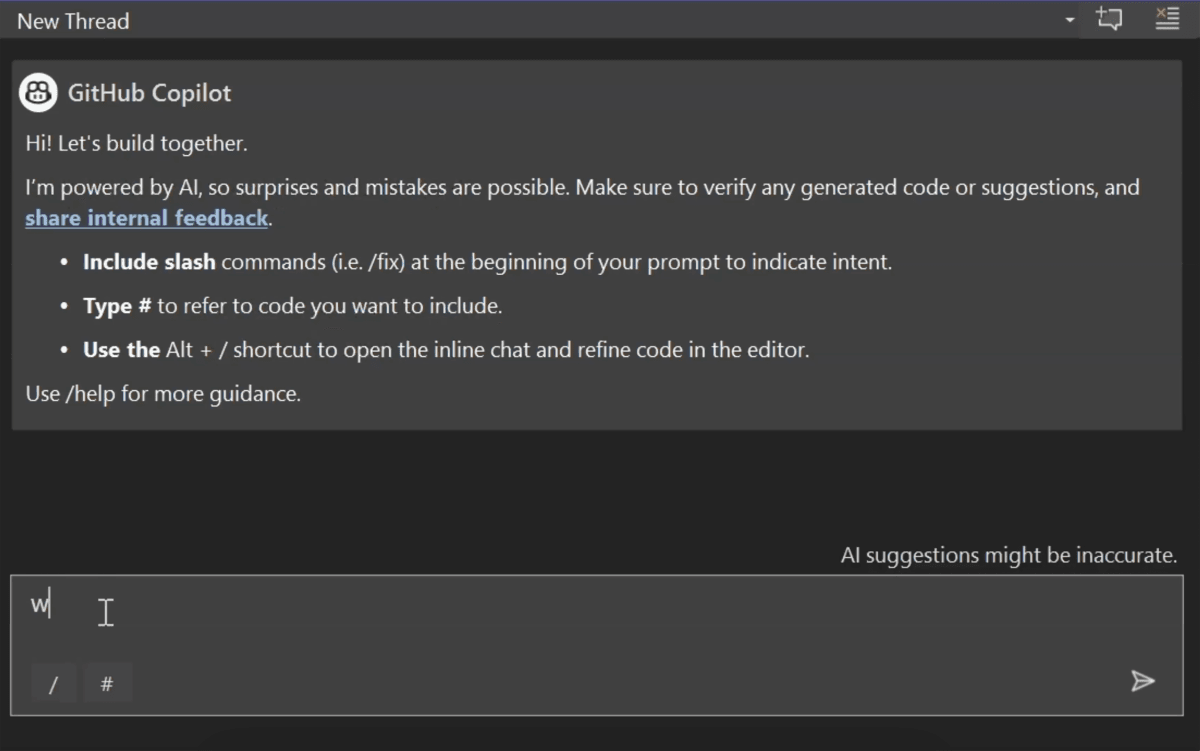
In 2026 Copilot is genuinely multi-model, not just multi-model on paper. The model picker lives in the Chat panel and agent mode — you select it per conversation. Completions still use Copilot’s own fine-tuned models (currently based on GPT-6 Luna and a Raptor mini fine-tune) for speed. The agent and chat surfaces are where the big models come in.
Strong across the board — good at code generation, reasonable at architecture discussions, fast. It’s the safe default because it handles the widest variety of requests without surprises. The GPT-6 family handles longer context better than its predecessor, which helps in agent mode when Copilot needs to hold more of your codebase in mind.
Claude’s strength in Copilot is the same as it is everywhere else: careful reasoning, better handling of edge cases, more conservative suggestions that feel safer to accept. For debugging complex logic errors or doing careful refactors where “close enough” isn’t good enough, switch to Sonnet. Claude Opus 5.5 is available for Pro+ and higher — slower but impressive on hard problems.
The large context window becomes genuinely useful when you’re working in a large codebase and need Copilot to reason about files you can’t manually attach. For “explain how this authentication system works across these 30 files,” Gemini 3.1 Pro is the right choice. For day-to-day editing, it’s overkill.
OpenAI’s o-series (o3, o4-mini) are available in Copilot for tasks that require deep reasoning — complex algorithm design, subtle bug investigations, architectural decisions with many tradeoffs. They’re slower and more expensive in credits. Reserve them for the problems where you’d otherwise spend an hour staring at the code.
The practical flow most developers land on: GPT-6 for daily coding (~70%), Claude Sonnet for careful refactors and debugging (~20%), Gemini or Claude Opus reasoning for deep dives (~10%). The model picker is one click — switching mid-session is instant.
Agent mode is where Copilot crossed from “smart autocomplete” to “junior engineer.” It reached general availability in VS Code in March 2026 and in JetBrains the same month, ending over a year of VS Code exclusivity that frustrated a large slice of the Java, Kotlin, and Python developer community.
Here’s what agent mode actually does: you write a natural-language task — “add pagination to all list endpoints” or “refactor the auth module to use JWT instead of sessions” — and Copilot takes over. It reads relevant files, writes a plan, starts making edits across multiple files, runs your terminal commands (tests, linters, build scripts), watches the output, and iterates when something fails. It doesn’t ask for permission before each file. It moves autonomously until the task is done or it gets stuck and surfaces a question.
The key UX difference from Cursor’s Composer: Copilot’s agent mode runs inside your existing VS Code or JetBrains workflow. There’s no separate editor, no fork to install. You’re still in the environment your team standardized on. For organizations that have standardized on JetBrains or use multiple IDE families across different teams, this is a genuine structural advantage — one subscription, one model picker, consistent behavior everywhere.
Since late 2025 you can drop an AGENTS.md file in your repo alongside .github/copilot-instructions.md. AGENTS.md defines custom agent personas, tool access, and behavior per project. Useful for “this agent should always run tests before committing” or “never touch files in /vendor.”
Where agent mode is weaker than Cursor: the planning step is less visible. Cursor’s Composer shows you the plan before executing and lets you edit it; Copilot’s agent is more opaque — it starts working and surfaces information as it goes. For developers who want to audit the plan before any code is written, Cursor’s approach is more comfortable. Copilot’s approach is faster for developers who trust it and want to review the diff at the end.
The cloud coding agent is the feature that no other AI coding tool replicates, because none of the others live inside your repository host. Here’s how it works: on github.com, you assign a GitHub issue to Copilot. Copilot spins up a secure cloud sandbox, clones your repo, analyzes the issue, makes the necessary code changes, runs your CI, and opens a pull request — all asynchronously. You get a notification when the PR is ready. You review it like any other PR.
The practical implications are significant. “Boring” issues — update a dependency, fix a broken test, address a lint warning — can be delegated to Copilot entirely. You assign the issue, go do something else, review the PR twenty minutes later. For teams that have a backlog of small technical debt items they never get to, this alone justifies the Business plan.
Model selection for the cloud agent is configurable. On github.com you choose between Claude Sonnet 5, Claude Opus 5.5, and several GPT-6 variants before kicking off a task. The Sonnet/Opus split is meaningful: routine tasks on Sonnet, complex or ambiguous tasks on Opus, where the extra reasoning is worth the slower turnaround.
The cloud agent works best on well-specified issues with clear acceptance criteria. Assign it a vague ticket like “improve performance” and it will make a change — usually the obvious one — that may not be what you wanted. Write issues the way you’d write a clear ticket for a junior engineer: specific, with expected behavior and relevant file references.
A security audit flagged 11 uses of crypto.createCipher — deprecated since Node 10 and removed in Node 22. We wrote a clear GitHub issue: “Replace all uses of crypto.createCipher with crypto.createCipheriv, generating a random IV per call and storing IV alongside the ciphertext. Affected files are listed in the security audit (attached). All existing tests must pass.”
We assigned the issue to Copilot. Twenty-three minutes later we received a PR notification. The PR touched all 11 files, updated the ciphertext storage format, added a migration helper for existing data, and passed all 47 existing tests. Three of the changes needed tweaks — the migration helper assumed a specific DB schema that differed from ours in one table. We left comments, Copilot addressed them in a second commit, and we merged.
The key insight: the issue was specific, the codebase had good test coverage, and the change was well-understood. These are the conditions where the cloud agent excels. It didn’t get clever; it did exactly what was asked, correctly, across every affected file.
Starting point: a working auth system with username/password login but no email verification. We opened agent mode in VS Code with the prompt: “Add email verification to the signup flow. User signs up, gets a verification email via Resend, clicks the link, account is activated. Unverified accounts cannot log in. Add the verified_at column to the users table.”
Copilot ran for about four minutes. It installed the Resend package, created a /lib/email.ts client, added the Prisma migration, updated the signup route to send the email, created a verification route that validates the token, and updated the login route to check verified_at. It ran prisma generate automatically after writing the schema change. When the test for the verification route failed (a token expiry check we’d set to 1 hour but the test was checking a 24-hour window), Copilot read the error, identified the mismatch, and fixed the test to match our intended behavior — not the other way around, which is what you want.
What it missed: it didn’t add rate limiting to the verification-email endpoint. We caught this in code review and added it in a follow-up prompt. Fair enough — we didn’t ask for it. The feature itself was solid.
A scenario every senior developer recognizes: you’re assigned to review a PR in a service you’ve never touched, and it touches billing logic. High stakes, no context.
On the PR page on github.com, we triggered Copilot code review. In 45 seconds it surfaced three issues we’d have taken 30 minutes to find manually: a missing idempotency check on the payment webhook handler, a race condition in the subscription status update that could double-charge under concurrent requests, and a test that mocked the Stripe client in a way that would pass even if the API call was removed entirely.
We didn’t catch all of these ourselves on first read — the race condition especially was subtle, buried in the async flow. Copilot’s code review doesn’t replace careful human review, but it catches the class of issues that are easy to miss when you don’t know the service. For engineering leads reviewing across multiple teams, this is a meaningful time-saver.
PixlRun’s editorial scores for a 35k-LOC TypeScript Next.js codebase, comparing Copilot against its two main competitors on the three metrics that actually matter for daily use:
bench –tool=all –metric=latency,acceptance,multi-file
The story the data tells: Copilot is the fastest by a meaningful margin — nearly 2x Copilot’s latency versus Cursor in suggestion speed. For developers who live in the completions loop, that latency difference is felt on every keystroke. The acceptance rate gap is real and worth understanding — it reflects the fact that Cursor’s completions are more codebase-aware because the editor has deeper indexing. Copilot’s agent mode success rate on multi-file tasks has improved dramatically in 2026 but still trails Cursor’s Composer. For most everyday tasks the gap is acceptable; for complex cross-file refactors, it’s significant.
Microsoft’s privacy posture on Copilot is one of the clearest in the industry, largely because enterprise procurement demands it. Here’s the actual data flow and the assurances that come with it.
On paid plans (Pro and above), by default your code snippets are sent to Microsoft/GitHub’s inference infrastructure and then to the model provider (OpenAI, Anthropic, or Google depending on which model you’ve selected). Microsoft holds zero-training agreements with these providers for Copilot traffic — your code is not used to train any model. On the free plan, code may be used to improve Copilot; review the current terms if this matters to your use case.
.env files, secrets directories, PII-containing paths — Copilot won’t read or suggest from them.Unlike Cursor, Copilot doesn’t need to build its own codebase indexing infrastructure and privacy posture from scratch — it inherits GitHub’s enterprise-grade security, which has been battle-tested by Fortune 500 teams for years. For enterprises with existing Microsoft EA agreements, adding Copilot Enterprise is often a straightforward procurement conversation rather than a new security review.
a/copilot b/cursor
This is the comparison that matters most in 2026. Cursor is the gold standard for deep AI editing. Copilot is the gold standard for breadth — more IDEs, tighter GitHub integration, stronger enterprise story. Here’s where each wins.
Verdict: Copilot for JetBrains developers, GitHub-centric teams, enterprise, or anyone on a budget. Cursor for VS Code users who do heavy multi-file work daily and will feel every percentage point of that acceptance rate gap. Both are worth trying — their free tiers are real.
a/copilot b/windsurf
Windsurf, the VS Code fork formerly built by Codeium, is now part of Cognition’s Devin product line — Windsurf’s standalone pricing page now redirects to Devin’s, with paid tiers starting at $20/mo. Copilot at $10/mo is cheaper and runs everywhere. Here’s what each does better.
Verdict: Unless you specifically need Windsurf’s on-prem option or prefer its Cascade agentic UX, Copilot at $10/mo with wider IDE support is the cleaner choice for most teams.
No honest review skips the failure modes. After sustained daily use, these are Copilot’s consistent weak spots in 2026.
Copilot’s inline completions are primarily informed by the currently open files and recent edits — not by a deep embedding index of your entire repository the way Cursor builds. For any sufficiently large codebase, Copilot’s suggestions are less contextually grounded. It will suggest a helper function that doesn’t exist, recommend a pattern inconsistent with the rest of the codebase, or duplicate logic that already lives somewhere else. The Chat panel mitigates this somewhat (you can attach files), but it doesn’t replicate Cursor’s always-on codebase understanding.
On tasks with more than 8-10 files and non-trivial dependencies between changes, agent mode needs closer supervision. The failure mode is usually not catastrophic — it gets partway through, hits an unexpected state, and surfaces a question. But it means you can’t fully walk away on complex tasks the way you can with Cursor’s Composer on similar work. Agent mode is excellent for well-scoped tasks; for open-ended architectural changes, it still needs supervision.
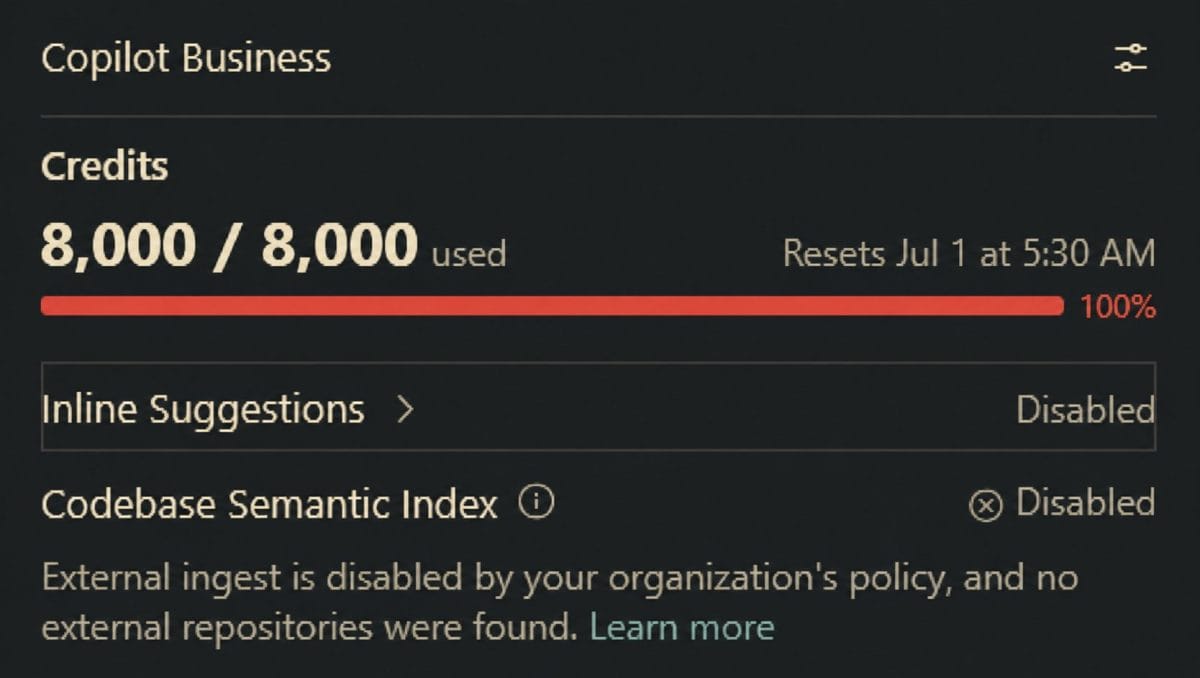
The June 2026 switch to usage-based billing via AI Credits is a more honest model for heavy users, but it introduces a mental tax that didn’t exist before. You now need to think about whether a given task is worth the credits — or at least be aware that running multiple o-series reasoning model sessions in a week might burn through your monthly allotment. For light users this is invisible. For heavy users, the credit pool becomes something to manage.
Copilot’s training data has a cutoff, and popular libraries evolve quickly. It can suggest deprecated React class component patterns in a hooks-first codebase, propose old-style Promise chains in async/await code, and recommend var in strict TypeScript files. These are easy to catch but annoying at scale. The .github/copilot-instructions.md file helps — explicitly telling Copilot “we use React 19 hooks only, no class components” cuts the frequency significantly.
Agent mode is generally available in JetBrains as of March 2026, but feature parity with VS Code is still being worked on. Some advanced agent behaviors — particularly around terminal integration and test-fix loops — behave differently on JetBrains. If you’re primarily a JetBrains developer, set expectations accordingly and check the changelog regularly.
Write your team’s code conventions, preferred patterns, and hard prohibitions here. Copilot reads it on every interaction. This single file meaningfully cuts down on repeated corrections. Most developers never create it.
Chat’s @workspace symbol searches your codebase, but attaching specific files with #file:path/to/file.ts gives Copilot sharper context. For refactoring questions, attach the file you’re refactoring plus its tests — quality jumps noticeably.
Select a block of code, hit Cmd+I, and type your edit instruction inline. This is faster than opening the Chat panel for one-file, well-scoped changes. Switch to the panel when you need multi-turn discussion or multi-file context.
In VS Code’s Source Control panel, click the Copilot icon next to the commit message field. It reads your staged diff and writes a conventional commit message. Saves 30 seconds per commit, and the messages are consistently better than most developers write under time pressure.
The model picker applies to each agent session, not globally. Start an agent task with GPT-6 for speed. If it gets stuck on a hard problem, cancel and restart with Claude Opus 5.5 for deeper reasoning. It’s one dropdown change.
Walk through your issue tracker. Anything well-specified and below a certain complexity — dependency updates, deprecated API migrations, adding missing tests — is a cloud agent candidate. Assign 5 issues Monday morning, review 5 PRs by afternoon.
As of June 2026, Copilot uses an AI Credits billing model across all plans. Each plan includes a monthly credit allotment; credits are consumed by different model interactions at different rates (completions are cheap, o-series reasoning model sessions are expensive).
Free — $0/mo: 2,000 code completions and limited chat/agent usage per month. Access to Claude Haiku 4.5 and GPT-6 Luna. Good for evaluation and occasional use. Restrictions kick in quickly for daily professional use.
Pro — $10/mo: Unlimited inline completions, access to the full model catalog (GPT-6, Claude Sonnet 5, Gemini 3.1 Pro, GPT-6 Astra reasoning), cloud agent, Copilot code review. Includes a monthly AI Credits allotment (equivalent to $15 in usage). This is the plan most individual developers need — it covers daily heavy coding, agent mode use, and occasional cloud agent tasks without touching the credit ceiling.
Pro+ — $39/mo: Everything in Pro, higher credit allotment (~$70/mo of usage), access to premium models including Claude Opus 5.5 and GPT-6, audit logs. For developers who run multiple long agent sessions daily or use reasoning models frequently, Pro+ prevents the credit crunch that Pro users occasionally hit.
Max — $100/mo: A newer top individual tier. Everything in Pro+, priority access to new models as they ship, and roughly 2.9x more usage than Pro+ ($200/mo of usage included).
Max — $100/mo: The highest individual tier — $200/mo equivalent of AI Credits, priority access to new models and features, intended for sustained heavy agentic workflows. Most individual developers won’t need this tier. Engineering leads running the cloud agent on a large backlog, or developers using reasoning models for most of their coding, will find it pays for itself.
Business — $19/user/mo: Team plan for organizations. Adds centralized policy management, content exclusions, usage analytics, and the Copilot cloud agent for the whole team. The credit pool is shared across seats. For teams of 5+ developers, the management features and shared credit model make this significantly more cost-effective than individual Pro accounts.
Business — $19/user/mo: Unlimited completions, cloud agent and code review, the broad model catalog, and governance features, with a pooled 1,900-credit allotment per user.
Enterprise — $39/user/mo: For GitHub Enterprise Cloud. Everything in Business plus 2,000 more credits per user, priority access to new features, fine-tuned model support (bring your own model, trained on your codebase), and the full enterprise compliance stack (custom BAA, advanced audit, data residency options).
At $10/mo Pro, Copilot is half the price of Cursor Pro ($20). For developers whose primary workflow is completions-driven (not heavy multi-file agent work), Copilot Pro is one of the best-value tools in software development. The math gets more nuanced if you’re a heavy agent user, but for typical workloads the price differential is hard to argue with.
It’s genuinely useful for light users. 2,000 completions with access to GPT-6 Luna and Claude Haiku 4.5 covers a few hours of active coding per day. Where it falls short: agent mode access is limited, and you can’t select premium models (GPT-6, Claude Sonnet 5). For professional daily use, the free tier hits its limits. For evaluation or occasional side-project use, it’s real.
Yes, and as of March 2026 agent mode is generally available on JetBrains — ending over a year of VS Code exclusivity. Install the GitHub Copilot plugin from JetBrains Marketplace. Full feature parity with VS Code is still being completed, but for completions, chat, and most agent tasks, the JetBrains experience is now comparable.
Copilot if you’re primarily a completions user, use JetBrains, work in a GitHub-centric team, or want to spend $10 instead of $20. Cursor if you do heavy multi-file work daily, live in VS Code, and want the best codebase-aware editing available. The two tools address the same problem from different angles — Copilot is wider, Cursor is deeper.
On paid plans, no. GitHub holds zero-training agreements with model providers (OpenAI, Anthropic, Google) for Copilot business traffic. On the free tier, review the current terms — the policy is more nuanced and has evolved. Enabling “code referencing” filters for potentially matching public code is a separate setting available on paid plans.
It was replaced in June 2026 by the AI Credits system. Each plan now includes a monthly credit allotment — Pro gets roughly $15 of usage, Pro+ gets $70, Max gets $200. Different models cost different amounts of credits per interaction. For most Pro users, daily coding within budget is fine; heavy reasoning-model users may need Pro+ to avoid credit limits.
The IDE extension works with any codebase regardless of where git is hosted. The cloud coding agent (which picks up GitHub Issues and opens PRs) requires GitHub.com or GitHub Enterprise Cloud — it won’t work with GitLab, Bitbucket, or Gitea. If you need the agent to work with a non-GitHub host, that’s a reason to look at Cursor or Claude Code instead.
Devin is a fully autonomous software engineering agent with its own browser, terminal, and longer-horizon planning. Copilot’s cloud agent is more constrained — it operates on a GitHub issue, in your repository, within a sandboxed environment. Devin is broader and more expensive. Copilot’s cloud agent is better integrated into the existing GitHub workflow and more predictable in scope. Most engineering teams are better served by Copilot’s agent for everyday tasks and reserving Devin-style tools for longer-horizon R&D work.
Not currently in the standard product. GitHub Enterprise supports fine-tuned custom models hosted on Microsoft infrastructure. For fully local inference (Ollama, llama.cpp, etc.), tools like Continue.dev or Tabnine are better fits than Copilot.
GitHub Copilot in 2026 is not what it was in 2022. The original autocomplete tool has grown into a full AI development platform with multi-model support, genuine agent mode, a cloud coding agent that closes issues while you sleep, and code review baked into the PR workflow. It runs in every editor your team uses. It costs $10/mo. For most developers, that combination is hard to beat.
The ceiling is real: Cursor’s multi-file codebase awareness and higher suggestion acceptance rate mean that developers doing heavy cross-file architectural work will feel the gap. But for the majority of professional coding workflows — completions, single-file edits, delegating well-specified tasks, reviewing PRs — Copilot is excellent. And the cloud coding agent is a genuinely unique capability that no other tool at this price provides.
Pick it up. The free tier is real. Try the cloud agent on your oldest three backlog tickets. Decide from there.
Every verified price, limit, and model change we have tracked for GitHub Copilot.
One email when GitHub Copilot changes price or limits. No account, no spam.