Shutdown data checked Oct 26, 2026 · 41 apps tracked · 20 dying now · next: Crunchyroll (Nintendo Switch app) in 3 days
Shutdown data checked Oct 26, 2026 · 41 apps tracked · 20 dying now · next: Crunchyroll (Nintendo Switch app) in 3 days
AI Tool
FA
Fireflies.ai
Fireflies.ai
Fireflies.ai
AI meeting notetaker that auto-joins calls, transcribes in 100+ languages, and lets you query your entire meeting history with AskFred — an AI assistant that turns transcripts into searchable, actionable intelligence.
Fireflies.ai was founded in 2016 by Krish Ramineni and Sam Udotong — two engineers out of MIT who had watched meetings consume enormous amounts of time while producing almost no durable record. The premise was simple: make meetings searchable. Capture the conversation, convert it to text, and let people retrieve information the way they’d search a document.
The company raised a seed round from Canaan Partners in 2019 and spent its early years quietly expanding transcription coverage across platforms — Zoom, Google Meet, Teams — while the broader market was barely aware meeting AI was a category. By 2021 they had stopped raising primary capital. They were profitable. That’s a rare sentence in enterprise SaaS and rarer still in AI.
In June 2025 Fireflies crossed the $1 billion valuation mark through a tender offer — officially a unicorn — while announcing a strategic partnership with Perplexity. The partnership brought real-time web search into meetings through a “Talk to Fireflies” voice assistant, letting attendees ask questions and get live answers sourced from the internet without leaving their call. This was a meaningful product signal: Fireflies is not content being a transcription utility. It is building toward a meeting intelligence layer that connects conversations to the broader world of knowledge.
By 2026 the platform serves more than 500,000 organizations and 20 million users. The team is distributed across 20 countries. There has been no big Series B splash, no high-profile rebrand. Just steady, profitable growth in a category that turns out to be enormous.
What Fireflies actually is
At its core, Fireflies is three things working together: a notetaker bot that joins your meetings automatically, a transcription and summarization engine that converts that audio into structured text, and an AI layer that lets you query, analyze, and act on those transcripts after the fact.
The product surface can be broken into four main areas:
Fred — the notetaker bot that joins Zoom, Google Meet, Teams, Webex, and more. Add it to your calendar once and it shows up to every meeting automatically.
Transcription + AI Summaries — real-time transcription with automatic summaries, action items, and topic detection. Available in 100+ languages.
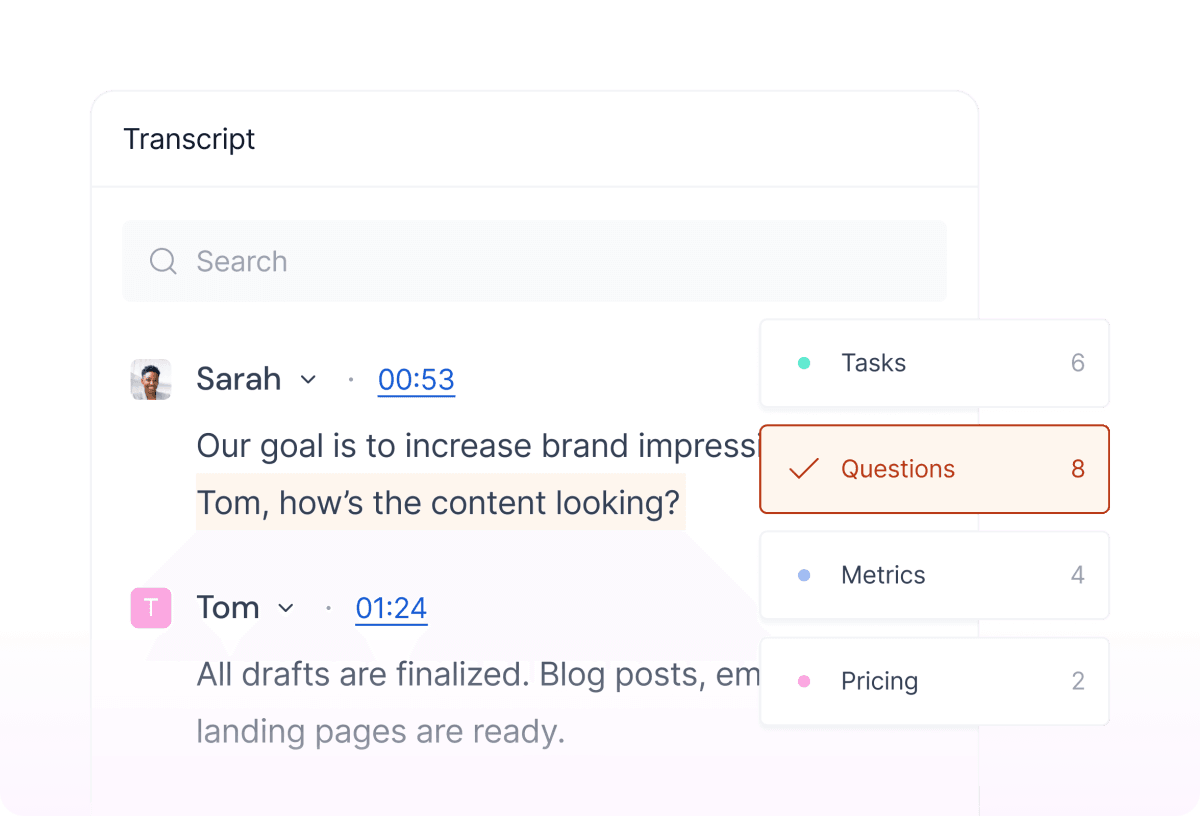
AskFred — a GPT-powered chatbot that lets you query any meeting or set of meetings in natural language. “What did the client say about the pricing concern in last Tuesday’s call?” Returns an answer with a timestamp link.
Conversation Intelligence — analytics across your meetings: talk-time ratios, sentiment detection, filler word counts, speaker metrics, topic trackers. Sales-team-grade data about how conversations actually go.
That combination is what separates Fireflies from simple transcription apps. The transcript is the raw material. Everything else — summarization, search, analytics, CRM sync, AI workflows — is built on top of it.
The notetaker bot: Fred in practice
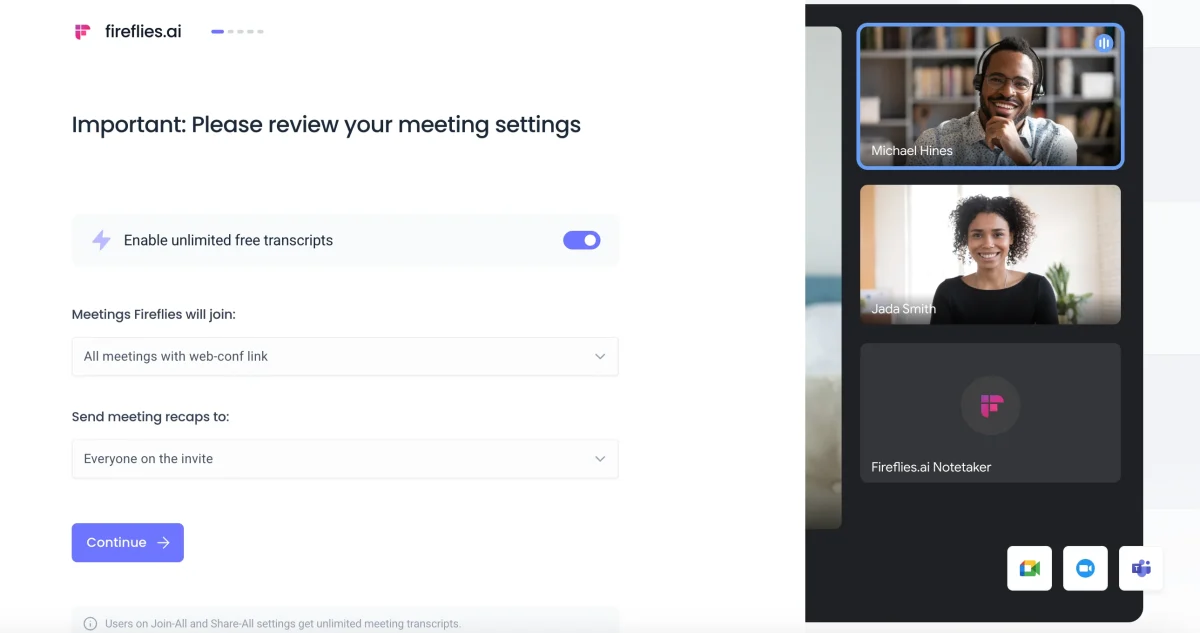
Setup is frictionless. Connect your Google or Outlook calendar, authorize Fireflies to join meetings, and Fred appears in your next scheduled call as a participant named “Fireflies Notetaker.” It records audio, transcribes in real time, and emails a summary and full transcript to the meeting host within minutes of the call ending.
The join experience matters more than most tools acknowledge. Fred is quiet — it joins, states that it is recording (which is both polite and legally important in most jurisdictions), and then disappears from the conversation. It doesn’t interrupt. It doesn’t respond. It just listens. For external calls with clients or candidates, this is close to invisible. The bot behavior is configurable: you can set Fireflies to join only meetings where you are the host, or only specific calendar entries, or everything. Granular enough for most workflows.
One thing worth noting: Fred joins as a video call participant, which means it appears in the participant count. Some users find this mildly awkward in small, sensitive meetings. There’s no way to make it fully invisible while still recording — the recording disclosure is the point. This is a feature disguised as a limitation. If someone doesn’t want to be recorded, they see Fred and say so. That’s the right behavior.
TIP · set calendar rules on day one
Go to Settings → Notetaker and configure which meetings Fred joins. “All meetings where I’m invited” is aggressive — clients notice. Start with “meetings I create” and expand from there based on comfort level.
fireflies-ai · fireflies-ui.png
fig · The Fireflies dashboard · source: fireflies.ai
Transcription quality: where it actually lands
Transcription accuracy is the number Fireflies leads with in its marketing. In good conditions — native English speaker, decent microphone, low background noise — the accuracy is genuinely impressive. Speaker diarization (who said what) holds up well even when voices are similar. This is important for meeting intelligence: a transcript where everything is attributed to “Speaker 1” is nearly useless for downstream processing.
The accuracy degrades meaningfully in three scenarios: heavy accents on a poor connection, more than four simultaneous speakers, and highly domain-specific jargon. A conversation about EBITDA multiples or CRISPR gene editing will introduce errors that a general-purpose transcription model hasn’t been fine-tuned to handle. Fireflies’ 100+ language support is real but uneven — major European and East Asian languages are solid, while lower-resource languages are adequate at best.
The summaries are where Fireflies earns real points. Rather than compressing the transcript into a shorter transcript, the AI produces structured output: a brief overview paragraph, a bulleted list of topics covered, action items with owners and deadlines where they were stated, and key decisions. It’s closer to a human’s meeting notes than most AI summaries feel. The action item extraction is particularly reliable — Fireflies correctly identifies “I’ll send you the contract by Friday” as an action item with an owner and a due date. That’s not perfect, but it’s useful.
AskFred: the part most users underuse
AskFred is Fireflies’ GPT-powered conversational interface to your meeting library. It is the single most underused feature in the product, and also the one most likely to change how you think about what meeting software should do.
The basic use case: you had a discovery call with a prospect six weeks ago. You remember discussing a specific integration they needed but cannot remember the details. Instead of scrubbing through an hour-long recording, you open AskFred and type: “What did the Acme Corp call cover regarding their Salesforce requirements?” AskFred reads the relevant transcript and returns an answer in seconds with a timestamp link to the exact moment in the recording.
The more interesting use case is cross-meeting analysis. “What objections came up most often in Q2 discovery calls?” AskFred will scan across whichever meetings match your filter and surface patterns. This starts to feel less like a search tool and more like a research assistant for your organization’s institutional knowledge. Every conversation your team has had — every customer complaint, every competitor mention, every pricing objection — is now queryable.
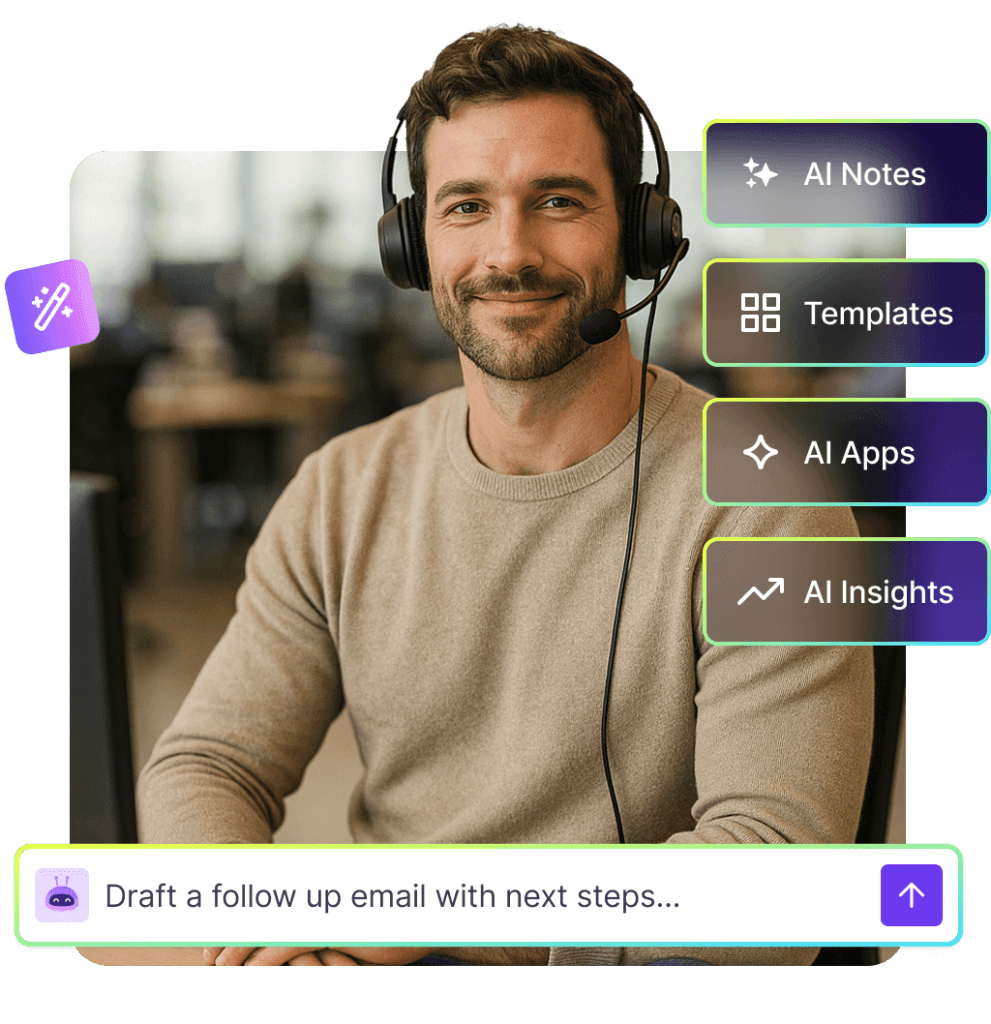
AskFred can also generate artifacts from meeting content. Ask it to draft a follow-up email based on the last call, and it produces one with the right context already baked in. Ask it to write a one-page summary for a stakeholder who wasn’t in the meeting, and it formats appropriately. These outputs are good enough to send with light editing, not good enough to send without any. The right mental model is “strong first draft generator,” not “autonomous communication agent.”
NOTE · AskFred credits
AskFred queries draw on AI credits. Free plan gets 20 lifetime credits — enough to evaluate the feature but not to use it daily. Pro gets 20 per month. Business gets 30. For teams doing serious cross-meeting analysis, Business is the right plan.
Conversation intelligence: the sales team angle
Conversation intelligence is the feature set that differentiates Fireflies’ Business plan from a simple transcription tool. It reframes meetings as data sources rather than ephemeral events.
The core analytics are: talk-time ratio (how much each person spoke as a percentage of the call), filler word frequency, monologue detection (anyone talking uninterrupted for over two minutes), question rate, and sentiment analysis at the utterance level. For sales managers, these numbers are genuinely useful. A rep whose discovery calls have a 70% talk-time share is probably not asking enough questions. A rep whose calls have high negative sentiment in the final third is probably hitting price resistance they’re not surfacing to the team.
Topic trackers let you define keywords and phrases — competitors, pricing, objections, specific product names — and Fireflies flags any meeting where those topics come up, with timestamps. Set a tracker for your top competitor’s name and you’ll know exactly how often it comes up in calls and what’s being said about it.
The team analytics view aggregates this data across the whole sales team. You can see which reps’ calls consistently produce action items, which ones have the highest meeting-to-next-step conversion implied by follow-up behaviors, and where coaching opportunities cluster. This is the kind of reporting that previously required a dedicated conversation intelligence platform at $60+ per seat. Fireflies bundles it into a plan at $19.
The integration story
Fireflies markets “200+ AI apps and integrations” and the claim holds up. The integrations divide into two categories: passive sync (push meeting notes somewhere automatically) and active workflow (trigger actions based on meeting content).
Passive sync covers the obvious destinations: Notion, Google Docs, OneNote, Confluence, Slack, Dropbox, Google Drive, OneDrive, Box. Set these up and your meeting transcripts and summaries flow to wherever your team’s documentation lives. For a distributed team that uses Notion as a knowledge base, this means every external call automatically produces a Notion page. Zero manual effort.
The active workflow integrations are more interesting. Zapier and similar connectors let you build logic like: “When a meeting is flagged with the topic tracker ‘competitor mention,’ post a Slack message to the competitive-intel channel with the transcript clip.” Or: “When a meeting has action items assigned to a specific person, create Linear tickets.” These are not hypothetical — they’re documented use cases with working templates.
In April 2025 Fireflies launched a marketplace of 200+ agentic AI apps — post-meeting automations that tailor themselves to specific roles. There are sales-specific apps that auto-populate CRM fields, recruiting apps that generate structured candidate notes in ATS format, customer success apps that route follow-up tasks to the right owner. The breadth is real. Whether your team adopts more than two or three of these is a different question — tooling sprawl is a real risk — but the availability is a legitimate competitive advantage.
fireflies-ai · fireflies-askfred.png
fig · AskFred over meetings · source: tldv.io
CRM sync: where Fireflies earns its keep for sales teams
CRM integration is where Fireflies pays for itself most clearly for revenue-facing teams. The Salesforce and HubSpot integrations are native, not just Zapier wrappers, and the behavior is specific enough to be genuinely useful.
The HubSpot integration automatically syncs meeting summaries, transcripts, and action items to the correct contact, company, and deal records. It also converts meeting action items into HubSpot tasks with due dates where they were stated in the call. If a rep says “I’ll send you the pricing deck by Thursday” — Fireflies catches it, creates a task, assigns it to the rep in HubSpot, and sets the due date. That is the specific kind of automation that prevents follow-up slip.
The Salesforce integration does the same for Salesforce objects — logging call records, attaching transcripts, and populating activity history. For enterprise sales teams using Salesforce as their system of record, this removes the manual logging step that every rep complains about and most do inconsistently. The compliance benefit is real: every conversation is documented whether or not the rep remembers to log it.
A note on data quality: Fireflies’ CRM sync is only as good as your contact matching. If your CRM has incomplete contact data or inconsistent email addresses, Fireflies will occasionally fail to match a meeting participant to the right record and either skip the sync or create a duplicate. This is a CRM hygiene problem, not a Fireflies problem, but it’s worth knowing before assuming the sync is 100% automatic.
The problem: reps were spending 15–20 minutes after every discovery call updating HubSpot — deal stage, next steps, notes, activity log. It was being done inconsistently, and the notes were thin because reps were writing from memory 30 minutes after the call ended.
After connecting Fireflies to HubSpot: Fred joins every discovery call automatically. Within five minutes of the call ending, HubSpot is updated with the full summary, action items converted to tasks, and the full transcript attached. The rep’s job shifts from “log this call” to “review and confirm the AI’s summary.” That takes two minutes instead of twenty.
The downstream win: managers can actually review rep calls without scheduling a call review session. They open HubSpot, click on a deal, and read a structured summary of every conversation that happened. Topic trackers flag any call where a specific competitor came up. Coaching becomes data-driven rather than anecdote-driven.
// time saved: 15 min per call · 8 calls/week · 120 min/week per rep recovered for selling
case-study #02 · distributed team standups
Async team across four time zones finally has one source of truth
A 12-person distributed team had the classic async problem: people in different time zones couldn’t attend every meeting, so they were either blocked on decisions made without them or spending time catching up via Slack threads that lacked context.
After setting up Fireflies with Notion integration: every meeting — sprint planning, design reviews, stakeholder syncs — produces a Notion page within minutes. The summary is the entry point; the full transcript is one click away. A Slack notification with the summary link fires to the team channel immediately after the meeting ends.
The person who missed the meeting at 9pm their time can read what was decided and what their action items are before they sit down the next morning. No catch-up call needed. The decisions are documented with the reasoning, not just the outcome. The team’s Notion space becomes a searchable record of everything rather than a graveyard of meeting recordings nobody watches.
// catch-up call volume: down ~60% · meeting decisions documented with full context, searchable forever
case-study #03 · customer success QBR prep
Quarterly review prep from three months of call history
role: customer success manager · scope: one enterprise account
QBR preparation used to mean reviewing CRM notes (thin), looking through Slack threads (unstructured), and pulling recordings (nobody wants to watch six hours of video). The result: QBRs that felt general rather than specific to the customer’s actual history.
With three months of Fireflies transcripts on the account: the CSM opens AskFred and asks “What issues did this customer raise most often in the past quarter?” AskFred reads across all calls with contacts from that company and surfaces a ranked list with quotes and timestamps. The CSM then asks “What commitments did we make to them that haven’t been mentioned recently?” and gets a list of items from early calls that were never followed up on.
The QBR deck goes from “here’s what we’ve been working on” to “here’s specifically what you told us mattered, and here’s where we delivered.” That is a fundamentally different conversation. Customers notice the difference between a CSM who did their homework and one who didn’t.
PixlRun’s editorial scores across a range of conditions — English native speakers, non-native speakers, technical vocabulary, fast-paced discussion, noisy environments — here is how Fireflies compared to Otter.ai, its closest competitor:
transcription accuracy · native english, good audio
fireflies94%
otter.ai92%
diarization accuracy · who said what
fireflies89%
otter.ai82%
language support (number of languages)
fireflies100+
otter.ai3
crm integration depth (salesforce / hubspot)
firefliesnative
otter.ailimited
Fireflies edges Otter on most technical metrics. Where Otter genuinely leads is in live transcription smoothness and collaborative editing — if you need real-time captions during the meeting rather than a record after it, Otter’s interface feels more polished for that use case. The two tools are close enough that use-case fit matters more than raw accuracy numbers.
fireflies-ai · fireflies-notes.png
fig · Notes and transcript · source: firefliesai.framer.ai
The free tier: honest assessment
The free plan gives you 800 minutes of storage per seat and limited AI summaries. The transcription itself is unlimited — Fred will join any meeting and transcribe it. The limits bite on how much history you can keep and how much AI processing you get to do on top of that history.
800 minutes is roughly 13 hours of meeting recordings. For an average knowledge worker having maybe five hours of meetings per week, that’s less than three weeks of storage. You’ll hit the wall quickly if you’re in back-to-back calls. The AI summaries being “limited” on the free plan is a meaningful constraint — the summary is often the only thing you look at after a meeting, and without it you’re left with a raw transcript that takes time to parse.
Where the free plan is genuinely useful: evaluating the product. One week of free use with Fred joining your real meetings tells you exactly whether it fits your workflow. The transcription quality, the summary structure, the AskFred experience — all of it is accessible on free. It’s a real trial, not a crippled demo.
WARNING · AI credits on free are one-time
The 20 AskFred credits on the free plan are a one-time lifetime pool, not 20 per month. Use them thoughtfully during evaluation — they reset when you upgrade to Pro.
Fireflies vs Otter.ai: the close call
a/fireflies-ai b/otter-ai
Otter.ai is Fireflies’ nearest competitor and the comparison most people ask about. They are genuinely close — same core use case, similar price points, similar accuracy. The differences are real but nuanced. Here’s where each wins.
fireflies wins at
100+ language support vs Otter’s three
cross-meeting search and AskFred queries
CRM integrations (Salesforce, HubSpot native)
conversation intelligence analytics
200+ integrations and AI app workflows
speaker diarization in multi-person calls
otter wins at
real-time live captions during the meeting
collaborative editing of transcripts in-app
meeting slide capture into notes
cleaner, simpler UI for first-time users
channel-based team sharing features
Verdict: Fireflies for sales teams, multilingual teams, and anyone who wants to query their meeting history. Otter for English-speaking teams that want real-time collaborative notes during the call. They cost similar amounts — the choice comes down to whether you need the meeting live or as a record after.
Where Fireflies gets it wrong
The speaker matching problem
Fireflies identifies speakers by their video call profile name, not by voiceprint. If someone joins a call as “iPhone” or “Meeting Room 4” — common in hybrid settings — diarization breaks. You end up with “Speaker 1 said… Speaker 2 responded…” which is meaningfully less useful than knowing it was the client vs. the account manager. This is a widespread problem in meeting AI, not specific to Fireflies, but it’s worth knowing going in.
Summary quality is inconsistent at the edges
For structured meetings — sales calls, project check-ins, interviews — Fireflies’ summaries are excellent. For exploratory, freewheeling conversations — brainstorms, relationship-building calls, anything without a clear agenda — the summaries struggle. They tend to flatten the conversation into a list of topics mentioned rather than capturing the texture of what actually happened. If your meetings are mostly brainstorms, the summaries will disappoint you more often than not.
The free tier disappears fast
Eight hundred minutes is genuinely too small for regular professional use. Fireflies knows this — it’s designed to push you to Pro. That’s fine, but the marketing sometimes implies the free tier is more functional than it is. Know going in that free is evaluation mode, not a sustainable workflow.
Bot consent friction in sensitive contexts
Fred joining as a participant means you need to either disclose the recording proactively or have the bot do it. Most jurisdictions require at least one-party consent for recording; some require all-party consent. Fireflies provides Fred’s disclosure message, but the mechanics of this are your responsibility. In regulated industries — financial services, healthcare, legal — get your compliance team’s sign-off before deploying Fred into client calls. Fireflies’ Enterprise plan includes HIPAA compliance, which helps, but it’s not a substitute for legal review.
Mobile app lags the web experience
The web dashboard is well-designed and fast. The mobile app is functional but clearly secondary — slower to load transcripts, limited AskFred capability, no topic trackers view. If your team expects to be doing deep transcript review on mobile, adjust expectations. Fireflies is a desktop-first product.
Pricing in real terms
The four-plan structure is: Free ($0, 800 min storage, limited AI), Pro ($10/mo annual or $18/mo monthly, 8,000 min, 20 AI credits/mo), Business ($19/mo annual or $29/mo monthly, unlimited storage, 30 AI credits, video recording, conversation intelligence), and Enterprise ($39/mo annual only, HIPAA, SSO + SCIM, audit logs, private storage).
The annual discount is 40–44% — substantial enough that paying month-to-month is a significant penalty. If you’re confident after a week of free use, go annual on Pro.
For most individual users and small teams, Pro at $10/mo annual is the right plan. The 8,000-minute storage (roughly 133 hours) is enough for heavy meeting schedules. The 20 AI credits per month covers regular AskFred use without running dry. The step up to Business at $19/mo is worth it specifically for: conversation intelligence (sales analytics), video recording, and multi-language mode. For teams of five or more in sales or customer success, Business pays for itself in the first week of CRM hours saved.
Enterprise at $39/mo is for organizations where HIPAA compliance, SSO, and audit logs are non-negotiable. If you need those things, $39 is reasonable. If you don’t, Business is the ceiling.
Content creators, podcast editors, video production
Far more video editing; minimal meeting intelligence features
From $12/mo
Fathom
Individual sellers wanting a free, simple notetaker
Generous free tier, less deep on integrations and analytics
Free / $19+
What’s next
// roadmap · what Fireflies has signaled · mid 2026
Talk to Fireflies (Perplexity-powered) — voice and text activated real-time web search during meetings, already shipping to Pro and Business users as part of the Perplexity partnership. Ask a question mid-call and get a live internet-sourced answer without leaving the conversation.
Expanded AI apps marketplace — the 200+ agentic workflow apps launched in April 2025 are the foundation. Fireflies has signaled continued investment in role-specific AI apps for recruiting, legal, and financial services verticals.
Deeper CRM intelligence — beyond logging meetings, Fireflies is building toward predictive signals: deal health indicators inferred from conversation sentiment, churn risk flags based on customer tone over time, coaching recommendations derived from top-performer conversation patterns.
Live Assist expansion — real-time coaching and prompt cards during active calls. Currently in limited availability; broader rollout expected in H2 2026.
Enhanced Enterprise controls — more granular data retention policies, EU data residency, and on-premises deployment options for regulated industries. Driven by healthcare and financial services demand.
FAQ
Does Fred join every meeting automatically?
By default, once you connect your calendar, Fred will join meetings based on rules you configure — all meetings, meetings you host, or specific calendar events. You have full control and can exclude specific meetings or pause Fred entirely. It does not join anything without your authorization setup first.
Do I need to tell people the meeting is being recorded?
Yes. Fred announces its presence as a participant, which serves as disclosure, but in many jurisdictions and most professional settings you should proactively inform participants. In all-party-consent states and countries, you need explicit consent from everyone. Fireflies’ Enterprise plan includes HIPAA compliance tools but not legal advice — check your specific requirements.
What platforms does Fireflies support?
Zoom, Google Meet, Microsoft Teams, Webex, GoToMeeting, Dialpad, Lifesize, and several dialers (RingCentral, Aircall, Zoom Phone). Most major video conferencing platforms are covered. If you use a niche platform, check the integrations page — Fireflies also supports recording uploads from any source.
How accurate is the transcription really?
In good conditions (native English, clear audio, limited background noise) expect 93–96% word accuracy. Diarization — knowing who said what — is around 85–90% depending on how many speakers and how similar their voices are. Non-English languages vary; major languages are solid, minor ones are variable. Domain-specific jargon will introduce errors in any general-purpose transcription model.
What’s the difference between Free and Pro in practice?
Free gives you unlimited transcription but 800 minutes of storage and limited AI summaries. That’s roughly two to three weeks of heavy meeting use before the storage fills. Pro at $10/mo annual gives you 8,000 minutes (plenty for most users), unlimited AI summaries, and 20 AskFred credits per month. The summary quality on Pro is also meaningfully better. For regular professional use, Free is evaluation; Pro is the actual product.
Can I use Fireflies without a bot joining my calls?
Yes. You can upload audio or video files directly to Fireflies for transcription. If you record locally using Zoom or any other tool, you can upload the file and get the full transcription, summary, and AskFred capability without Fred ever joining the live call. This is the approach to take for sensitive meetings where a visible bot is not appropriate.
Is my meeting data used to train AI models?
Fireflies states that meeting data is not used to train their models. Enterprise customers get additional controls including private storage and custom data retention. Review Fireflies’ current data processing agreement if this is a requirement — terms can change and your organization’s procurement team should verify against current documentation.
Fireflies vs Fathom — which is better?
Fathom offers a generous free tier and a clean interface optimized for individual salespeople. Fireflies is the better choice when you need team-level analytics, deep CRM integration, multilingual support, or cross-meeting search. For a solo rep wanting a free notetaker, Fathom competes well. For a team building workflows around meeting data, Fireflies wins.
Fireflies is the most complete meeting intelligence platform at its price point. The notetaker is frictionless, the transcription is accurate, and AskFred genuinely changes how you retrieve information from past conversations. For sales teams especially, the CRM integration and conversation analytics justify the Business plan on their own. The free tier is too limited for sustained use, the mobile app lags the web experience, and the bot model will feel awkward in a few edge cases — but none of those are dealbreakers for the core use case.
The comparison to Otter is real but ultimately points in the same direction: if you need real-time collaborative captions during calls, Otter may serve you better. If you need your meeting history to be searchable, integrated with your CRM, and analyzable across hundreds of calls, Fireflies is the stronger choice. Pick it up, run the free trial on your next real week of meetings, and you’ll know by Friday whether it fits.
// facts checked 2026-06-02
Choose Fireflies if
Your team runs regular external calls and needs records without manual logging
You have a sales team that should be doing CRM updates but isn’t
You have participants in multiple languages across your meeting roster
You want to search across months of meeting history with a natural language query
You need conversation analytics to coach a revenue team
Skip Fireflies if
You primarily need real-time live captions during the meeting itself
Your team only meets internally and doesn’t need CRM-level documentation
You’re in a regulated industry without confirming Enterprise compliance coverage
Your entire workflow lives on mobile and you need a mobile-first experience
Keeping tabs
Change history
Every verified price, limit, and model change we have tracked for Fireflies.ai.
No changes detected since we started tracking — that's a good sign.
Verified October 2026
Watch this tool
One email when Fireflies.ai changes price or limits. No account, no spam.