AI Tool

Rytr
Rytr
Rytr
The most affordable credible AI writing assistant — $9/mo unlimited, 40+ templates, Chrome extension, and built-in plagiarism checker for short-form content at speed.
The most affordable credible AI writing assistant — $9/mo unlimited, 40+ templates, Chrome extension, and built-in plagiarism checker for short-form content at speed.
Rytr launched in April 2021 as a straightforward bet: most people don’t need a premium AI writing suite, they need a cheap, fast first-draft machine that works without a learning curve. Four years later, with over seven million users, that bet has held up.
The core product is a web editor with a left-hand panel of use case templates. You pick a template — Blog Section, Email, Instagram Caption, Product Description, whatever fits — paste in a keyword or brief, choose a tone, and hit Generate. In under five seconds you have three output variations. Pick the best, tweak it, move on. That’s the whole workflow. There’s no codebase to read, no agentic planner, no model-picker dropdown. It’s a writing vending machine, and that simplicity is entirely intentional.
The tech underneath is GPT-based, with Rytr’s own prompting layer on top of it. This keeps costs low enough to sustain the $9/mo price point. The trade-off compared to tools running GPT-4o or Claude 3.5 Sonnet natively: the ceiling is lower. You won’t get the nuanced reasoning of a premium model on a complex brief. What you get instead is fast, consistently formatted short-form output at a price that makes it nearly impossible to justify not trying.
The Chrome extension is a genuine differentiator at this price tier. It installs in one click, works inside Gmail, Google Docs, WordPress, LinkedIn, and most text fields across the web. You don’t have to tab away to the editor — the Rytr panel floats in-context wherever you’re already writing.
Sign up, no credit card required. The free tier activates immediately — 10,000 characters per month, which is roughly 1,500 to 2,000 words. Enough to properly evaluate the tool before spending a cent.
The interface is clean to the point of being sparse. Left panel lists your use cases alphabetically. Main area is a blank document. Pick a use case — let’s say Blog Section Writing. Three fields appear: Section Topic, Keywords, and Tone of Voice. Fill them in, hit Ryte for me. In four seconds you have three 200-word variations. Select one, hit Continue to expand it, or hit Rephrase to respin the same block in a different angle. That’s the loop.
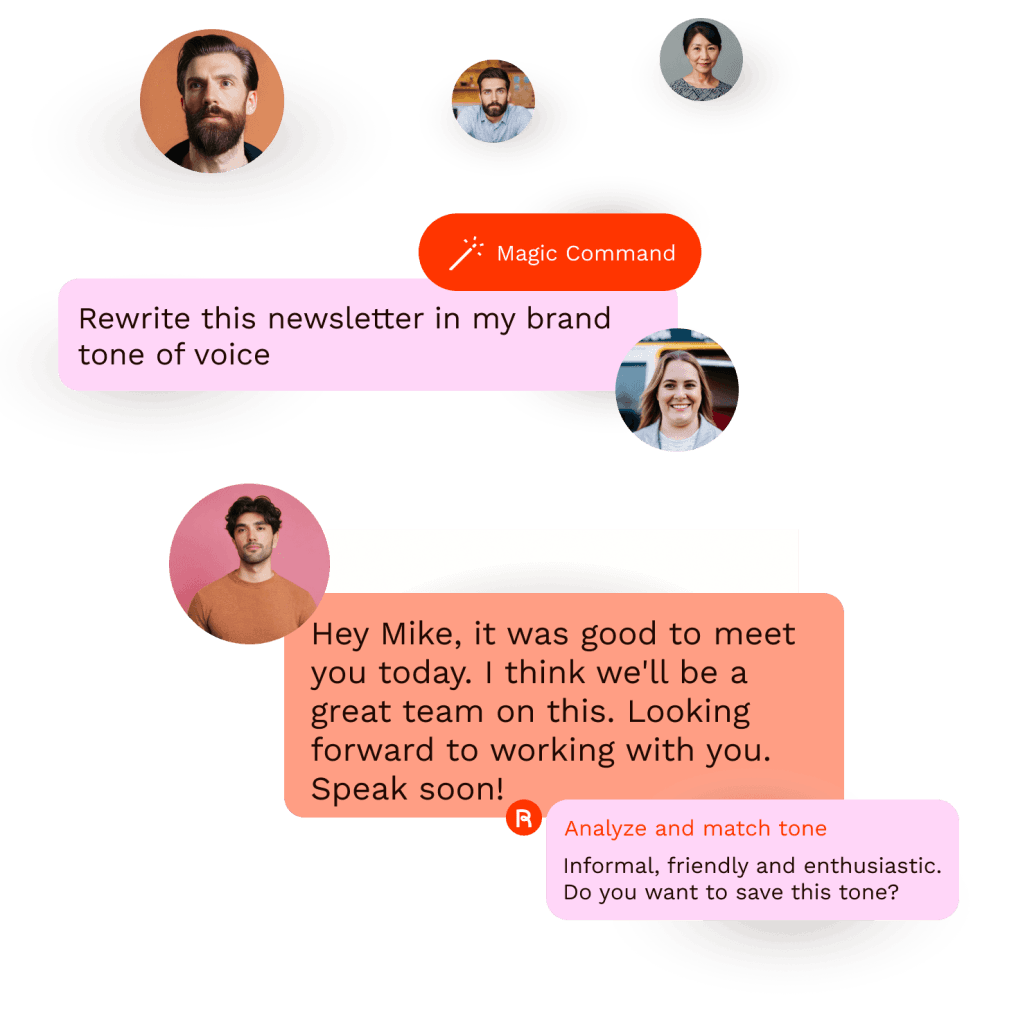
The tone selector is where Rytr earns its keep for volume content work. Twenty-plus pre-programmed tones — Casual, Formal, Humorous, Inspirational, Passionate, Sarcastic, and more — let you spin the same product description five ways without rewriting anything. For social media managers running multiple clients, this alone covers the use case.
The 10,000 character free tier is genuinely generous for evaluation. You can generate 10–15 proper short-form pieces before hitting the wall. Don’t buy until you’ve tested your actual use case — email copy vs. blog intros vs. product descriptions all perform differently.
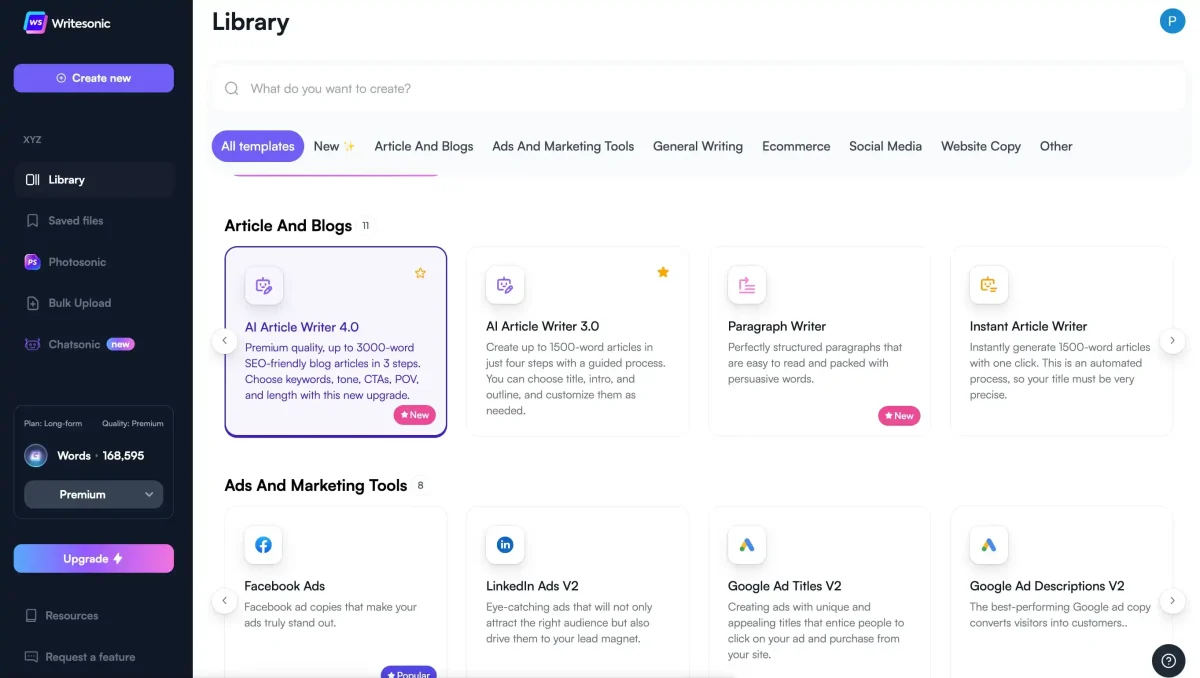
The template library is Rytr’s widest moat. Forty-plus structured prompts covering: blog ideas, blog sections, blog outlines, email subject lines, email body, LinkedIn posts, Instagram captions, Facebook ads, Google ads, product descriptions, SEO meta descriptions, press releases, video scripts, song lyrics, cover letters, interview questions, and business pitch decks — among others. AIDA and PAS marketing frameworks have their own dedicated templates, which is a nice touch for anyone doing direct response copy.
The custom use cases feature on the Premium plan lets you define your own template from a sample output. Describe the format, paste an example, give it a name, and it lives in your use case list permanently. This is where Rytr starts behaving more like a bespoke tool rather than a generic generator — useful for agencies running repeatable content formats for clients.
The 20+ built-in tones handle most volume content needs. The Unlimited plan adds one personalised tone — you feed it a writing sample, it learns the voice, and subsequent generations try to match it. Premium extends this to five custom tones, which is enough to maintain distinct voices for multiple clients or brand properties. The personalised tone isn’t as consistent as Jasper’s dedicated brand voice layer, but it’s dramatically better than nothing, and the price difference between the two products is roughly 5x.
Built-in, powered by Copyscape. Unlimited plan includes 50 checks per month; Premium includes 100. For any content going on a client site or a public-facing publication, this is a meaningful inclusion. Most tools at this price tier either skip the plagiarism check entirely or charge extra for it.
Works inside Gmail, Google Docs, WordPress editor, LinkedIn, Twitter/X, and any standard web text area. The extension opens as a floating sidebar, exposes the same use case picker, and writes directly into the field you’re editing. For anyone who lives in Gmail or writes posts natively in LinkedIn, this removes the copy-paste friction entirely. Rated 4.7 out of 5 on the Chrome Web Store.
35+ languages on the Premium tier, 1 language on Free and Unlimited. The multi-language feature is Premium-only, which is a genuine limitation if you’re building multilingual content at volume. English output quality is noticeably higher than other languages — French and Spanish are functional, but non-English content often needs heavier editing to sound publication-ready.
A small Shopify store with 50 new SKUs and no copywriter on retainer. Each product needs a 100-150 word description that reads naturally and includes two or three keywords for search. Manually: four to five hours minimum, probably longer.
With Rytr’s Product Description template: paste in the product name, category, and two keywords. Choose Persuasive tone. Generate. Three variations appear. Pick the best one — usually the second or third — lightly swap a word or two, paste into Shopify. Average per-product time: two to three minutes including the review pass.
The output quality for product descriptions is genuinely high. Short-form, feature-led copy with a clear structure is exactly what Rytr’s prompting architecture handles best. The results are better than what most non-copywriter business owners would write themselves, and comparable to hiring an offshore freelancer at $10 per piece — except Rytr costs $9 total for the month.
A personal brand consultant managing their own LinkedIn and Instagram. They need two posts per day, seven days. LinkedIn tone: professional and authoritative. Instagram: warmer and conversational. Both platforms pulling from the same weekly theme — let’s say “productivity habits.”
Workflow: use the Social Media Caption template with the weekly topic as input. Generate three variations at Formal tone for LinkedIn. Pick one, save. Switch to Casual tone. Generate three more for Instagram. Pick one, save. Repeat across seven themes.
The tone separation is what makes this work at speed. Rytr doesn’t just rephrase — the formal and casual outputs genuinely sound different. The LinkedIn copy tends to be tighter and more declarative; the Instagram copy loosens up with contractions and a second-person address. It’s not perfect — you’ll still spend a few minutes adjusting references that feel generic — but the structural heavy lifting is done.
A SaaS founder who needs a welcome email sequence for new trial signups. Five emails: welcome, feature highlight 1, feature highlight 2, social proof, upgrade nudge. No copywriting budget. Deadline: today.
Using the Email template with subject line and body prompt separately. Email 1: “Welcome to [product], here’s how to start” — generate subject line variations, pick the best, generate body, select variation 2. Repeat for each email. The PAS (Problem-Agitate-Solution) template is particularly useful for the upgrade nudge email — paste in the product pain point and the outcome, and the framework writes itself.
Realistic assessment: the output reads like a capable but generic copywriter. The structure is sound. The specificity is low — every email needs the founder’s own product examples, stories, and metrics injected before sending. Rytr writes the scaffold; you supply the authenticity. That’s still a significant time saving, because the scaffold is often the hard part.
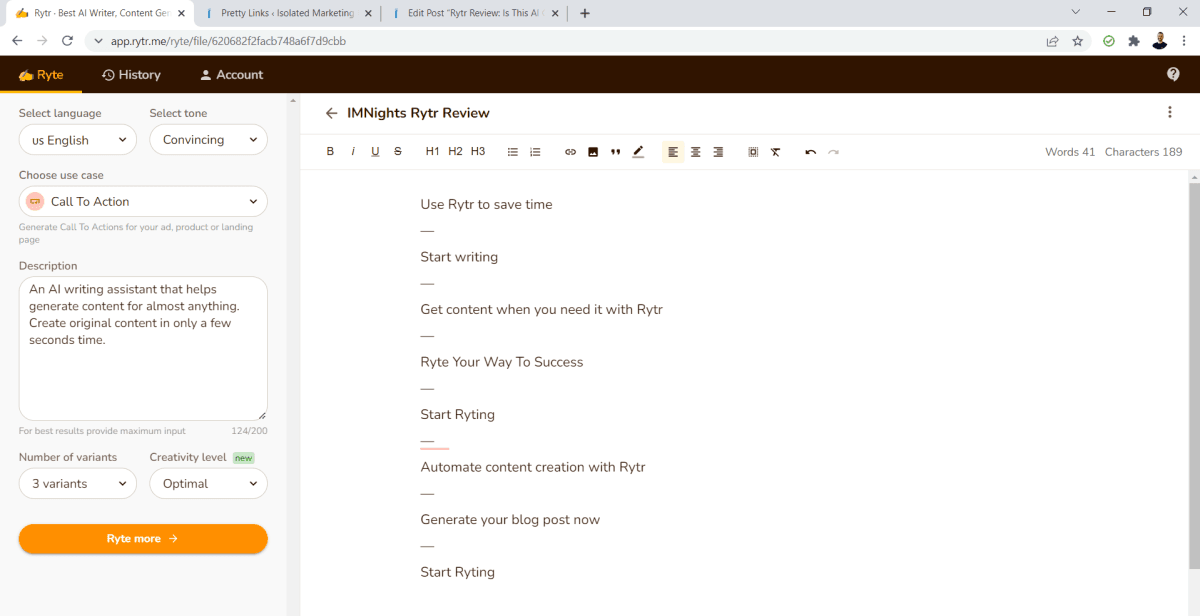
Let’s be direct about what Rytr produces and what it doesn’t.
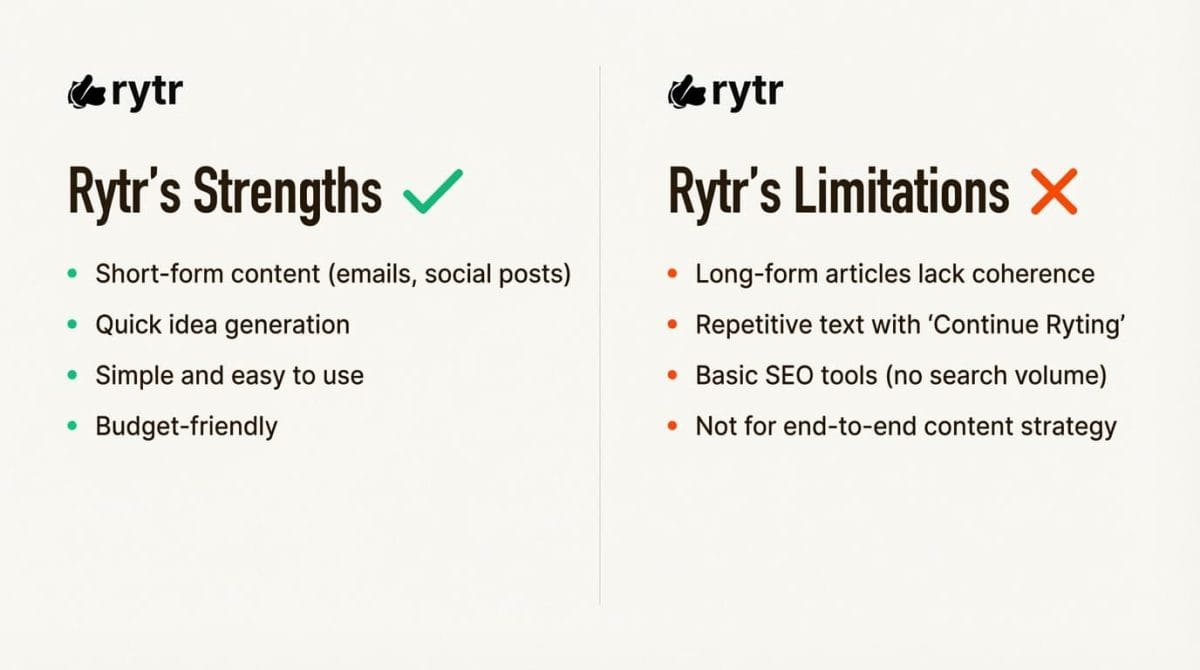
Short-form content is Rytr’s home turf. Social captions, email subject lines, product descriptions, meta descriptions, ad copy, call-to-action variants — the output is consistently usable. It usually takes one or two sentences of editing, not a full rewrite. The templates constrain the generation to a known format, which is exactly what prevents the wandering and repetition that plagues longer AI output.
Mid-form content requires a section-by-section approach. A 600-word blog section works fine if you break it into three 200-word chunk generations. Asking Rytr to write a complete 1,500-word article in a single pass produces output that repeats itself, loses the thread, and often ends with a generic “in conclusion” paragraph that says nothing. The tool was not designed for one-shot long-form generation, and using it that way will leave you disappointed.
Factual claims should be verified independently. Like all AI writers, Rytr will confidently state statistics and dates that may not be accurate. For any content that references specific numbers — conversion rates, industry figures, research findings — treat Rytr as a structural scaffold and supply your own verified facts.
The average freelancer loses between 15 and 20 percent of their working week on admin that doesn’t directly earn them money. That’s time tracking scattered across sticky notes, invoices built manually in Word, and follow-up emails that feel awkward to write every single time.
The fix isn’t hiring a VA. It’s picking the right tools and getting out of your own way. Time tracking software that runs in the background and invoice tools that auto-fill client details can cut that admin load down to a fraction — freeing up the hours you actually got into this for.
That’s a solid paragraph. Conversational, structured, action-oriented. The 15-20% stat is plausible but unverifiable — you’d want to swap it for a cited source before publishing. But the shape of the argument and the voice are both there. Light editing, not a rewrite.
If your primary goal is ranking 2,000-word articles on competitive keywords, Rytr is the wrong tool. It has no built-in SEO optimization layer, no NLP keyword density analysis, no SERP-based content briefing. Tools like Writesonic’s AI Article Writer or Jasper paired with Surfer SEO are purpose-built for this. Rytr can draft blog sections quickly, but assembling them into a properly structured, SEO-optimized long-form piece requires significant manual effort that other tools partially automate.
The personalised tone feature is useful but limited. One custom tone on Unlimited, five on Premium. For an agency managing ten clients, each with a distinct voice, that’s not enough — and the consistency of personalised tone outputs isn’t as locked-in as dedicated brand voice systems. You’ll notice drift between sessions, especially on longer content blocks.
Rytr is a single-user tool with no meaningful collaboration layer. No shared projects, no commenting, no approval workflows, no role-based access. If you’re running a content team of three or more people, the workflow overhead of Rytr is a problem that tools like Jasper’s Workspace or Writesonic’s team features specifically address.
Rytr runs on an older GPT foundation. The output ceiling is noticeably lower than tools running GPT-4o or Claude 3.5 Sonnet. For nuanced briefs — complex B2B content, tone-sensitive subject matter, technical writing — the simpler model shows. On simple, structured templates it rarely matters. On anything that requires genuine reasoning or contextual nuance, it does.
The single biggest mistake new Rytr users make is asking it to generate a complete blog post. The output looks passable at 300 words, then starts repeating itself and losing structure. Always work section by section. Generate the intro, the three main points, and the conclusion as separate passes — the quality difference is significant.
Rytr’s pricing structure is the simplest in the AI writing space and also the most honest.
Free — $0/mo. 10,000 characters per month (roughly 1,500-2,000 words). All 40+ use cases available. 20+ tones available. No plagiarism checker. One language. No custom tones. No Chrome extension access on free is the only significant limitation. Enough to evaluate the tool properly before spending anything.
Unlimited — $9/mo ($7.50/mo on annual billing). Unlimited character generation. All 40+ use cases. 20+ tones plus one personalised tone. 50 plagiarism checks per month. One language. Chrome extension included. Community access and priority support. This is the plan for the overwhelming majority of solo users — the jump from 10,000 characters to unlimited is enormous in practice.
Premium — $29/mo ($24.16/mo on annual billing). Everything in Unlimited plus: 35+ languages, five personalised tones, 100 plagiarism checks per month, custom use cases, dedicated account manager. The right plan for agencies, multilingual content needs, or anyone building custom templates for repeatable client work.
bench –tool=ai-writers –metric=price,features,limits solo use case
a/rytr b/jasper
Jasper is the enterprise end of the AI writing market — from $59/mo upward, with dedicated brand voice, SEO integrations, team workflows, and a more capable underlying model. It’s the tool agencies and marketing teams choose when they can’t afford to produce mediocre output. The price gap is stark: Jasper starts at 6x Rytr’s Unlimited plan.
Verdict: If budget is the constraint, Rytr wins unambiguously. If you’re building an agency content pipeline that needs brand consistency at scale, Jasper’s premium is justified. Read our full Jasper review.
a/rytr b/writesonic
Writesonic sits in the middle of the market — stronger SEO tooling, better long-form article generation, an AI chatbot layer, and a more capable model than Rytr. It starts around $29/mo. The gap between Rytr and Writesonic is meaningful; the gap between Writesonic and Jasper less so.
Verdict: Rytr for pure short-form volume at minimum cost. Writesonic if you’re doing SEO blog content regularly and need better quality long-form. Read our full Writesonic review.
a/rytr b/copy-ai
Copy.ai has evolved from a simple AI copywriter into a marketing workflow automation platform. It’s now aimed primarily at marketing teams that want to automate multi-step campaigns, not individuals drafting single pieces. That positioning shift makes the comparison interesting.
Verdict: Rytr for solo creators and freelancers. Copy.ai if you’re a marketing team running automated workflows across multiple channels. Read our full Copy.ai review.
diff –git a/rytr-pros b/rytr-cons
Net take: excellent value play for the right use case. Overreaching it — asking for long-form, complex, or multilingual content — reveals the ceiling quickly.
Bottom line: Rytr does exactly what it says it does, at a price that removes almost every objection to trying it.
Yes. 10,000 characters is around 1,500-2,000 words — enough to generate five or six short-form pieces and genuinely evaluate whether the tool fits your workflow. The free tier includes all 40+ use cases and all tones, so you’re not testing a stripped-down version.
Rytr runs on a GPT-based foundation (originally GPT-3, with subsequent updates to their prompting layer). It does not publicly confirm which exact model version is running. The practical implication: it’s a step below tools running GPT-4o or Claude 3.5 Sonnet natively, and the output ceiling reflects this, especially on complex briefs.
Technically yes. In practice, the Blog Section template works well; asking for a full 1,500-word article in one pass does not. Work section by section — intro, three content sections, conclusion as separate generations — and the quality is significantly better than one-shot generation.
Yes. The extension works in Google Docs, Gmail, WordPress, LinkedIn, and most standard web text fields. It opens as a floating sidebar — you pick a use case, generate, and insert without leaving the tab you’re in.
Language support depends on the plan — one language on Free and Unlimited, 35+ on Premium. English quality is meaningfully higher than other languages. French and Spanish are usable but need more editing. Non-English use cases often justify the Premium tier just for the quality difference.
It’s built on Copyscape. Select your generated text, click the plagiarism check button, and it returns a similarity score against web content. Unlimited plan includes 50 checks per month; Premium includes 100. It does not check against internal document databases — only public web content.
Custom use cases let you create your own template from a sample output — define the structure, name it, and it appears in your use case list permanently. Available on the Premium plan only ($29/mo). Useful for agencies running repeatable formats for clients.
Budget constraint: Rytr, no question. The output gap for short-form content doesn’t justify a 6x price difference for most individual users. If you’re running an agency that needs deep brand voice, SEO integration, and team workflows — Jasper is built for that. Most people asking this question don’t need Jasper.
Rytr occupies a specific, defensible position in the AI writing market: the cheapest credible writing assistant available. At $9/mo for unlimited short-form output, 40+ templates, a Chrome extension that actually works, and a built-in plagiarism checker, it removes almost every argument against trying it. Seven million users aren’t wrong — the value is real.
The score isn’t higher because the ceiling is real. For long-form SEO content, deep brand voice work, or team workflows, better tools exist. But Rytr doesn’t pretend otherwise, and that intellectual honesty is part of why it works. It’s a fast, affordable first-draft machine for the short-form content that makes up the majority of what most creators, freelancers, and small business owners actually need to produce.
If you’re on the fence: the free tier costs nothing and runs no card. Try it on your actual use case. You’ll know within fifteen minutes whether it fits.
Every verified price, limit, and model change we have tracked for Rytr.
One email when Rytr changes price or limits. No account, no spam.