AI Tool

Udio
Udio
Udio
AI music generator with 48kHz studio-quality output, stem separation, and inpainting editor — the audio-fidelity choice for producers and composers.
AI music generator with 48kHz studio-quality output, stem separation, and inpainting editor — the audio-fidelity choice for producers and composers.
Udio launched in April 2024, built by a team of ex-Google DeepMind researchers operating out of New York. The founding team’s background in acoustic modeling and signal processing is not incidental — it explains why Udio’s output has always prioritized audio fidelity over generation speed, and why its architecture handles instrument separation differently from competitors trained more heavily on compressed audio. Where Suno was optimized for breadth of genre and lyric performance from the start, Udio was built to sound correct.
The launch triggered immediate litigation. The Recording Industry Association of America (RIAA) filed copyright infringement suits against both Udio and Suno in June 2024, on behalf of Universal Music Group, Sony Music, and Warner Music Group. The suits argued that both platforms trained their models on copyrighted recordings without license. Udio’s and Suno’s paths through that litigation diverged significantly — a divergence that now shapes how their commercial tiers work and which creators can actually use them.
Udio settled with UMG in October 2025. The financial terms weren’t disclosed, but the structural outcome was: Udio’s future models would be trained on an authorized, licensed corpus. UMG artists and songwriters receive participation rights and financial remuneration. Fingerprinting and filter technologies prevent unauthorized reproduction. Warner, Merlin, and Kobalt signed comparable licensing deals in early 2026. The result is that Udio is now the most legally clean AI music platform of the major generative players — a meaningful advantage for anyone producing content commercially.
The v1.5 model update, released in early 2025, introduced stem separation, audio-to-audio remixing, the Sessions timeline editor, and a dedicated stems download page. These were not incremental additions — they repositioned Udio from a “generate and download” tool to a genuine production environment. The core generation engine is the Allegro model, with v1.5 being the current shipped variant as of mid-2026.
Udio is a web-based AI music generation platform. You write a text prompt describing the sound you want — genre, mood, instrumentation, tempo, language — and Udio generates a track. Every generation returns two outputs, side by side, so you’re always comparing options rather than accepting or rejecting a single result.
The interface is organized around four core actions:
Stem separation is available on paid plans: download individual vocal, instrumental, drums, or bass tracks from any generation. Audio-to-audio generation lets you use an uploaded reference as a style anchor. The Sessions timeline is the multi-segment composition interface — think of it as a linear arranger where each cell is an AI-generated or extended section.
What Udio is not: it has no mobile app, no MIDI export, no voice cloning, and no custom model training. It is web-only. Track length caps at around 15 minutes through incremental extension — there is no single-generation long-form output.
Sign up, verify email, land on the generation screen. The prompt box is front and center — no tutorial wall, no mandatory onboarding. Type something specific:
Udio returns two 30-second clips in roughly 90 seconds to 2 minutes. This is slower than Suno’s 30–45 second turnaround, but you’re getting 48kHz stereo audio with noticeably cleaner instrument separation. The strings sound like strings. The bass end has weight. These are not small details — they are the difference between “this sounds like an AI made it” and “this is usable in post-production.”
The thing that hits you immediately is instrument clarity. Individual parts are distinguishable. When you request acoustic guitar, you hear acoustic guitar — not a muffled approximation of acoustic guitar buried under compression. When you ask for a drum kit, the kick, snare, and cymbals sit in distinct frequency bands. This is the 48kHz / clean-training effect showing up in the output, and it’s the most consistent differentiator Udio holds over the field.
Udio ships with a curated Style Library of preset genre/mood combinations. Power users skip it and write detailed prompts. But for first-time users, the presets are excellent onramps — especially for sub-genres like “lo-fi hip-hop with rain ambience” or “synthwave 1986 driving track” that would take five minutes of prompt engineering to describe from scratch.
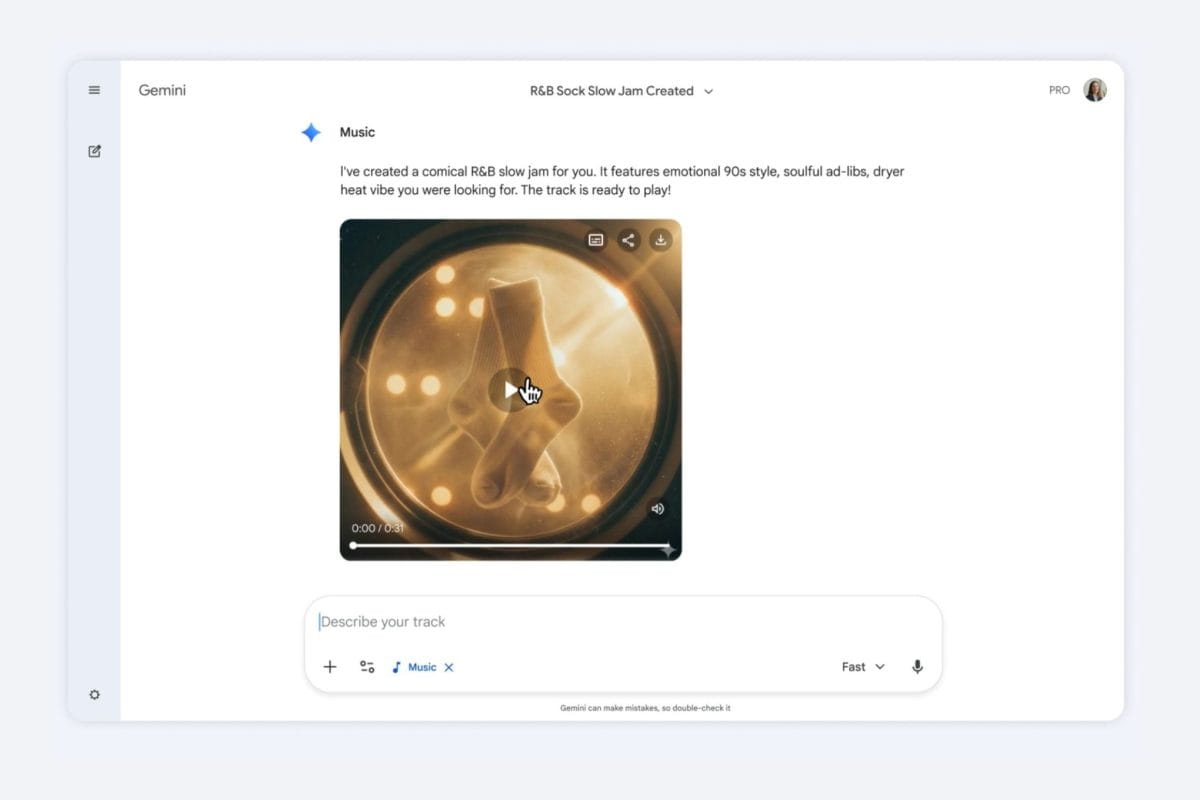
This is the section that matters most for anyone evaluating Udio seriously, because it’s where the real differentiation lives — and where the reputation has some nuance that reviewers often flatten into a single take.
Udio’s instrumental output is the most consistent strength in the platform, and it’s measurable. The 48kHz sample rate versus Suno’s 44.1kHz is part of it — you get more high-frequency detail, particularly in acoustic instruments like piano, guitar, and violin. But the bigger factor is the training corpus: the licensed recordings that now underpin the Allegro model come with better audio quality baked in than the compressed-internet-audio that many competitors trained on. The bass end is fuller, stereo imaging is wider, and transients — the attack on drums, the pluck of guitar strings — hit with the precision that producers actually care about.
Community ratings in blind listening tests consistently place Udio at 8.8/10 for instrumental fidelity versus Suno’s 7.9/10. This gap is audible without equipment. Put the same prompt through both platforms, render to headphones, and the difference in mix clarity and dynamic range is immediate.
Udio’s vocal performance is where the reputation gets complicated, and being honest about it is more useful than picking a side in the Udio-vs-Suno debate. The ceiling is genuinely impressive: when Udio’s vocal generation is performing well, it captures vibrato, pitch glide, and tonal shading in ways that approach the quality of mid-tier real-singer recordings. The phrasing sounds considered. The breath placement is natural. The emotional register matches the prompt.
The floor, however, can drop unexpectedly. Users in 2025 and into 2026 have reported generations where vocals degrade to partially intelligible syllables, where the lyric articulation blurs, or where the voice sits in a strange uncanny-valley space that sounds neither convincingly human nor cleanly synthetic. Suno, for its part, has been specifically tuned for vocal diction clarity — in PixlRun’s scoring, Suno’s vocal intelligibility rates higher (8.7/10 vs Udio’s 7.6/10). Udio’s vocals sound more like a real singer; Suno’s vocals sound more clearly like what you asked for.
The practical implication: if you’re making lyric-forward pop or hip-hop where word clarity matters above all else, Suno is safer. If you’re making soul, R&B, jazz, or cinematic vocal pieces where texture and expressiveness matter more than perfect diction, Udio’s ceiling is higher. The inconsistency is real but manageable — you’re comparing two generations on every prompt, so you cycle through options rather than waiting on a single roll.
Multiple community voices have noted a regression in Udio’s output consistency since late 2025 — specifically, that the “excellent” generations arrive less reliably than they did during the v1.5 launch period. Whether this is a model drift, infrastructure change, or simply more users catching edge cases is not publicly confirmed by Udio. It is real enough to name: if you need consistent output for production work, you should build a verification pass into your workflow. Generate four, keep two, export one. The quality ceiling is still worth pursuing. The floor requires managing.
Udio generates lyrics by default when you describe a vocal track, but custom lyrics input is a core feature. You can write your own lines and pass them directly into the generation prompt. The model fits your text to a musical structure — it interprets syllable stress, line breaks, and rhyme patterns to shape phrasing. This is notably different from treating the lyrics as rigid text-to-speech; Udio sings your words with the musical context in mind, which means it may adjust phrasing slightly to fit a chord change or rhythmic pattern.
The lyric re-generator tool allows you to remix lyrics on an existing generation — keeping the musical backing but regenerating the vocal text for a different angle, tone, or language. Multi-language support is solid: Udio handles English, Spanish, French, Portuguese, Japanese, and German reliably, with less consistency in languages with complex tonal systems.
When writing custom lyrics, use square brackets to mark structural sections: [verse], [chorus], [bridge]. Udio uses these as arrangement hints — it’ll attempt to give the chorus more energy and the bridge a change in texture. Without markers, it treats the text as continuous and the arrangement becomes more uniform.
One limit to manage: very long custom lyric inputs sometimes cause Udio to drop or compress lines in the middle of a section. For anything over two verses and a chorus, break it across separate generations using Extend — build section by section rather than feeding the whole song text at once.
This is Udio’s most differentiated feature set, and the one that separates it most sharply from being a “generate and hope” tool. The editing capabilities are what make Udio a production environment rather than a vending machine.
Inpainting is the standout. Select any segment of a generated track — as short as two seconds — describe what you want changed, and Udio regenerates only that portion while preserving the surrounding audio. You can fix a single phrase where the vocal slipped into gibberish, swap the drums in the second half of a bar, or replace a muddy guitar chord with a cleaner take. The seams are audible if you’re listening critically at high volume, but for most use cases they are not a production problem.
No other major AI music platform does inpainting with this granularity. Suno offers section-level remixing but not sub-section surgical editing. For post-production and iterative refinement workflows, this single feature is worth significant weight in the platform comparison.
The Sessions editor lets you build tracks incrementally — each Extend action appends a new 30-second cell. You can extend forward, backward, or insert between existing cells. The musical continuity between cells is generally good: the model reads the surrounding audio and tries to match key, tempo, and harmonic direction. It is not perfect; there can be abrupt tonal shifts at cell boundaries, which is where inpainting the transition becomes useful. With some iteration, you can build tracks up to 15 minutes that hold together musically.
Audio-to-audio remixing lets you upload an existing track and transform it through a prompt — change the genre, strip out instrumentation, reinterpret it in a different style. This is useful for transforming your own rough demos, recontextualizing reference tracks, or creating variations on approved stem content. The model doesn’t reproduce the original — it reads the structure and generates in the described direction. Results vary: genre changes work reliably; tempo changes are more hit-or-miss.
Stem export is available on Standard and Pro plans. From any generated track, you can download isolated tracks: vocals, instrumentals, drums, bass, and in many cases individual instrument groups depending on what the generation contains. The stems are 48kHz WAV files — production-ready and immediately usable in a DAW.
This is a genuine workflow unlock, not a novelty feature. Musicians using Udio for inspiration can export a drum stem and drop it directly into Ableton or Logic. Film composers can take an orchestral stem, strip the brass section, and replace it with a live recording. Podcast producers can export the instrumental stem for a bed track without the AI vocals. The stem quality mirrors the mix quality — which means when Udio is performing well, the stems are actually useful. When the generation is murky, the stems are too.
Generate a full track. Export stems. Identify the part you want to replace. Use inpainting to regenerate just that segment in the mix. Re-export the updated stems. This iterate-stem-regenerate loop is how serious Udio users work — it’s genuinely close to having a lightweight arrangement pass inside a generative tool.
Brief: an 80-second action sequence needs a temp score. The director has a reference track, a mood, and no budget. Time available: one afternoon.
Prompt: “Epic hybrid orchestral action score, driving drums, brass hits on the downbeat, rising string tension, trailer-style swell at 0:45, no melodic vocals.” First generation returned two useful options in under two minutes. Selected the stronger one. Used Extend to push it past the 90-second mark. Used inpainting to fix the transition at 0:45 where the swell arrived half a beat early. Exported the full mix as WAV and the instrumental stem separately.
The output required zero additional licensing conversation — the Standard plan commercial license covered it for the film’s non-theatrical festival circuit use. The director used the AI stem as the actual bed track, replacing only the brass hits with a live recording session.
The show wanted a 15-second intro jingle, a 30-second bumper, a lo-fi “thinking” bed, and a closing sting. Previously this took $400-600 from a freelance composer with a 2-week turnaround.
Generated the core jingle first: “upbeat tech podcast jingle, 15 seconds, marimba melody, clean electronic drums, optimistic tone, no vocals.” Exported the instrumental stem. Built the 30-second bumper by extending the same generation. For the lo-fi bed, started a fresh generation referencing the original’s key using audio-to-audio remix. The closing sting was an inpaint on the jingle — replaced the ending two seconds with a rising note resolution.
Four outputs, all with consistent sonic identity, all produced in under three hours. The commercial license under the Standard plan covered the podcast’s monetized distribution. The host described the result as “indistinguishable from what we paid a composer to make last year.”
A solo songwriter needed full-band backing tracks for three original songs to play over during an acoustic showcase. Tight timeline, no studio budget.
Used custom lyrics input for all three songs — own lyrics, own chord progressions described in the prompt. Udio generated the backing vocal arrangements, rhythm section, and instrumental fill. The drum and bass stems were exported directly into the live rig. The session also surfaced a chord voicing on one generation that the songwriter preferred to the original composition — they kept it. Udio as an accidental creative collaborator.
The critical nuance: the songwriter owns their lyrics and original composition. What Udio contributed — the arrangement, the AI instrumental performance — carries the platform’s commercial license. For non-commercial live performance, the free tier would have covered it. The songwriter upgraded to Standard for the ability to keep the tracks private before the show.
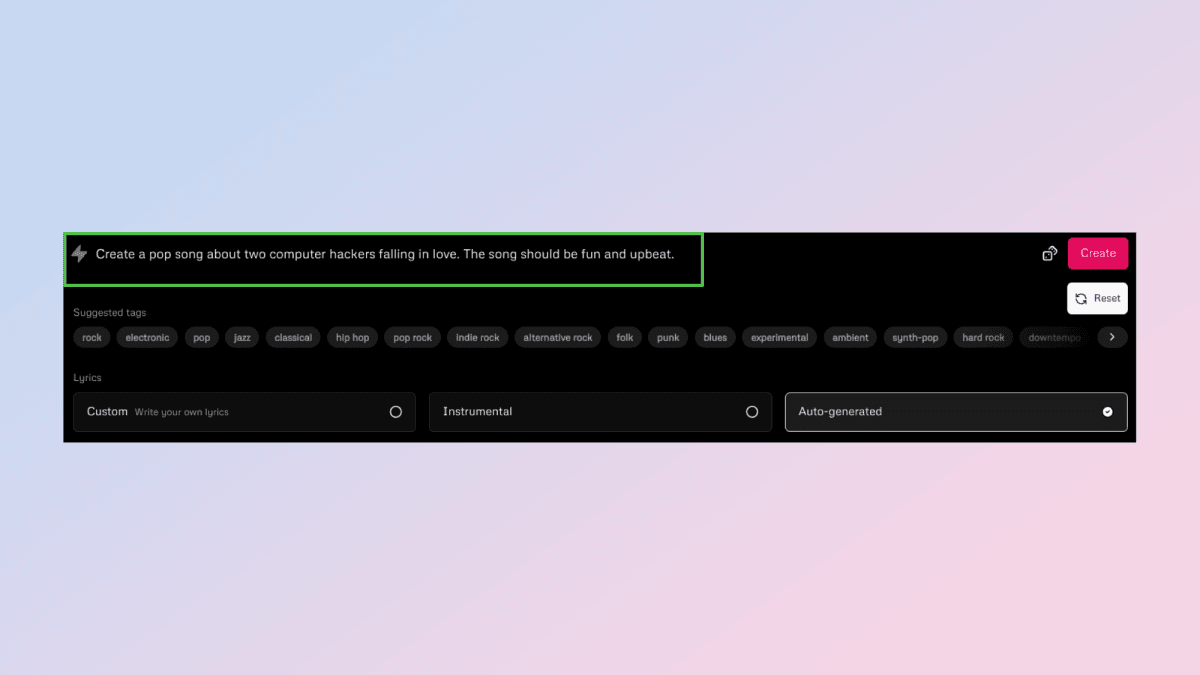
We submitted this prompt to Udio’s generation interface:
Generation returned in approximately 100 seconds. Output A had excellent Rhodes tone, brushed drums with real texture, and the vocal phrasing landed with genuine melancholy. A small section at 0:18 had a lyric phrase that blurred slightly — the kind of articulation issue Udio can hit on slower tempos. Output B had stronger vocal diction but thinner bass. We took Output A, inpainted the 0:18 section, and the result was clean. Total time including inpaint pass: under four minutes.
// stems available: vocals, instrumental, drums+bass
// commercial rights: included (Standard plan)
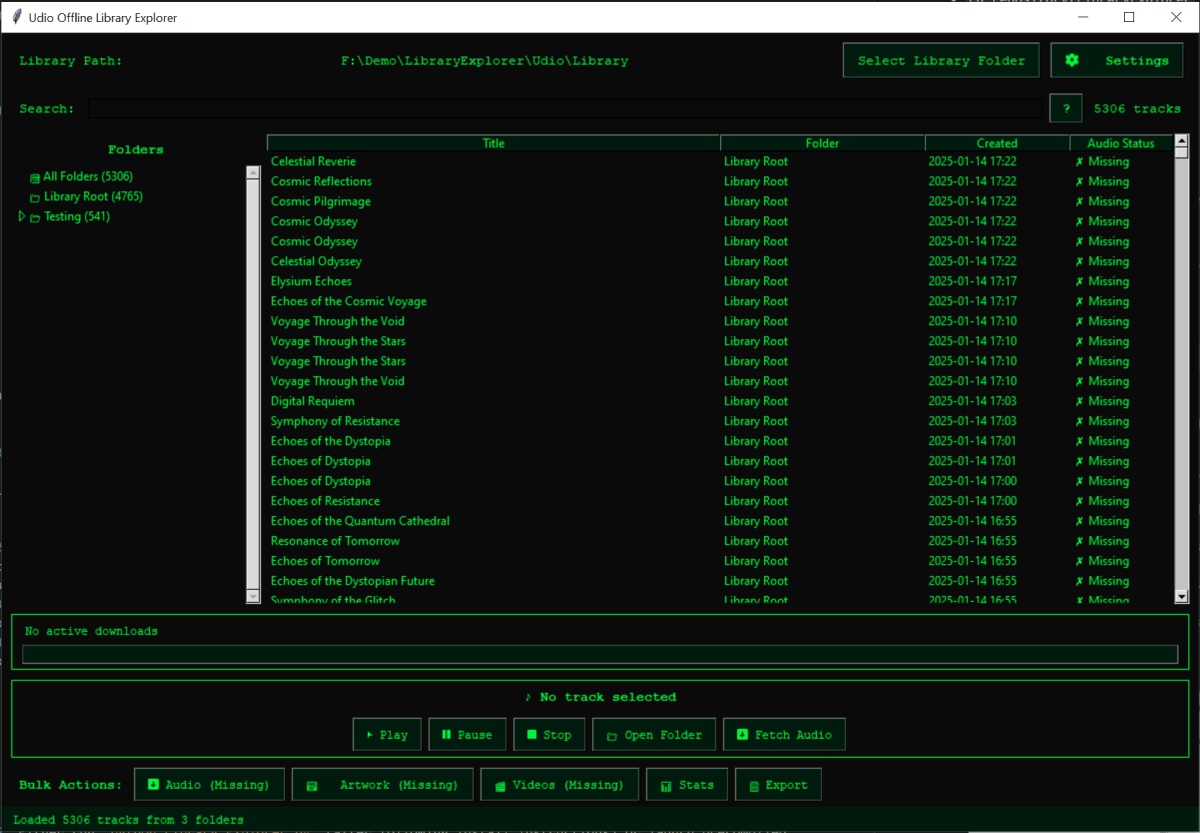
Across 30 test generations covering six genre categories — cinematic score, jazz, indie pop, electronic, acoustic folk, and hip-hop — here’s how Udio stacks up against Suno and ElevenLabs Music:
bench –tool=audio –metric=fidelity,vocal,consistency
Udio leads on fidelity. Suno leads on vocal diction and consistency. Neither platform is dominant across all three. The right choice depends which metric matters most for your use case — and for most production work, fidelity is the harder quality to fix in post, while vocal diction issues can be addressed with inpainting.
a/udio b/suno
The Udio vs Suno comparison has been the dominant conversation in AI music for two years. Suno is the volume leader — larger user base, faster generation, better whole-song flow. Udio is the fidelity leader — cleaner audio, stem tools, and the better post-production story. By mid-2026 neither platform has decisively “won,” and the answer to “which one” is almost entirely use-case dependent.
Verdict: Use Udio when the audio quality and editorial control matter — production work, scored content, stems for DAW. Use Suno when you need fast lyric-forward songs and reliable whole-track output. Many serious users have both subscriptions running simultaneously.
Licensing is the issue that the AI music space has been dancing around since 2024, and Udio’s story here has materially changed since the UMG settlement. It’s worth being specific rather than vague, because the distinction matters for anyone earning money from their content.
The pre-settlement situation: Udio’s original model trained on data that included copyrighted recordings. That was the basis of the RIAA lawsuit. The settlement did not establish that training on copyrighted data was legal — it established that Udio and UMG reached a financial and structural agreement to move forward. Future Udio models are trained on licensed data only. Past generations — anything produced before the settlement’s effective training cutoff — exist in a grayer space.
The current situation (mid-2026): Udio’s commercial license, included with Standard and Pro plans, grants you rights to use Udio-generated content commercially. This covers YouTube monetization, podcast distribution, sync licensing for online video, and similar use cases. What the commercial license does not cover: theatrical sync licensing for major film/TV distribution, which typically requires clearing master recording rights separately. For most creators, the Standard plan commercial license is sufficient. For creators placing music in theatrical features or national broadcast, consult a music lawyer — this is not an Udio-specific limitation, it applies to all AI music platforms.
Free plan generations are non-commercial only. If you’re using Udio for any revenue-generating content — YouTube ads, client deliverables, paid sync placements — you must be on Standard or Pro. The Standard plan at $10/mo is the minimum for commercial use, and the commercial license is explicitly included at that tier.
The Suno comparison on licensing matters here: as of mid-2026, Suno has not settled the RIAA litigation. That does not make Suno-generated content unusable, but it does mean Udio has a cleaner licensing narrative for commercial clients who ask pointed questions about where their music came from.
The honest section.
This is the biggest production risk with Udio in 2026. When it’s working well, it’s exceptional. When it’s in a bad run, the vocals turn to semi-intelligible mush and the mix feels thin and generic. There’s no clear user-side predictor for which run you’re in. The two-output-per-generation design helps — you always have a comparison — but neither output may be good when the platform is having a rough hour. Build in iteration time. Don’t use Udio for same-day deadline work without a backup plan.
Single generations produce 30-second clips. Building a 3-minute track requires 6 Extend operations, each with its own variability. Cell boundaries can introduce tonal discontinuities. The 15-minute theoretical maximum is achievable but requires careful work. If you need a 4-minute track that flows naturally from start to finish, Suno’s whole-song generation is a more reliable path.
Web only in 2026. If you work on a phone or tablet — common for songwriters capturing inspiration on the go — Udio simply isn’t accessible. Suno has apps on iOS and Android. This is a real gap.
90 seconds to 3 minutes per generation is slow compared to Suno’s 30-45 seconds. When you’re iterating through multiple prompts or making multiple Extend passes, the wait time adds up. For exploratory generation sessions, this is friction. The quality payoff is usually worth it, but the wait is real.
You get audio. You do not get stems that map to MIDI or chord data you can open in a DAW directly. Stem export is production-quality WAV, which is genuinely useful, but there’s no bridge to notation software or MIDI-aware composition tools. Professional composers who need notated output are not the target audience.
Credits are consumed per generation, but the exact credit cost of Inpaint vs Extend vs Remix vs stem export is not always clearly documented in context. Power users learn the math; first-time users can exhaust their monthly allotment faster than expected. The free tier’s 10 daily credits disappear in a single exploratory session.
Udio runs three tiers in mid-2026:
Compared to competitors: Suno’s comparable Standard tier runs $8/mo for 2,000 credits (roughly 400 tracks at lower fidelity), which is better value for pure generation volume. Udio’s $10/mo Standard gives fewer credits but the quality-per-generation is higher and stems are included. For producers who care about output quality over output volume, Udio’s pricing is fair. For anyone generating hundreds of tracks per month for social content, Suno’s credit math is more efficient.
The Pro tier at $30/mo is competitive — ElevenLabs Music and other serious audio platforms charge comparable or higher rates for similar professional-grade output. If you’re billing client work produced through Udio, the $30/mo cost disappears into the first paid engagement.

Udio if you care about audio fidelity, stem export, editorial control, and clean commercial licensing. Suno if you want fast whole-song generation, reliable vocal diction, and a mobile app. Most serious users have both. If you can only pick one, think about what you’re making — production assets or quick demo tracks.
Yes, on Standard ($10/mo) or Pro ($30/mo) plans. The commercial license covers YouTube monetization, podcast distribution, client deliverables, and sync licensing for online/digital use. Free plan is non-commercial only. For theatrical film and national broadcast sync, consult a music lawyer — that’s a separate rights question not specific to Udio.
Free and public generations may be used to improve the model. Private generations (Standard and Pro) have reduced data use. Udio’s privacy policy governs this — check it if you’re generating commercially sensitive content. The broader training data question is largely resolved by the UMG settlement: future models train on licensed data.
Inpainting lets you select a specific time range in a generated track — as short as two seconds — and regenerate only that segment. Use it when part of a generation is excellent but one phrase, instrument entrance, or lyric section didn’t land. It’s the difference between “acceptable output” and “this is actually what I wanted.”
Yes. Stems export as 48kHz WAV files. Drop them into Ableton, Logic, Pro Tools, or any DAW that reads WAV. The quality is production-grade on good generations. You won’t get MIDI data or notation — just audio stems. For many use cases that’s all you need.
Udio’s output consistency is the most-cited weakness in mid-2026 user feedback. It happens more on slower tempos, complex lyric inputs, and during periods of apparent model drift. Mitigations: use custom lyrics with structural markers ([verse], [chorus]), keep prompts specific about vocal style, use inpainting to fix affected sections rather than regenerating the whole track.
No. Udio is web-only as of mid-2026. Suno has iOS and Android apps. If mobile access is important to your workflow, that’s a real differentiator in Suno’s favor.
Universal Music Group sued Udio in 2024 for training on copyrighted recordings. They settled in October 2025 — Udio committed to licensed-only training going forward and compensated UMG artists. Warner, Merlin, and Kobalt signed similar deals in early 2026. This matters because it’s the first time a generative music platform has built a legally structured foundation with major rights holders. For commercial users, it reduces the legal ambiguity that has haunted AI music since launch.
Udio is the AI music tool for people who care what the audio actually sounds like. The 48kHz output, the stem exports, and the inpainting editor add up to a production environment that Suno — for all its speed and whole-song convenience — simply doesn’t match for post-production work. The UMG settlement is a meaningful differentiator for commercial use. The output consistency gap is real and needs managing, but it’s manageable. If you’re building scored content, podcast beds, game audio, or film cues, Udio is the right first stop. If you’re generating lyric-forward pop for social, try Suno first.
Every verified price, limit, and model change we have tracked for Udio.
One email when Udio changes price or limits. No account, no spam.