Shutdown data checked Oct 26, 2026 · 41 apps tracked · 20 dying now · next: Crunchyroll (Nintendo Switch app) in 3 days
Shutdown data checked Oct 26, 2026 · 41 apps tracked · 20 dying now · next: Crunchyroll (Nintendo Switch app) in 3 days
AI Tool
VB
Veo by Google
Google DeepMind
Veo by Google
Google DeepMind's AI video model — the only one that generates synchronized audio, dialogue, and sound effects natively alongside the video in a single pass.
Google DeepMind’s video generation research didn’t start with Veo. It started with Lumiere, a research paper on space-time diffusion for video, and before that with contributions to the broader latent diffusion ecosystem. What changed in 2024 was product velocity: Google decided to ship, not just publish.
Veo 1 landed quietly in mid-2024, mostly visible through VideoFX in Google Labs and through early integrations in YouTube Shorts creation tools. It was a proof of concept — competitive with the early Runway and Pika releases, but not yet a reason to switch anything. The model produced solid 1080p clips at up to four seconds, with better motion coherence than contemporaries and a weaker handle on text rendering in-frame.
The market-shifting move came at Google I/O in May 2025: Veo 3. The jump from Veo 2 wasn’t primarily about visual quality — it was about making audio a first-class output. Every other video AI was shipping silent clips and treating audio as someone else’s problem. Veo 3 generated synchronized dialogue, ambient sound, and sound effects in the same forward pass that produced the video. That’s not a feature. That’s a different product category.
Veo 3.1 followed in October 2025, adding character consistency controls, a video extension mode (up to ~148 seconds of chained footage), and a 4K output tier that shipped in January 2026. On the consumer side, Google pushed Veo access into Google Vids in early April 2026 — making 10 monthly generations free to every Google account holder, no subscription required. In the span of twelve months, Veo went from a Labs curiosity to the most widely distributed AI video tool on the planet.
What Veo actually is
Veo is Google DeepMind’s video generation model family. The current production version is Veo 3.1 — no Veo 4 has been announced as of September 2026 — available in three variants: Standard (full quality), Fast (lighter, lower latency), and Lite (cheapest, optimized for iteration). You access it through four distinct surfaces depending on what you’re building:
Google Vids — the free tier. 10 generations per month, up to 8 seconds per clip, text-to-video and image-animation. Integrated with Google Drive and the rest of Workspace.
Flow — Google’s AI filmmaking tool, built specifically for Veo. Camera controls, shot sequencing, asset management, scene extension. Runs on a monthly Flow-credits allowance under AI Pro and AI Ultra.
Gemini app — conversational video generation. Describe what you want, iterate in chat. Unlocked at AI Pro and above.
Vertex AI / Gemini API — programmatic access. Pay-per-second pricing. Designed for developers embedding Veo into apps and workflows.
The model accepts text prompts, single reference images, or up to three reference images for character and style consistency. Output is MP4 at 24fps, in 16:9 or 9:16, at resolutions from 720p (iteration) up to 4K (final render). The single technical constraint that matters in practice: base generation is 8 seconds per clip, extended via Veo 3.1’s Extend mode into sequences of up to roughly 148 seconds by chaining seamless continuations.
The audio breakthrough — why it mattered
This deserves its own section because it’s the reason Veo 3 changed the conversation in AI video.
Every other video model in 2025 — Sora (when it existed), Runway Gen-3, Kling — was generating silent footage. The workflow for anyone who needed a finished clip was: generate video, go to ElevenLabs or Adobe Podcast for voiceover, go to Suno or another music tool for background audio, sync everything manually in Premiere or CapCut, then render. Five tools, four exports, real glue work per finished clip.
Veo 3 collapsed that into one prompt. When you write "a barista explains the difference between pour-over and espresso while ambient café noise fills the room", you get back a video clip with lip-synced dialogue and the sound of steam wands and background chatter already in the mix. The audio is generated in the same model pass as the video — it’s not a post-processing step, it’s not a different model bolted on. The synchronization is genuinely tight: lips move with the words, footsteps hit at the right frame, the room tone fades when someone starts speaking.
The practical implication: for social video, product explainers, training content, and short-form ads, Veo 3 compressed a multi-app workflow into a single generation. That’s not just faster — it changes who can make this content at all. One person can produce a clip that previously required a producer, a voiceover artist, and a sound designer.
NOTE · English-first audio quality
Dialogue quality is strongest in English. Multilingual projects — Spanish, Mandarin, French — work but tend to show more lip-sync drift and occasional phoneme errors. If your audience is primarily non-English, test carefully before committing to Veo for audio-forward content.
veo-by-google · veo-gen.png
fig · Generating with Veo · source: cloud.google.com
Specs and limits — the real numbers
Before getting into output quality, here are the actual specifications as of September 2026:
Max resolution: 4K (native texture reconstruction, not upscale)
Base clip length: 8 seconds
Extended length: up to ~148 seconds via chained extensions (Veo 3.1 Extend adds 7 seconds per pass, up to 20 extensions)
Frame rate: 24fps
Audio sample rate: 48kHz stereo
Aspect ratios: 16:9 (landscape) and 9:16 (vertical, natively composed)
Input modes: text prompt, single image, multi-image reference (up to 3)
API pricing (Vertex AI / Gemini API, Veo 3.1): Standard $0.40/second (720p/1080p) or $0.60/second (4K), audio included by default · Fast $0.10–$0.30/second · Lite $0.05–$0.08/second (no 4K)
The 8-second base length is the most common friction point in production. It’s enough for a social clip or a product demo beat, but it’s not a narrative unit. The Extend mode handles this reasonably well — chained clips maintain visual consistency if you set explicit entry and exit frames — but planning around 8-second chunks changes how you write briefs and structure projects.
WARNING · API cost at full quality
$0.40–$0.60 per second at Standard quality adds up quickly on longer pieces. A 60-second finished piece at full Veo 3.1 Standard quality costs $24 in API fees at 1080p, or $36 at 4K, before any other tooling. For budget-sensitive workflows, iterate at 720p with the Lite or Fast variants ($0.05–$0.10/second), then run a single final pass at full quality on the shots that made the cut.
Output quality — what to expect
The fastest way to access Veo is through Google Vids — no subscription, no waitlist, ten free clips a month. Open a new Vids document, click “Generate video,” and type a prompt. Generation at 1080p typically takes roughly 30–90 seconds depending on complexity and server load.
Camera movement handling is one of Veo’s stronger areas: a slow tracking shot tends to stay smooth, and a handheld simulation reads as handheld rather than randomly jittery. Physics on fluid and cloth is generally solid, and walking characters largely avoid the “floating” gait that shows up in some other models.
The audio is the bigger differentiator versus most other video models: a prompt with sound cues returns a clip with a synchronized mix rather than silence. It isn’t flawless — ambient tones can drift in level, dialogue occasionally has a slightly synthetic edge on consonants, and dense sound design with multiple distinct sources can blend together — but for most content applications the output is usable without a separate audio pass.
Vertical video composition is a genuine strength. The model was designed with 9:16 as a first-class format rather than a crop of 16:9: subjects are framed for portrait, headroom is natural, and space at the top and bottom of the frame is preserved for captions. For TikTok, Reels, and Shorts creators, this is worth noting.
Hand rendering remains a known limitation. Close-up shots of hands manipulating objects — pouring, typing, gesture-heavy dialogue — can show extra fingers or blending artifacts, particularly in extreme close-ups. Veo 3.1 improved on Veo 3 in this area but hasn’t eliminated the problem. The practical workaround is compositional: keep hands out of tight focus unless the shot specifically requires them.
Flow — Google’s filmmaking tool built for Veo
Flow launched on May 20, 2025, as the evolution of VideoFX, Google’s earlier video experiments in Labs. It’s purpose-built around Veo, Imagen (image generation), and Gemini (the creative assistant layer). Think of it as Veo’s native editor — the tool where you graduate from “generate a clip” to “make a sequence.”
What Flow actually gives you
Camera controls let you specify shot type and movement before generation: dolly in, pan left, over-the-shoulder, aerial descent. These inputs are compositional instructions to Veo, not post-processing transforms. The difference matters — the model generates footage that was framed that way, not footage that was artificially pushed toward it.
Scenebuilder is the sequencing layer. You generate individual clips — an establishing shot, a close-up, a transition — and assemble them into a timeline. Veo 3.1’s frame-control feature makes this cleaner: you can specify the exit frame of clip A and have it match the entry frame of clip B, so continuity across cuts is consistent rather than jarring.
Asset management solves character consistency across a project. Upload reference images of a person, a product, or a location — Flow stores them as reusable ingredients. Every subsequent generation in that project can reference those assets, keeping your protagonist looking like the same person across a dozen clips without re-prompting appearance from scratch.
Flow TV is a showcase of example clips with their full prompts visible — a quick way to see what works and reverse-engineer why, which shortens the learning curve for new users.
The limitation with Flow is usage volume, not feature access. Flow runs on a credits system: AI Pro ($19.99/month) includes 1,000 monthly Flow credits — Veo 3.1 Standard/”Quality” generations cost 100 credits each (roughly 10 clips a month), Fast costs 20 credits (up to 50 clips), and Lite costs 10 credits (up to 100 clips). AI Ultra is now split into a $100/month tier (10,000 Flow credits, 5x AI Pro’s usage limits) and a $200/month tier (more credits and Google’s highest usage limits, plus access to the experimental Project Genie tool). For a solo creator iterating in Lite/Fast and spending sparingly on final Standard renders, AI Pro is workable; for teams or high-volume output, Ultra is the better fit.
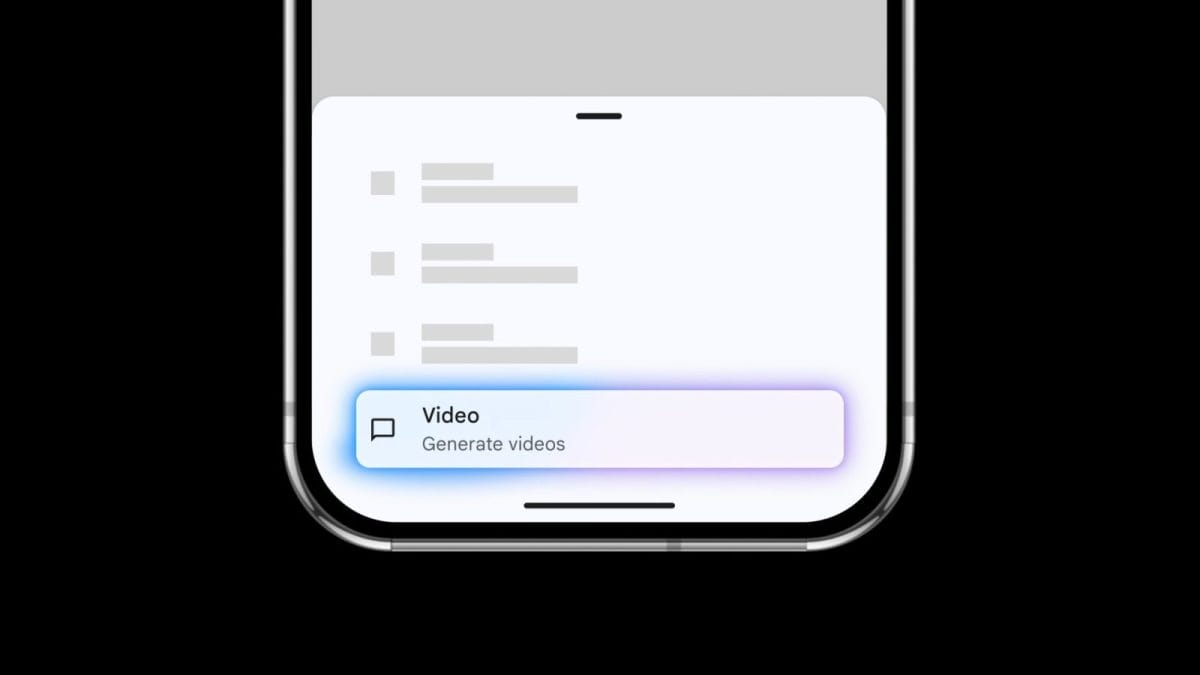
veo-by-google · veo-flow.png
fig · Flow, the filmmaking UI · source: tomsguide.com
How teams use Veo in practice
Google’s own product documentation and Flow’s feature set point to a few common patterns for putting Veo to work without a separate audio or editing pipeline:
YouTube and social b-roll: generating short scene-setting clips with audio cues that match a script’s tone, using Flow’s asset references to keep a recurring host or product looking consistent across clips.
Social ad concepts: using a product reference image to place a product in-scene for multiple 9:16 concepts, with Scenebuilder assembling several short clips into one sequence per concept. Explicit lighting and material notes in the prompt (for example, specifying matte versus reflective surfaces) help keep fine surface detail consistent across clips, since Veo can otherwise render reflective or metallic materials inconsistently from shot to shot.
Programmatic generation via the API: Vertex AI and the Gemini API accept the same prompt structure as Flow and AI Studio, returning a generation ID to poll for the finished clip — a pattern suited to on-demand or batch video generation inside an app, using the Lite or Fast variant for iteration and Standard for final output.
Across these patterns, the appeal is the same: Veo’s native audio removes a step that other video-generation workflows still require — routing silent output through a separate text-to-speech or sound-design tool and syncing it back up in an editor.
Prompting Veo for results — what actually works
Veo rewards structured prompts more than most video models. The reason is that it’s generating multiple modalities simultaneously — if your prompt is vague about audio, you get whatever the model infers from the visual scene. If you’re explicit, you get what you asked for.
The prompt structure that consistently yields good results:
Example:
“A chef plates a dish at a marble kitchen counter,
close-up on hands, slow dolly out to reveal the full table,
warm tungsten overhead lighting, soft jazz audible in background,
the clink of ceramic and ambient kitchen ambience”
The audio cue section is the most overlooked. Users coming from other video tools often write pure visual prompts and then wonder why the audio feels generic. Veo reads audio descriptors as generation inputs, not captions. “soft jazz audible in background” will produce different audio than “upbeat trap beat at low volume” — and meaningfully different from no audio cue at all.
TIP · iterate at Lite, render at Standard
Run your first several variations at Veo 3.1 Lite to lock composition, framing, and prompt wording, since Lite costs a fraction of Standard in both credits and API dollars. Once a clip concept works, run one Standard pass for the deliverable. This can meaningfully cut costs on iteration-heavy projects.
Camera movement is the second highest-leverage input after audio cues. “Slow push in on subject” produces more cinematic footage than a prompt that doesn’t mention camera at all (which defaults to static or slightly drifting). For social video, specify “static, social media framing, top third clear” to preserve space for text overlays — Veo will compose for it.
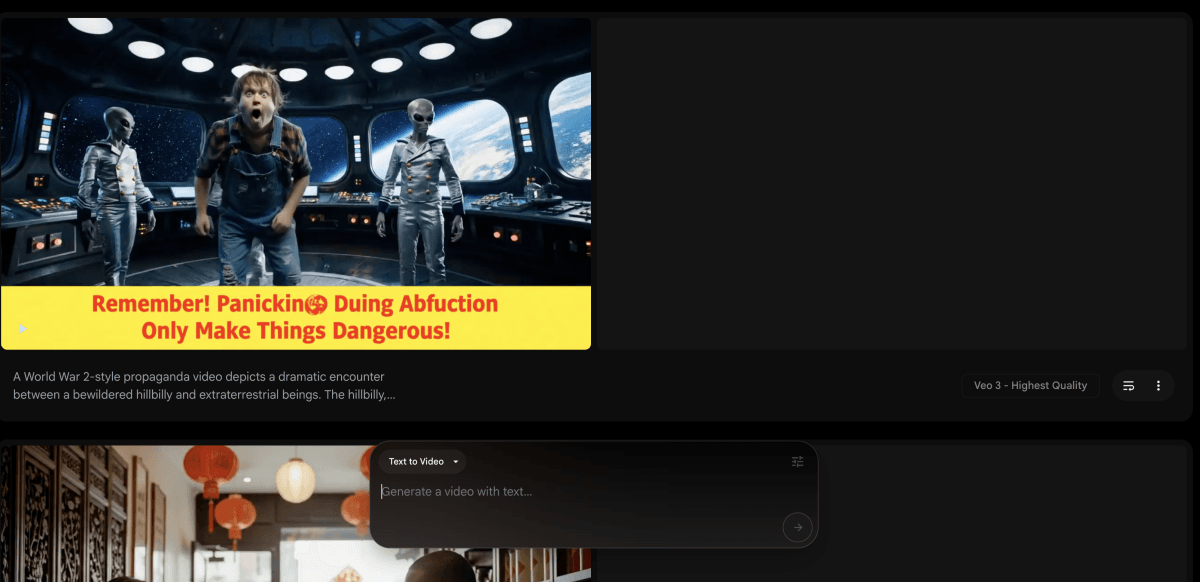
veo-by-google · veo-clip.png
fig · A Veo clip with audio · source: digitalocean.com
Where Veo leads the category
Audio was Veo’s structural lead when Veo 3 launched in May 2025, and it pushed the rest of the category to respond. Runway added audio to Gen-4.5 through an ElevenLabs integration in December 2025, and Kling shipped native, single-pass audio generation with Kling 3.0 in February 2026. Veo was first to production-grade joint audio-video generation at scale — but by September 2026 it’s no longer the only option for creators who need sound built in.
Vertical video composition is a more durable real-world lead. The model was built with 9:16 as a first-class format. Competing models have historically treated vertical as a crop or an afterthought. For anyone publishing primarily to short-form social platforms, Veo generates footage that was composed for that format — subject placement, headroom, space for captions — rather than footage generated for widescreen and narrowed.
Distribution is where Google’s scale becomes a structural advantage. Veo is embedded in Google Vids (Workspace), YouTube’s creator tools, Google Photos, and Flow. No other AI video model lives this deep inside an existing workflow ecosystem. For teams already in Google Workspace, the friction to try Veo is essentially zero.
4K output is a genuine differentiator. The 4K tier introduced in January 2026 uses native texture reconstruction, not upscaling. Runway currently offers a 4K upscale rather than native 4K generation, and Kling’s mid-2026 “3.0 Omni” update added 4K editing tools rather than native 4K generation — so Veo’s approach remains distinct from either.
Where Veo lags — honest about the gaps
Veo is not the right tool for every video job. Several categories where it consistently trails:
Cinematic narrative work
When the task is building a short film with multi-shot continuity, complex actor blocking, and emotional subtext in faces — Runway’s Gen-4.5, paired with its “General World Model” (GWM-1) released in December 2025, produces more coherent physics and more photorealistic human performances for many reviewers, and Gen-4.5 has topped third-party leaderboards such as Artificial Analysis’s text-to-video benchmark. Veo’s strength is breadth; Runway’s is depth on high-fidelity single-shot quality. If you’re pitching a film festival submission or making a brand film that will run on TV, Runway remains a strong alternative in 2026.
Prompt adherence on complex scenes
Veo occasionally misses a specific compositional instruction on highly detailed, multi-element prompts (two people at a table becomes three, the red coat becomes blue), which can require a regeneration. Independent leaderboards have shown Runway’s Gen-4.5 ahead of Veo on some prompt-adherence and physics measures. For simple and medium-complexity prompts, this rarely surfaces; for highly specific, multi-element compositions, plan for an extra iteration cycle.
Long-form single-clip generation
The 8-second base clip with extension via chaining is functional but not seamless. If you need 60+ seconds of fluid, single-take footage — a continuous drone shot, a long walk-and-talk — the Extend workflow requires planning and can introduce slight visual inconsistencies at stitch points. Runway’s GWM-1-powered pipeline can now generate roughly one-minute clips with more native continuity, which handles this case more gracefully.
Hand and fine motor detail
Close-ups of hands — especially hands manipulating small objects, typing, playing instruments — remain a weak point. Veo 3.1 improved over Veo 3, but occasional finger-count errors and joint-blending artifacts still appear in tight hand shots. Workaround: keep hand close-ups at medium range, or use an image-to-video approach with a reference that shows correct hand geometry.
NOTE · content safety filters
Veo’s safety filters are thorough — perhaps more cautious than some creators want. Violence, specific likenesses, and certain categories of expressive content get flagged more readily than on some competitor platforms. For brand-safe, platform-safe content creation this is a feature. For experimental or edge-case creative work, it can require prompt rewrites to get to the desired output.
Pricing, in real terms
Veo’s pricing structure is more complex than most AI tools because it spans several distinct access points with different cost structures. Here’s the picture as of September 2026:
Free — Google Vids (personal accounts)
Every Google account gets 10 Veo 3.1 generations per month, free, through Google Vids. Up to 8 seconds per clip, 1080p, text-to-video and image animation. No credit card. Sufficient for experimentation and light personal projects.
Google AI Pro — $19.99/month
The plan most creators and small teams should start with. Includes 1,000 monthly Flow credits (roughly 10 full Veo 3.1 Standard clips, or up to 100 Lite-tier clips), access to the Gemini app with Veo integration, and Veo 3 photo-to-video generation in Google Photos (US only). Standard-quality Veo with full native audio is available on AI Pro — it just costs more credits per clip than Fast or Lite, so budget-minded creators typically iterate on the cheaper tiers and reserve Standard for final renders.
Google AI Ultra — $100/month or $200/month
Google restructured Ultra into two tiers at I/O 2026, replacing the earlier single $249.99/month plan. The $100/month tier includes 10,000 Flow credits and 5x AI Pro’s usage limits; the $200/month tier (down from the original $250) adds more credits, Google’s highest usage limits, and access to the experimental Project Genie tool. Both tiers include the highest Veo 3 photo-to-video limits in Google Photos. If you’re generating high volumes of Flow video regularly, the credit math tends to favor Ultra over stacking multiple AI Pro seats.
Vertex AI / Gemini API — usage-based
For developers and production workflows, billed per second of video generated. Veo 3.1 Standard: $0.40/second at 720p/1080p, $0.60/second at 4K, audio included by default. Fast: $0.10/second (720p) up to $0.30/second (4K). Lite: $0.05–$0.08/second (no 4K tier). New Google Cloud accounts typically get free trial credits for a limited time, which can cover a meaningful number of test clips before committing budget. Cost scales linearly with usage, which suits variable production volumes.
Strong multi-shot narrative continuity, good value at lower price points, native audio in Kling 3.0 (Feb 2026) across several languages.
Weaker vertical video composition than Veo.
From $8/mo
The competitive framing in September 2026: Sora is gone. Runway and Kling have both closed part of the audio gap that once set Veo apart. Veo still wins when you want audio and video generated together out of the box, when you’re in Google’s ecosystem, or when you need native 4K. Runway wins when you need maximum visual fidelity on a single shot, benchmark-leading prompt adherence, or a professional editing UI with more creative control per clip. Kling is the cost-efficient option for solid 1080p quality with audio now included. Many creators end up using more than one of these tools for different parts of a project rather than choosing one exclusively.
a/veo-3.1 b/runway-gen-4.5
Runway Gen-4.5 is Veo’s most direct competitor in quality-focused video generation. Both target professional creators. The comparison has narrowed since Runway added audio in December 2025, but the two still take different approaches.
veo wins at
audio generated jointly with video in a single model pass, not a separate integration
native 4K output (true reconstruction, not upscale)
vertical video — 9:16 first-class composition
distribution — Workspace, YouTube, Photos, Flow
free tier — 10 clips/mo with no credit card
runway wins at
led some independent text-to-video benchmarks (e.g. Artificial Analysis) as of late 2025
cinematic physics — General World Model (GWM-1) architecture
human performance realism in tight shots
professional editing UI with fine controls
lower entry price at $15/mo
Verdict: Veo for social content and audio-required clips. Runway for premium single-shot narrative work. Some creators use both — Veo for volume and audio-forward projects, Runway for the hero shots.
FAQ
Does Veo really generate audio and video at the same time?
Yes. Veo 3 and 3.1 generate audio natively in the same model pass as the video — it’s not a separate audio model bolted on after the fact. That’s part of what makes the lip-sync tight and the ambient sounds contextually appropriate. Since Veo 3 launched in 2025, Kling has also added a similar single-pass native audio approach in Kling 3.0, while Runway integrates audio through a partner model (ElevenLabs) rather than generating it jointly.
What’s the difference between Veo 3.1 Standard, Fast, and Lite?
Standard is full quality — maximum resolution, best audio fidelity, highest prompt adherence. Use for final deliverables. Fast is a lighter variant with lower latency — suitable for most social content and faster iteration. Lite is the cheapest option, designed for rapid concept testing and applications where cost matters more than maximum quality. On Vertex AI and the Gemini API, Standard runs $0.40/second (720p/1080p) or $0.60/second (4K), Fast runs $0.10–$0.30/second, and Lite runs $0.05–$0.08/second, with audio included in the price.
Can Veo generate clips longer than 8 seconds?
Yes, via the Extend mode introduced in Veo 3.1. Each extension adds 7 seconds of footage while maintaining visual and audio consistency with the preceding clip, and you can chain up to 20 extensions to reach sequences of approximately 148 seconds. It requires some planning — you set explicit exit and entry frames between segments — but the continuity is solid for most use cases. It’s not the same as generating a 90-second single clip in one pass, but it works.
Is Veo available outside the United States?
Most consumer surfaces (Google Vids, Gemini app) are available broadly, with some features limited to the US or expanded territories. Flow launched US-first in May 2025 with international expansion ongoing through 2026. The Vertex AI API has broader geographic availability but specific regional access varies. Veo is inaccessible in mainland China, where Google’s consumer services are generally unavailable. Check the current Google AI availability page for your specific region and feature.
Do I own the videos I generate with Veo?
Google’s terms grant you usage rights to outputs for personal and commercial purposes, but AI-generated content’s copyright status is unsettled in most jurisdictions as of September 2026 — this is an evolving area of law. Practically: you can use Veo outputs in commercial projects. You cannot prevent others from generating similar outputs using similar prompts. Read Google’s current terms before commercial use at scale.
How does Veo handle brand or product consistency across clips?
Veo 3.1 supports up to three reference images per generation — use these to anchor a product’s appearance, a character’s look, or a location’s aesthetic. Flow’s asset management system stores these references at the project level, so every clip in a project can draw on the same visual anchors without re-prompting. Consistency is good but not perfect on fine detail — metallic surfaces and complex pattern work can drift. Prompt-level specificity on materials and lighting compensates for most drift.
Is Google AI Ultra worth $100–$200/month just for Veo?
Probably not for individuals unless you’re doing high volume. AI Pro at $19.99/month includes enough Flow credits for roughly 10 full-quality Veo 3.1 clips a month, or many more at Fast/Lite quality — production-ready for most social content. Ultra makes sense if you’re generating video at volume, need Google’s highest usage limits, or want early access to new capabilities. For teams of two or more, the math often favors an Ultra seat or the Vertex AI API over multiple AI Pro seats.
What happened to Sora — and does it change Veo’s competitive position?
OpenAI announced Sora’s discontinuation on March 24, 2026, citing sustained cost and revenue challenges; the Sora app and web experience shut down on April 26, 2026, and Sora 2 API access was scheduled to end on September 24, 2026. Sora was the benchmark for cinematic physics quality and long-clip generation — its absence leaves a gap that Runway’s Gen-4.5 is positioned to fill on the quality side. For Veo, Sora’s shutdown removes a competitor that was strong in Veo’s weaker areas (cinematic fidelity, long single-take clips), though it doesn’t change the fact that Runway and Kling have both added their own audio capabilities since Veo 3 launched.
What’s shipped since — and what’s still ahead
// status update · signals from Google DeepMind · September 2026
AI avatars in Google Vids — directable AI presenters, announced April 2026, are now generally available: Google made avatars free for personal accounts in the US in June 2026, expanded the preset library from 23 to 53 avatars, and began rolling out personal (self-likeness) avatars to Workspace and AI Pro/Ultra accounts from July 2026.
AI Music via Lyria 3 — native soundtrack generation in Google Vids, powered by Lyria 3 and Lyria 3 Pro, fully rolled out starting March 25, 2026. A newer Lyria 3.5 model has since followed. This closes the last remaining audio gap in the all-in-one workflow story.
Expanded international access for Flow — Flow launched US-only in May 2025; regional expansion has continued through 2026, though full global parity isn’t confirmed.
YouTube Create deeper integration — Google has signaled Veo as a native b-roll engine for YouTube Studio, with direct generation from video transcripts reported to be in development.
Real-time generation tier — the Fast variant continues to push toward faster generation for 8-second clips, though a dedicated real-time tier hasn’t been confirmed.
The video AI that ships finished clips, not just silent footage.
Veo 3.1 does something few AI video models match at scale: it outputs a clip you can actually use. Audio synchronized, 4K if you need it, composed for whatever format you’re publishing to. Veo made audio a first-class output well before most competitors, and that head start still shows in output quality and in how deeply Veo is embedded across Google’s own tools. For content creators, marketers, and developers building video-first products, that combination is often the deciding factor.
It’s not the tool for everything. Cinematic narrative work with complex physics and actor blocking still favors Runway, and Runway has led some independent benchmarks on prompt adherence. Runway and Kling have also both added their own audio capabilities since Veo 3 launched, so audio alone is no longer a reason to rule out the alternatives. But for the broad center of what most people are actually making — social content, ads, explainers, b-roll, YouTube — Veo 3.1 remains one of the most complete tools available today.
// facts checked 2026-09-24
Keeping tabs
Change history
Every verified price, limit, and model change we have tracked for Veo by Google.
No changes detected since we started tracking — that's a good sign.
Verified October 2026
Watch this tool
One email when Veo by Google changes price or limits. No account, no spam.